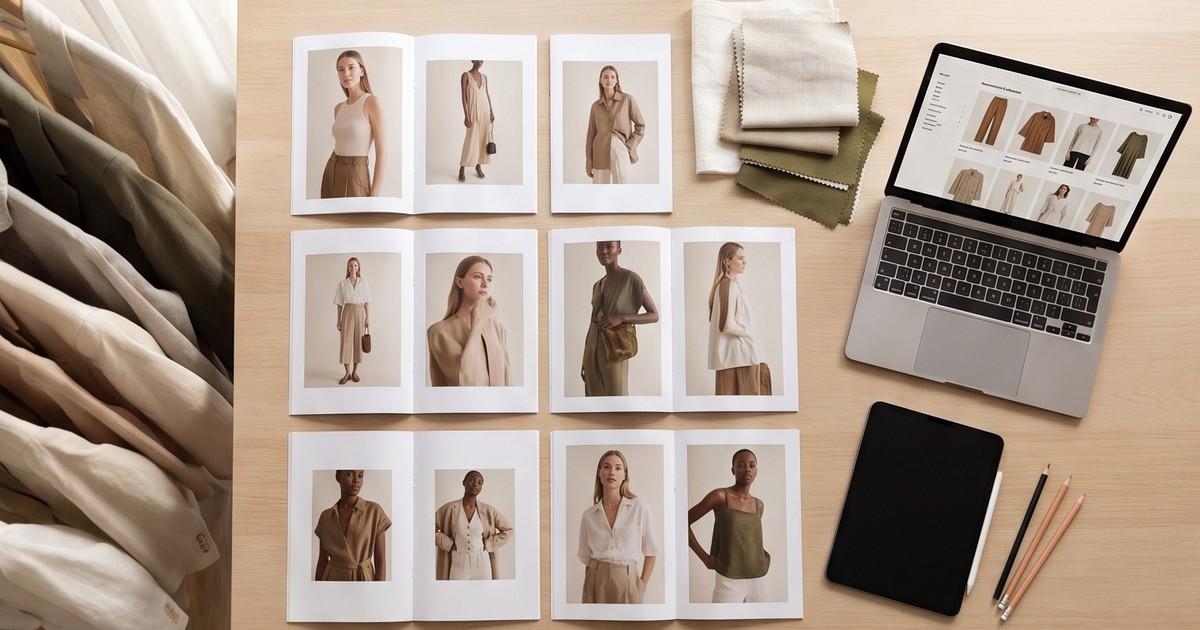
Quick answer: To create a fashion lookbook, write a one-sentence concept for the collection, edit your styles down to a small set of looks that support it, build a shot list, produce the images (with a photo shoot or an AI lookbook generator), sequence them into pages that tell a story, then publish the lookbook in the formats your channels need: a shoppable web page, a PDF or link for buyers and press, and cut-downs for social and email. The steps are the same whether you shoot or generate. What changes is the cost, the timeline and how fast you can fix a weak image.
Most lookbooks that fail do not fail at the shoot. They fail before it, when nobody wrote down what the collection is about, and after it, when 200 good images get dumped into a PDF with no order. This guide covers both ends, plus the production middle, for an ecommerce brand that needs one lookbook to work on its site, in its emails, on social and in front of wholesale buyers.
If you already know you want to produce the images with AI, our step-by-step AI lookbook guide goes deeper on that workflow. This post is the full process, start to finish, with either production method.
What a Lookbook Is (and What It Is Not)
A lookbook is a styled, sequenced set of images that tells the story of a collection: who it is for, what mood it carries, and how the pieces work together. It sells a point of view first and individual products second.
That makes it different from the other visual assets you already produce:
| Asset | Main job | Typical styling | Who uses it |
|---|---|---|---|
| Product page (PDP) images | Show one product accurately | Clean background, front, back, detail | Shoppers deciding on one item |
| Line sheet | List styles, codes, prices, sizes | Flat or packshot images, grid layout | Wholesale buyers placing orders |
| Campaign | Build brand awareness | Highly art-directed, few hero images | Ads, homepage, press |
| Lookbook | Show the collection as a story of looks | Styled outfits, consistent setting and light | Site, email, social, buyers, press |
A good lookbook sits between campaign and PDP. It is more editorial than a product page, but every image still needs to show the real product clearly enough that a shopper can tell what they are looking at and find it on your site.
Step 1: Write the Concept in One Sentence
Before choosing models, locations or a camera, write a single sentence that answers three questions: who the collection is for, what it feels like, and what ties the looks together.
Examples:
- "Resort linen for women who travel light: sun-bleached, relaxed, built around three neutrals."
- "Workwear-inspired outerwear for city commuters: structured, rain-ready, charcoal and olive."
- "A capsule of knitwear basics for layering: soft, warm, every piece pairs with every other piece."
This sentence does real work later. It decides which styles make the edit, which setting you use, how the model poses and what copy goes on each page. When someone on the team asks "should this look be in?", the answer is whether it supports the sentence.
Then expand it into a short mood brief, one paragraph covering:
- Setting: studio, city street, coast, interior, countryside
- Light: soft daylight, hard sun, overcast, warm golden hour, flash
- Palette: the colors that should dominate the pages
- Energy: still and editorial, candid and in motion, playful
- Customer: age range, lifestyle, what their week looks like
Collect 15-30 reference images that match the brief. Pull them from past campaigns, magazines and brands you admire, and check each one against your actual product. A sleek minimal interior will fight a bohemian print collection no matter how good the photo is.
Step 2: Edit the Collection Into Looks
A lookbook shows looks, not SKUs. A look is a complete outfit styled head to toe, including shoes and accessories.
How many looks? There is no fixed number. A small capsule might need 8-15 looks. A full seasonal drop might need 25-40. The right number is the smallest set that shows the whole story without repeating itself.
How to edit:
- List every style in the collection with its colorways.
- Group them by story. For example: "weekday tailoring", "weekend knits", "evening".
- Build looks inside each group. Each hero piece should appear in at least one look. Strong basics can appear in two or three.
- Cut anything that needs explaining. If a look only works with a caption telling people why, it weakens the set.
- Cut repeats. Two looks that say the same thing waste a page. Keep the stronger one.
- Check coverage. Every colorway you want to sell should be visible somewhere, even if only as a detail shot.
Write the final edit into a look list: look number, every product in it (with style code), and the story group. This list becomes the backbone of the shot list, the page order and the shoppable links later.
Step 3: Build the Shot List
Never produce a lookbook without a shot list. It keeps the production focused, it stops images from drifting in style, and it lets you see what you can realistically produce in the time you have.
For each look, plan:
- Full-length front. Always shoot this first. It shows the whole look and silhouette.
- Three-quarter or back view. Shows fit and how the garments move.
- Detail shots. Fabric texture, trims, hardware, prints, stitching.
- One or two editorial frames. Movement, interaction with the setting, a wider environment shot.
Then add collection-level shots:
- Opening hero image for the cover and the top of the web page
- Mood or environment images with little or no product, used as pacing between sections
- Group shots if you use more than one model and want to show looks side by side
Lock the visual language across every shot: same light direction and quality, same crop ratios, same styling rules (hair, makeup, how sleeves are pushed, whether shirts are tucked). Consistency is what makes 30 images read as one lookbook instead of 30 separate photos.
Shot list template
| Look | Products (style codes) | Story group | Shots needed | Notes |
|---|---|---|---|---|
| 01 | Linen blazer LB-101, wide trouser WT-204, leather sandal LS-310 | Weekday | Full front, back, fabric detail, walking frame | Opening look, cover candidate |
| 02 | Knit polo KP-115, pleated skirt PS-220 | Weekend | Full front, 3/4, knit texture | Show both colorways |
| 03 | Slip dress SD-330, cropped cardigan CC-140 | Evening | Full front, back, strap detail, seated editorial | Closing look |
Prioritize the list. Mark which shots are essential and which are nice to have. If you run out of time or budget, you cut from the bottom, not at random.
Step 4: Plan Backward From the Launch Date
Pick the date the lookbook has to be live: the site launch, the email send, the buyer appointment or the press mailing. Then work backward:
- Final proof and publish
- Layout and copy
- Image selection and retouching
- Production (shoot or AI generation)
- Styling and fit check
- Samples arrive
Samples are the usual bottleneck. With a traditional shoot, late samples push the whole calendar, because you cannot photograph what has not arrived. Leave buffer at the start, not the end.
This is also where AI production changes the plan. If you can generate on-model images from a product photo, a CAD render or a single early sample, you can start building pages before the full sample run lands. Brands use this to create lookbooks before the collection exists for pre-orders and early buyer meetings. For a full seasonal calendar, see seasonal lookbook production with AI.
Step 5: Produce the Images (Shoot or AI)
You have two ways to get from shot list to images. Many brands now mix both: a small shoot for a few hero images and AI for the full range of looks and colorways.
Option A: A traditional lookbook shoot
What you need to book: photographer, model(s), stylist, hair and makeup, a studio or location (plus any permits), and someone to handle retouching afterwards.
How to run it well:
- Send the shot list and mood brief to everyone in advance. The photographer plans light and lenses, the stylist preps looks, the model knows the energy.
- Steam and prep every garment before it goes on set. Fix dust, lint, creases and reflections at capture. It is cheaper than retouching them.
- Shoot the essential shots first, then work down the list.
- Check images on a laptop or tablet during the day, not only on the camera screen. Catch focus and styling issues while you can still reshoot.
- Be realistic about pace. One experienced lookbook guide from Pixelz puts a day's output at roughly 10 to 30 looks, at the low end if you change locations or want each shot meticulous.
The upside of a shoot is full creative control on the day and real fabric in real light. The downside is cost, coordination and the fact that any fix after the day means another booking. If you want the numbers, we broke down fashion photography costs, traditional vs AI.
Option B: AI lookbook production
With an AI lookbook generator, you upload product photos (flat-lays, ghost mannequin shots or packshots), pick a model and a setting, and generate on-model images. The planning steps above stay exactly the same. The production step gets faster and cheaper, and weak images can be regenerated instead of reshot.
How to keep AI images lookbook-grade:
- Cast models deliberately. Choose 2-3 models that match your customer and keep them consistent across the set. Our guide to AI model casting for lookbooks covers this.
- Lock the setting and light. Reuse the same scene and lighting description for every look, and only swap the garment.
- Use accurate product inputs. Clean, well-lit product photos give the most faithful results. Check every output for color, print placement, logos, buttons and length. Our AI clothing photo accuracy guide lists what to check.
- Generate several options per look and cull. Pick the frame that matches the pose energy of its neighbors, not just the prettiest one.
- Write structured prompts if your tool uses them. Our AI lookbook prompt templates give copy-paste starting points.
Shoot vs AI at a glance
| Factor | Traditional shoot | AI lookbook production |
|---|---|---|
| Needs physical samples | Yes, every piece | A product photo or render can be enough |
| Crew and booking | Photographer, model, stylist, HMU, location | None |
| Fixing a weak image | Reshoot or heavy retouch | Regenerate |
| Adding a colorway later | New shoot or composite | Generate from the new product photo |
| Creative control on the day | Full, live | Through inputs, model choice and scene |
| Best for | Hero campaign images, complex movement, tactile storytelling | Full collection coverage, colorways, fast drops, testing concepts |
Whichever route you choose, accuracy beats polish. A lookbook image that makes a garment look different from what arrives in the box creates disappointed customers and returns.
Step 6: Select and Sequence the Images
Once you have the images, resist the urge to use all of them. Select, then sequence.
Selection:
- Lay every candidate out side by side, grouped by look.
- Pick the best 1-3 images per look.
- Review the full selection together. An image that works alone can break the flow next to its neighbors.
Sequence the pages like a story:
- Cover: brand name, season, one strong hero image.
- Concept page: the one-sentence idea and a short paragraph.
- Looks grouped by story: each story group gets its own run of pages.
- Detail pages: fabric, trims and finishes, placed where they support a look.
- Close: a final mood image and a clear next step (shop the collection, view the line sheet, book an appointment).
Pacing tips:
- Alternate full-length and close-up shots to create rhythm.
- Spread colors across pages instead of clustering all the neutrals together.
- Give hero looks a full page. Pair supporting looks on spreads.
- Make adjacent images share something: color, setting or mood, so each page turn feels deliberate.
Keep this structure and it becomes your template for every season.
Step 7: Design the Layout and Write the Copy
Layout is where a stack of good images becomes a lookbook. You can use a professional layout tool, an online editor with templates, or have a designer build a reusable template once and fill it each season. Our fashion lookbook layout design guide goes deep on grids, spreads and typography.
Layout rules that hold up:
- One or two typefaces, used consistently.
- Generous white space. Restraint reads as editorial.
- Consistent image ratios within each section.
- Product names and codes small and discreet, so they help without competing with the image.
Copy:
- Keep it short. A few words of tone per section, a name and code per look.
- Write for search on the web version. Use the words your customers search for: the product type, fabric, color and occasion. A web lookbook with real text can rank; an image-only PDF cannot.
- Link every look to its products on the web version.
Step 8: Publish in the Formats Your Channels Need
One lookbook should serve several channels. Plan the formats up front so you do not have to rebuild it later.
1. A shoppable lookbook page on your site
This is the most valuable version for an ecommerce brand.
- Build it as a real page with HTML text, not a single embedded PDF.
- Make every look clickable through to its product pages.
- Compress images and lazy-load below the fold so the page stays fast on mobile.
- Give it a clear URL and title that include "lookbook" plus the season or collection name.
2. A PDF or shareable link for buyers and press
- Keep the file light enough to email.
- For wholesale, add discreet style codes that match your line sheet and group looks by delivery window. Our posts on wholesale fashion catalogs and Faire line sheets cover the buyer side.
- A link or online gallery opens without an attachment and can show who viewed it. PDFs are easier to archive but give you no view data.
3. Social and email cut-downs
- Break individual looks out into feed posts, carousels and stories.
- Crop key images to vertical formats for Reels and TikTok.
- Use the lookbook as the hub of a launch email, with each look linking to the shop.
- Turn your strongest looks into short motion clips. Video versions of lookbook images often hold attention better in social feeds. See turning static lookbooks into video.
4. Print (optional)
Printed lookbooks still work for events, pop-ups, showroom appointments and direct mail. Test paper and print color before the full run, and add a QR code that opens the web version so print readers can shop.
Step 9: Measure, Then Reuse What Worked
A lookbook is not finished when it is published. Track how each version performs so the next one is better:
- Web page: sessions, scroll depth, clicks from looks to product pages, and revenue from those sessions.
- Email: click-through to the lookbook and to individual looks.
- Social: saves and shares per look, not just likes.
- Wholesale: opens, views and the orders or appointments that follow.
Note which looks drove the most clicks and which settings, models and shot types performed best. Feed that into the next season's concept and shot list. We cover the full measurement setup in lookbook performance metrics.
FAQ
How do I create a fashion lookbook step by step?
Write a one-sentence concept, edit the collection into a small set of complete looks, build a shot list, produce the images with a shoot or an AI lookbook generator, select and sequence the images into a story, design the layout and copy, then publish a shoppable web version plus a PDF or link for buyers and cut-downs for social and email.
How many looks should a lookbook have?
There is no fixed number. Small capsules often use 8-15 looks and full seasonal collections 25-40. Use the smallest set that tells the whole story without repeating itself.
What is the difference between a lookbook and a line sheet?
A lookbook tells the story of a collection with styled, on-model looks. A line sheet is a practical order document with style codes, prices, sizes and delivery dates. Wholesale buyers often get both: the lookbook to sell the vision and the line sheet to place the order.
Can I make a lookbook without a photo shoot?
Yes. An AI lookbook generator can place your products on photorealistic models in a consistent setting from product photos, so you can produce a full lookbook without booking a studio, model or crew. The planning, sequencing and layout steps stay the same. Our AI lookbook guide walks through that workflow.
What format is best for an ecommerce lookbook?
A shoppable web page is the most useful format for an online store, because it can rank in search, link every look to its products and be tracked. Add a PDF or shareable link for buyers and press, and cut the looks down for social and email.
Create Your Next Lookbook Without the Shoot
The planning is the part only your team can do: the concept, the edit, the story. Production is where most of the time and budget disappears, and it is the part you can now hand off.
With Tellos, you upload your product photos, choose AI models that match your customer, lock a setting and light that fits your concept, and generate on-model lookbook images for the full collection, including every colorway. Then turn your best looks into motion for social, email and product pages.
Start building your lookbook and lookbook videos in the Tellos AI Video Studio.