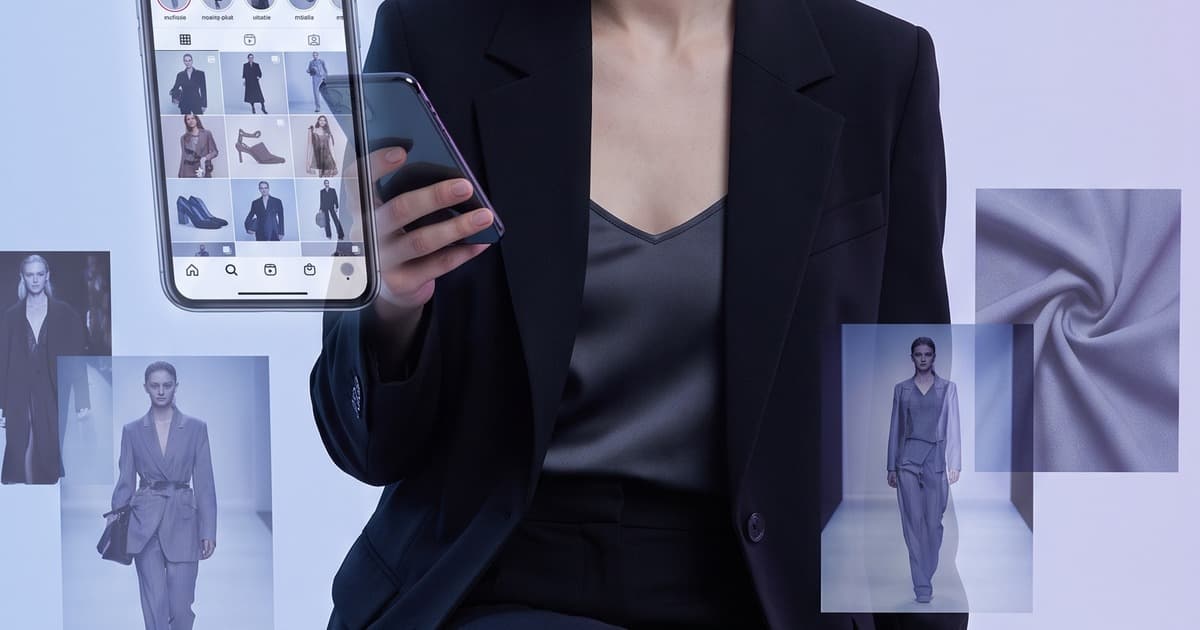
Your Instagram grid is your storefront window. Every day you don't post, a competitor fills that slot in your customer's feed. The problem? Running a photoshoot every time you need fresh content isn't scalable—and most brands hit the wall within weeks of launch.
AI fashion photography changes that equation completely. Brands using AI-generated lookbook content are now posting daily, maintaining a consistent aesthetic, and doing it without booking a single model or studio. Here's exactly how it works—and what you need to know to make it work for your brand.
Why Instagram Demands More Than Traditional Photoshoots Can Give
Instagram's algorithm rewards consistency. Brands that post daily outperform brands that post three times a week—not just in reach, but in follower retention and conversion. But to post daily with professional-quality fashion photography, you'd need to shoot constantly.
Consider what a traditional photoshoot produces:
- A typical one-day shoot yields 80–150 edited, usable images
- Spread across daily posting, that's roughly 2.5–5 months of content
- But brands don't just need one shoot worth—they need seasonal refreshes, trend responses, promotional pushes, product launches, and story-specific content
The math doesn't work. Shoots cost €2,000–€15,000 per day depending on scale. No mid-size fashion brand can afford to shoot monthly, let alone weekly.
The result: most brands post inconsistently, recycle old images, or resort to user-generated content that doesn't match their aesthetic standards. None of these options build the kind of aspirational, high-quality feed that converts followers into buyers.
What AI Fashion Photography Looks Like on Instagram
AI-generated fashion photography isn't a filter or an edit. It's a full image creation process—your product, on a realistic AI model, in a styled environment, with professional lighting. The output is indistinguishable from studio photography to the average Instagram user.
Here's what you can generate on demand:
- Editorial-style shots — dramatic lighting, bold compositions, clean backgrounds
- Lifestyle contexts — café settings, street scenes, outdoor environments
- Minimalist product frames — white or solid-color backgrounds, clean and catalog-ready
- On-model lookbook images — consistent AI model across your entire collection
- Multiple colorways — the same outfit in every available color, same model, same pose
The key advantage for Instagram: you can generate this content in batches. Instead of planning a shoot weeks in advance, you open your AI platform, upload your products, and have a week's worth of Instagram-ready images in under an hour.
Aesthetic Consistency: The Real Instagram Superpower of AI
Instagram success isn't just about individual images—it's about your grid as a whole. The most compelling fashion accounts have a recognizable visual identity: consistent lighting, a coherent color palette, the same model or model type appearing throughout.
Traditional photography makes this hard. Even with a great photographer and creative director, lighting changes between shooting days, models have availability constraints, and subtle inconsistencies creep in across a season.
AI eliminates the consistency problem entirely.
When you use an AI platform to generate your Instagram content:
- The same AI model can appear across every image in your catalog
- Lighting style and mood are reproduced identically across every SKU
- Background environments match exactly—same outdoor setting, same color grading, same composition style
- Color grading is consistent without post-production tweaking
This means your Instagram grid looks like it was shot in a single session, even when you're pulling images from multiple different batches generated weeks apart. That level of visual coherence used to require a dedicated in-house creative team. Now it's a product setting.
AI Photography Styles That Actually Perform on Instagram
Not all visual styles convert equally on Instagram. Based on what fashion brands see from their feeds, here are the approaches that work:
Editorial/Dramatic
High-contrast lighting, strong shadows, often single-color or abstract backgrounds. Works best for premium and luxury positioning. The AI equivalent means choosing directional lighting prompts and clean, minimal staging.
Best for: Brand awareness content, new collection announcements, aspirational positioning.
Street Style / Lifestyle
Natural light aesthetic, urban or architectural backgrounds, movement-implied poses. Feels authentic and relatable, performs well with younger demographics. AI handles this well with outdoor environment contexts.
Best for: Day-to-day posting, trending content, seasonal content tied to real-world events.
Clean Minimalist
White or soft-gray backgrounds, clear lighting, product-forward framing. These images do double duty—they work for Instagram and your product detail pages, reducing production overhead further.
Best for: Product launches, sale promotions, new arrivals, email-to-Instagram repurposing.
Flat Lay Derivative
Not always on-model, but styled flat lays with props and context. AI can style these for you, though they're also easy to produce with basic in-house setup. Good for accessories and detail shots.
Best for: Accessory-focused posts, styling tips content, lower-effort filler days.
The key insight: batch your content by style. Generate a full week of street-style shots, then a full week of editorial, then minimalist. Your grid will look intentional and varied without being chaotic.
How to Batch-Generate a Week of Instagram Content in Minutes
This is the workflow fashion brands are actually using:
Step 1: Prepare your product uploads Have your product images ready—flat lays or simple photographs. You don't need professional shots; AI handles the transformation. Upload each product once; you can generate multiple looks from it.
Step 2: Select your content plan for the week Decide what you're posting: 3 editorial shots, 2 lifestyle, 2 minimalist. Map it to what products you want to feature based on your marketing calendar (new arrivals, bestsellers, promotional items).
Step 3: Generate in batches by style Run your editorial batch first, then lifestyle, then minimalist. Each generation takes seconds per image. For a 7-image week, you're looking at 15–30 minutes of active work.
Step 4: Review and select AI platforms typically give you multiple variations per generation. Pick the best, discard the rest. This is your "editing" phase—much faster than editing raw photography.
Step 5: Schedule Drop your selected images into your scheduling tool (Later, Buffer, Hootsuite, Planoly—whatever you use). Write captions in the same session. Done.
Total time from start to a fully scheduled week: under 2 hours. Compare this to organizing, shooting, editing, and culling a traditional photoshoot.
Building Your Instagram Content Calendar Around AI Generation
The smarter play isn't just filling in daily posts—it's building a strategic content calendar that aligns AI generation with your marketing activity.
Here's a framework that works:
| Week | Focus | AI Content Type |
|---|---|---|
| Week 1 (new drop) | Launch content | Editorial + lifestyle for new collection |
| Week 2 | Bestsellers + social proof | Minimalist product + lifestyle reposts |
| Week 3 | Styling content | Lookbook-style multi-outfit editorial |
| Week 4 | Promotional / sale | Clean product shots + before/after value framing |
Plan your AI generation sessions quarterly or monthly. In one 2-hour session, you can generate an entire month of content if you come in with a clear brief. Brands doing this are essentially future-proofing their Instagram presence—they're never scrambling for content, never recycling old images out of desperation, and never missing a post because the photoshoot got delayed.
This connects directly to a broader fashion brand content calendar strategy—AI generation makes batch content production genuinely practical.
The Instagram Grid Strategy: Making AI Content Cohesive
If you're thinking carefully about your grid (and for fashion brands, you should be), here are specific techniques for making AI-generated content feel native and intentional:
Pick a hero color palette and stick to it. Your AI platform lets you specify background colors and environments. If your brand's palette is warm neutrals, specify that in every generation. Your grid will look intentional even to viewers who are paying close attention.
Use the same AI model for hero posts. Your audience forms an implicit relationship with the "face" of your brand. Choose an AI model archetype that fits your customer identity and use it consistently. This is something AI model casting makes infinitely easier than traditional casting.
Alternate content types rhythmically. Don't post five editorial shots in a row. Alternate between editorial, lifestyle, and minimalist to create visual rhythm on your grid. Map this out before you generate—it's easier to batch the right mix upfront.
Plan for Stories and Reels separately. Your AI-generated photography feeds your grid beautifully. For Stories and Reels, you'll want motion—which means fashion lookbook video AI becomes your next unlock. Turning your AI photos into short motion clips is now possible and dramatically boosts your Story performance.
What About Authenticity? Does AI Photography Work for Instagram Audiences?
This is the question brands ask most often. The short answer: yes, and the data backs it up.
Instagram audiences are visually literate but they're not forensic analysts. What they respond to is quality, consistency, and relevance—not provenance. A striking editorial shot generates engagement whether it was shot at the Shoreditch warehouse with a crew of fifteen or generated on a Tuesday afternoon via AI.
More importantly: your competitors are already doing this. The brands you're competing against for attention in your customer's feed aren't all running monthly photoshoots. Many are using AI tools to produce content at a pace that wasn't possible two years ago.
The brands that will be perceived as authentic won't be the ones who insist on traditional photography—they'll be the ones who show up consistently with a strong, coherent visual identity. AI is the tool that makes that possible at the frequency Instagram rewards.
From Lookbook to Instagram: The Repurposing Multiplier
One underused strategy: your lookbook images are Instagram images. Brands that generate AI lookbooks for seasonal collections are sitting on weeks of Instagram content they don't even need to re-generate.
A 30-piece seasonal AI lookbook contains:
- 30+ on-model product shots (grid posts)
- Multiple styling combinations (outfit-of-the-day content)
- Environmental/background variations (lifestyle content)
- Detail and texture shots (Story content)
Properly planned, a single AI lookbook session generates 60–100 Instagram-ready assets. Spread across a season of daily posting, that's your entire grid covered from a single generation session—while the lookbook itself does its job for wholesale buyers, your website, and email campaigns.
This is the economics of AI content production: one asset creation session, multiple distribution channels, zero additional cost.
Getting Started: Practical First Steps
If you're not already using AI for Instagram content, here's how to start without overhauling your entire workflow:
Week 1 — Test on one product. Pick a bestseller. Generate 10 AI images in two different styles (editorial + lifestyle). Post them across the week and track engagement against your baseline.
Week 2 — Batch one week ahead. Use what you learned from Week 1 to generate a full week of content in one session. See how it feels to be a week ahead instead of posting day-of.
Week 3 — Build your model and aesthetic. Make decisions about your consistent AI model, your signature background palette, your preferred lighting style. Lock these in as your "brand settings."
Month 2 — Batch monthly. Schedule one monthly generation session. Come in with a content plan aligned to your marketing calendar. Leave with 30+ assets scheduled and done.
Within a month, you'll have transformed Instagram from a time-consuming scramble into a predictable, high-quality channel that actually builds your brand.
Ready to Turn Your Products Into Daily Instagram Content?
Tellos AI Photo Studio generates professional, lookbook-quality fashion photography directly from your product images—ready for Instagram, your website, wholesale catalogs, and every channel in between.
No booking. No studio. No waiting.
Start generating Instagram-ready content with Tellos →
Upload your first product today and see the difference consistent, professional AI content makes for your feed.