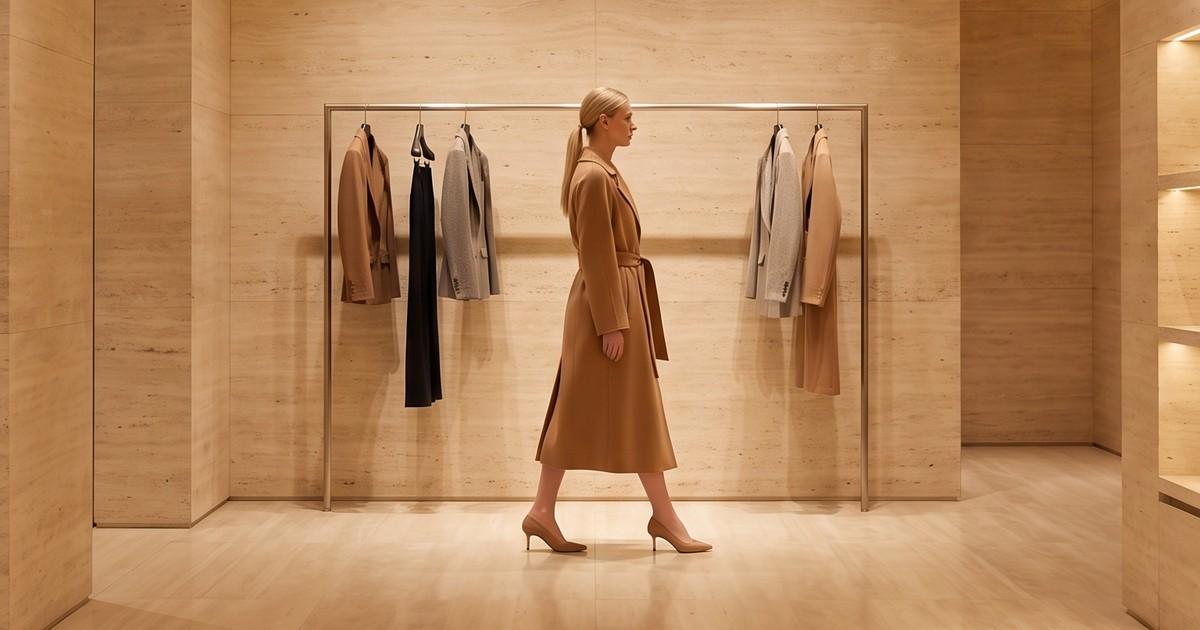
A $1,400 coat should not be sold with the same bouncing "SHOP NOW" sticker as a $14 t-shirt. That is the core problem with shoppable video for luxury brands: most of the tooling and most of the playbooks were built for volume retail, flash sales and TikTok Shop deal hunters. Copy them directly and you get more clicks, but you also teach your customer that your brand behaves like a marketplace.
The good news is that shoppable video works very well for premium fashion. It just has to be run on different rules. This guide covers what those rules are, which formats fit a luxury label, where to place video on the site, how to produce enough of it without diluting quality, and how to measure it without chasing the wrong numbers.
If you need the technical setup first, start with our complete shoppable video setup guide for Shopify fashion brands. This post assumes the plumbing exists and focuses on doing it in a premium way.
Why Luxury Shoppable Video Is a Different Game
Mass-market shoppable video optimizes for impulse. Luxury shoppable video has to optimize for confidence.
A luxury customer usually:
- Researches longer before buying, often across several visits and devices
- Cares about material, construction and fit more than price
- Wants to feel served, not pushed
- Notices cheap execution immediately, and judges the whole brand by it
That changes what the video is for. In volume retail, the video's job is to get a tap in the first two seconds. In luxury, the video's job is closer to what a good sales associate does in a boutique: show the piece properly, answer the unspoken questions (How does it drape? How heavy is the fabric? What does the lining look like?) and make the purchase feel like a natural next step.
The three mistakes that make luxury video feel cheap
- Loud UI on top of quiet footage. Pulsing product tags, countdown timers and big discount badges overlaid on a slow, beautiful clip. The UI wins and the brand loses.
- Promo pacing. Fast cuts, zooms and trending audio borrowed from deal content. It reads as urgency, and urgency reads as "this might not sell."
- Inconsistent quality across the catalog. One hero campaign film, then 300 products with no video or with phone clips. The gap tells shoppers which products the brand actually cares about.
What "Premium" Means in Shoppable Video
Before picking tools or formats, agree internally on what premium looks like for your label. In practice it comes down to a handful of controllable variables.
| Variable | Mass-market default | Luxury default |
|---|---|---|
| Pacing | Cuts every 1-2 seconds | Longer holds, slow camera moves |
| Audio | Trending tracks, voiceover hooks | Ambient, licensed score, or silence |
| Overlay UI | Bold tags, stickers, price flashes | Minimal tag, revealed on hover or pause |
| Framing | Tight, centered, phone-native | Editorial, with negative space |
| Call to action | "Shop now", "Limited stock" | "Discover", "View the piece", "Reserve" |
| Price display | Front and center, often discounted | Present but secondary |
| Model direction | High-energy, talking to camera | Calm, confident, garment-first |
None of these are rules carved in stone. A streetwear-adjacent luxury label can push pacing harder than a heritage house. The point is to decide deliberately rather than inheriting defaults from a widget built for flash sales.
Shoppable Video Formats That Fit Luxury Fashion
Not every shoppable format suits a premium brand. These are the ones that tend to work.
1. The product detail film (PDP video)
A 6-15 second clip on the product page showing the piece on a model: a walk, a turn, a close look at fabric and hardware. This is the highest-value format for most luxury stores, because it answers the questions that stills cannot: drape, weight, movement, sheen.
- Keep it silent by default, autoplay muted, loop cleanly
- Include at least one detail shot (stitching, buttons, lining, logo hardware)
- Match the lighting and color grade of your stills so the page looks like one shoot
We cover PDP motion in depth in AI model videos for product pages.
2. The collection gallery
A curated row or grid of short clips on a collection page, each tagged to its product. Done well, it feels like walking through a boutique rail. Done badly, it feels like a social feed pasted onto your site.
For luxury, galleries work best when they:
- Use a consistent visual treatment (same set, same grade, same crop) across every tile
- Show fewer, better clips rather than an endless scroll
- Keep product tags hidden until hover or tap
See shoppable video galleries for Shopify collection pages for setup options and layout patterns.
3. The editorial lookbook film
A 30-90 second film for a new collection or capsule, with each look tagged as it appears. This is the format closest to traditional luxury brand content. It belongs on the collection landing page, in launch emails and in paid social.
The shoppable layer should be subtle: a small "View look" chip that opens a product drawer, not a full-screen product card that interrupts the film.
4. Styled-outfit video
One model, one complete look, with each piece tagged. This is where luxury brands can lift average order value without discounting: the coat sells the trousers, the trousers sell the boots. It works on PDPs ("Complete the look") and in email.
5. Clienteling and one-to-one video
Several luxury houses use live or recorded video consultations between store staff and remote shoppers. Gucci, for example, launched a video service called Gucci Live that connects shoppers with staff in a dedicated space. This is a service model as much as a content format, but it shows the direction: luxury video commerce leans toward personal attention, not mass broadcasting.
You do not need a dedicated studio to borrow the idea. Short, high-quality product clips that associates can send over WhatsApp, SMS or email give clienteling teams something better than a product link.
A note on livestream shopping
Livestream shopping can work for luxury, especially for jewelry, watches and pre-owned, but it carries risk. Many livestream audiences arrive expecting deals, and a live format is harder to control visually. If you test it, treat it as a hosted event (an atelier tour, a designer conversation, a private preview for clients) rather than a sales marathon.
Where to Place Shoppable Video on a Luxury Site
Placement matters as much as production. A good clip in the wrong place reads as clutter.
Product pages
- Put the video in the main media gallery, as the second or third item after the hero still. Leading with video can slow the page and bury the image most shoppers expect first.
- Add a detail clip further down the gallery for fabric and construction.
- Keep the add-to-cart area clean. The video sells; the button should not shout.
Collection pages
- Use video sparingly: a hero film at the top, or one video tile every few rows, works better than turning every tile into motion.
- Check performance on mobile. Several autoplaying videos on a collection page can hurt load time and battery. Our guide on Core Web Vitals and product video covers lazy loading and poster images.
Homepage and campaign landing pages
- This is where the editorial film lives. Tag looks, but let the film play without interruption.
- Offer a clear path to the full collection after the film ends.
Email and clienteling
- Use an animated preview or a poster frame with a play icon linking to the product page. Most email clients do not play video inline, so the click is the goal.
Production: The Real Bottleneck for Luxury Brands
Most luxury brands agree that video helps. The reason they do not have it on most products is production capacity.
A traditional shoot for a luxury collection involves model casting, location or studio booking, a photographer and videographer, styling, hair and makeup, retouching and editing. That is fine for a campaign. It does not scale to every SKU and every colorway, especially with pre-collections, capsules and drops spreading across the year.
So brands end up with a split catalog: a few hero products with beautiful film, and everything else with stills only. For a luxury shopper, that inconsistency undermines the experience.
Where AI production fits
This is where AI-powered shoppable video has changed the economics. Instead of booking a new shoot for every product, brands can generate on-model video from existing product photography: flat lays, ghost mannequin shots, packshots or campaign stills.
The workflow looks like this:
- Start from accurate product images. The garment's details, prints, logos and hardware need to be clearly visible.
- Choose a consistent model and setting that matches your brand's visual world, so every clip looks like it came from the same production.
- Generate short motion clips: a walk, a turn, a detail move.
- Review for garment accuracy before anything goes live. For luxury, this step is non-negotiable.
- Export in the formats your PDP, gallery and social placements need.
Underneath, AI production platforms run on modern video models such as Kling, Seedance, Sora or Runway. Those models are the engine. What a luxury brand needs on top is the workflow layer: garment fidelity, consistent models and settings across the catalog, brand-safe review and output at catalog scale. That is the layer Tellos provides.
Luxury-specific quality checks for AI video
Premium shoppers zoom in. Before publishing, check every clip against this list:
- Logo and monogram accuracy. Hardware, embossing and printed logos must match the real product exactly.
- Fabric behavior. Silk should move like silk; heavy wool should not float.
- Construction details. Seams, pocket placement, button count and lining color must be correct.
- Color fidelity. Compare against the physical sample under neutral light.
- Hands and face. Any visual oddity on the model pulls attention away from the product.
- Brand world consistency. Same grade, same mood, same model direction across the collection.
Our AI-generated clothing photos accuracy guide goes deeper on garment fidelity checks that apply to both stills and motion.
Designing the Shoppable Layer for a Premium Feel
Once the footage is right, the interactive layer decides whether the experience feels premium or cheap.
Tagging
- Hide tags until intent. Reveal product tags on pause, hover or tap, not on load.
- One tag per piece, placed where it does not cover the garment.
- Use the brand's typeface and color palette in tags and drawers, not the widget's defaults.
Product drawer
When a shopper taps a tag, the product drawer should:
- Show the product name, a still and the price in a calm layout
- Offer size selection and add to bag without leaving the video
- Include a "View full details" link to the PDP for shoppers who want more
Copy
Swap urgency copy for service copy.
| Instead of | Try |
|---|---|
| Shop now | Discover the piece |
| Only 3 left | Available in limited quantities |
| Buy before it's gone | Reserve your size |
| Flash sale | Private preview |
Pricing
Show the price; luxury shoppers expect transparency. Just do not make it the loudest thing on screen, and avoid strikethrough pricing inside brand films.
Measuring Luxury Shoppable Video Without Chasing the Wrong Metrics
Luxury purchase cycles are longer, so last-click conversion from a video view will understate impact. Measure on several levels.
Engagement metrics
- Video play rate on PDPs and collection pages
- Average watch time and completion rate
- Tag interaction rate (taps or hovers on product tags)
Commerce metrics
- Add-to-bag rate for sessions that viewed video vs sessions that did not
- Conversion rate on PDPs with video vs comparable PDPs without
- Average order value for sessions that interacted with styled-outfit video
- Return rate by product, before and after adding video. Better visuals of fit and fabric can help set accurate expectations. See our post on how accurate fit visuals affect fashion returns.
Brand metrics
- Time on site and pages per session for video-engaged visitors
- Returning visitor rate
- Clienteling reply rates when associates send video instead of links
The cleanest test is a simple A/B or holdout: add video to half of a comparable product set and compare results over a full purchase cycle, not a weekend. For a broader framework, see how fashion brands measure ROI on AI-generated content.
A 30-Day Rollout Plan for Luxury Shoppable Video
You do not need to convert the whole catalog at once. A staged rollout reduces risk and gives you real data.
Week 1: Define the standard
- Write a one-page video style guide: pacing, framing, grade, model direction, audio, UI rules
- Pick 20-40 products across categories for the first test
- Choose a shoppable video tool that lets you fully restyle tags and drawers
Week 2: Produce
- Generate PDP clips and detail clips for the test set
- Run every clip through the luxury quality checklist above
- Create one editorial film for the current collection with tagged looks
Week 3: Launch
- Add PDP video to the test set, leaving a comparable set without video as a control
- Add a curated gallery to one collection page
- Give clienteling or customer service teams access to the clips
Week 4: Read and adjust
- Compare engagement and commerce metrics between test and control
- Review qualitative feedback from associates and customer service
- Decide which formats to scale and which placements to cut
After the first cycle, expand to new arrivals by default, so every new product launches with video instead of being backfilled later.
Frequently Asked Questions
Does shoppable video work for luxury brands?
Yes, when it is designed around confidence rather than impulse. Luxury shoppers use video to judge fabric, fit and construction. The risk is not the format itself but cheap execution: loud overlays, promo pacing and inconsistent quality across the catalog.
What is AI-powered shoppable video?
It is product video produced with AI, usually generated from existing product photos, and then made interactive with product tags and in-video checkout. AI handles the production volume, while the shoppable layer connects the clip to the product. For luxury brands, the key requirement is garment accuracy.
Should luxury brands use livestream shopping?
It depends on the category and the audience. Livestreams can work as hosted events, such as previews, designer conversations or atelier tours. Deal-driven livestream formats tend to clash with luxury positioning.
How long should a luxury product video be?
For product pages, 6-15 seconds is usually enough to show movement, drape and one or two details. Editorial collection films can run 30-90 seconds. Shorter clips loop more cleanly and load faster.
How do I keep AI video on-brand for a luxury label?
Lock a consistent model, setting and color grade for each collection, and review every clip for logo, hardware, fabric and color accuracy before publishing. Treat the AI output like any other production asset: it goes through brand approval.
Make Every Piece Look Like It Deserves Its Price
Luxury customers judge the brand by its weakest product page. Shoppable video can close the gap between your campaign films and the rest of your catalog, as long as it is produced and presented with the same care as everything else you put your name on.
Tellos turns your existing product photos into on-model, on-brand video for every SKU, with garment accuracy and a consistent visual world across the collection. Ready to see your pieces in motion?
Create premium product videos with the Tellos AI Video Studio