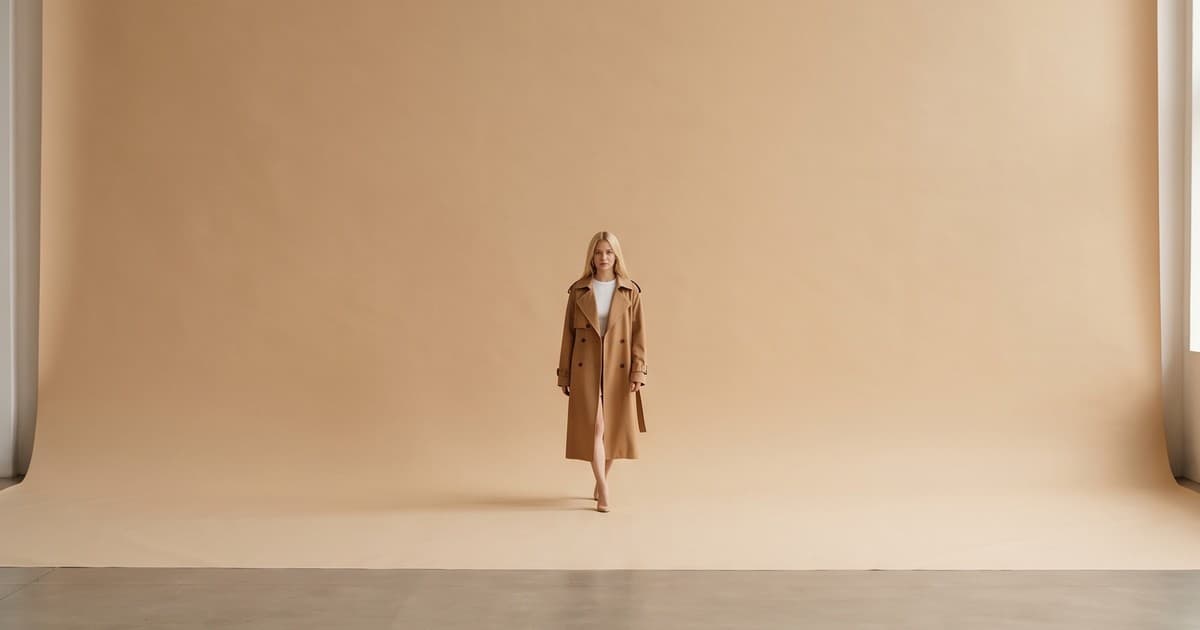
A 10-second Runway Gen-4 Turbo clip costs 50 credits, which works out to about 50 cents at Runway's developer rate of $0.01 per credit. A single on-model video from a traditional studio day can run into hundreds of dollars once you add the model, stylist, videographer, and edit. That gap is why every fashion ecommerce team we talk to has the same question: can we just use Runway?
The honest answer is that Runway Gen-4 is one of the most important pieces of technology to land in fashion content in the last two years. But a model is not a workflow. This post breaks down what Gen-4 actually does, where it shines for apparel, where it needs help, and how to turn raw model output into product video that is accurate enough to put on a product detail page (PDP).
What Runway Gen-4 Actually Is
Runway released Gen-4 to paid plans in April 2025 and followed it with Gen-4 Turbo a week later. In December 2025 the family got Gen-4.5, which Runway now recommends for most new work. Alongside the video models there is Gen-4 Image with References, which generates stills that keep a character, location, or style consistent across shots.
Here is the family at a glance, based on Runway's published specs:
| Model | Input | Durations | Output | App cost |
|---|---|---|---|---|
| Gen-4 | Image + text | 5 or 10 seconds | 720p-class, 6 aspect ratios, 24fps | 12 credits per second |
| Gen-4 Turbo | Image + text | 5 or 10 seconds | 720p-class, 6 aspect ratios, 24fps | 5 credits per second |
| Gen-4.5 | Text, or image + text | 2 to 10 seconds | 720p | 12 credits per second |
| Gen-4 Image (References) | Up to 3 reference images + text | Still image | 720p or 1080p | 5-8 credits per image |
A few details matter more for fashion than for anyone else:
- Aspect ratios include 9:16 (720x1280), 1:1, 4:3, 3:4, 16:9, and 21:9. That covers TikTok, Reels, PDP galleries, and wide hero banners from one model family.
- Gen-4 and Gen-4 Turbo require an input image. That is good news for fashion: you start from a real product photo instead of hoping a text prompt invents the right garment.
- Output is 720p-class, not 4K. Fine for social and most PDP players, but worth knowing if you run full-bleed desktop heroes.
Why "consistency" was the headline
Before Gen-4, the core problem with AI video for brands was drift. A model's face changed between clips, a jacket's buttons moved, the background shifted halfway through a shot. Runway positioned Gen-4 around fixing exactly that: consistent characters from a single reference image and consistent objects across environments. For a fashion brand, that is the difference between a fun experiment and something you could run as a campaign.
Where Runway Gen-4 Is Strong for Fashion Brands
1. Bringing flat stills to life
The most practical fashion use case is image-to-video. You already have an on-model photo or a lookbook shot. Gen-4 can add a slow turn, a walk toward camera, a breeze through a dress, or a camera push-in. This is the fastest way to turn a static catalog into motion content for PDPs and social, and it lines up with what we see in AI model videos for product pages.
2. Consistent virtual models across a campaign
With Gen-4 References, you can keep one virtual model's look stable across multiple settings: a studio backdrop for PDPs, a city street for Instagram, a beach for a resort drop. For brands that want a recurring "face" without booking the same model every season, this is a big unlock. It pairs naturally with AI model casting for lookbooks and catalogs.
3. Scene coverage without a location shoot
Runway describes Gen-4 as giving you "every angle of any scene." In practice, that means you can generate a wide, a medium, and a detail shot of the same setup. For a seasonal launch, that is the coverage a director would normally capture over a full day.
4. Cheap iteration
At 5 credits per second, Gen-4 Turbo is a draft engine. Creative teams can test 20 motion ideas for the price of a coffee, then re-run the winners on Gen-4.5 for higher quality. That rhythm is exactly what performance marketers need for testing creative variants on Meta.
Where Raw Model Output Needs Help
None of this means you can paste a product photo into Runway and ship the result. A general-purpose video model is built to make plausible video. Ecommerce needs accurate video. Those are different targets.
Garment fidelity
The single biggest risk for fashion is that the garment changes. Common issues across general video models:
- Prints and patterns morph during motion, especially florals, stripes, and logos
- Hardware moves or disappears: buttons, zippers, buckles, drawstrings
- Color shifts under the model's interpretation of new lighting
- Fabric behaves wrong: a heavy wool coat swings like silk, a stiff denim jacket folds like jersey
On a moodboard none of this matters. On a PDP it is a returns problem. Shoppers who receive something that does not match the video send it back, which we covered in depth in our return rate data post. For a full checklist of what to inspect, see our AI clothing photo accuracy guide.
Fit and size representation
A model can make a garment look great. That is not the same as showing how it actually fits. If your size chart says the dress hits mid-calf and the video shows it at the ankle, you have created a mismatch. Brands selling across sizes need control over body type and drape, not just a pretty clip.
Volume and SKU management
A real fashion catalog is not 5 videos. It is hundreds of SKUs, multiple colorways each, every season. Prompting each clip by hand in a creative tool does not scale. You need:
- A consistent prompt and style system per brand
- Batch processing across a collection
- Naming, versioning, and export that maps back to SKUs
- QA before anything goes live
Brand consistency across a team
When five people on a team prompt Gen-4 independently, you get five different brands. Lighting, pacing, framing, and model casting drift. A model gives you a capability. Brand guidelines need to be enforced at the workflow level.
Model vs Platform: How to Think About It
The cleanest mental model is this: Runway, Kling, Sora, and similar models are engines. A fashion content platform is the car. You can buy an engine. Most brands do not want to build the car around it every Monday morning.
| Job to be done | Raw video model | Fashion production platform |
|---|---|---|
| Generate a beautiful 10-second clip | Yes | Yes (often using models like these underneath) |
| Start from your actual garment photo | Yes | Yes, with garment-specific prep |
| Keep prints, logos, and hardware accurate | Depends on prompting and rerolls | Built-in checks and correction steps |
| Keep one virtual model across a catalog | Possible with References | Saved brand models across every SKU |
| Produce 200 SKUs in a week | Manual, clip by clip | Batch workflows |
| Export in PDP, Reels, and ads formats | Pick the aspect ratio each time | Preset output packs |
| Shoppable placement on Shopify | Not included | Integrated or one step away |
If you are a two-person brand with a creative lead who loves the craft, working directly in Runway can be great. If you run an ecommerce team with a weekly drop calendar, the time cost of turning model output into accurate, on-brand, SKU-mapped assets is where most of the real budget goes.
We have written similar breakdowns of Kling 3 for ecommerce and Sora for fashion brands. The pattern is the same: each new model raises the ceiling, and the workflow decides whether you actually reach it.
A Practical Workflow for Fashion Teams Using Gen-4-Class Models
Whether you work in Runway directly or through a platform, this is the process that gets accurate results.
Step 1: Start with a clean source image
- Shoot or generate a sharp, evenly lit on-model or flat lay image of the exact SKU
- Make sure the colorway is correct before anything else; motion will not fix a wrong color
- Avoid busy backgrounds that compete with the garment
If you only have flat lays, convert them to on-model images first. Our guide on turning flat lays into on-model photos walks through it.
Step 2: Describe motion, not the product
The image already defines the product. Your prompt should describe what moves and how:
- "Model turns slowly to the left, camera static, soft studio light"
- "Slow push-in toward the neckline detail, fabric settles"
- "Model walks two steps toward camera on a neutral backdrop"
Keep motions small for PDP clips. Big motion increases the chance of garment drift.
Step 3: Pick the right model for the job
- Drafts and concept tests: Gen-4 Turbo (cheapest per second)
- Final PDP and paid social clips: Gen-4.5 or the current flagship
- Consistent stills before video: Gen-4 Image with References
Step 4: QA every clip against the real product
Use a simple pass/fail list:
- Color matches the physical sample
- Prints and logos hold across all frames
- Hardware is present and stays put
- Length, hem, and sleeve match the size chart
- Fabric weight looks believable
- No artifacts on hands, faces, or edges
If a clip fails any of these, reroll or fix it. Do not ship it to a PDP.
Step 5: Format for every channel
| Channel | Aspect ratio | Ideal length |
|---|---|---|
| PDP gallery | 3:4 or 1:1 | 5-8 seconds, looping |
| TikTok, Reels, Stories | 9:16 | 6-15 seconds |
| Collection page or hero | 16:9 or 21:9 | 5-10 seconds, muted autoplay |
| Paid social | 9:16 and 1:1 | Hook in the first 3 seconds |
For ad cuts specifically, the first three seconds matter most.
Step 6: Publish without slowing the store
Video only helps conversion if the page still loads fast. Compress, lazy load, and serve posters. Our post on Core Web Vitals and product video covers the setup, and our product video schema guide helps those clips show up in search.
What It Costs: A Realistic Comparison
Model credits look cheap. They are, but they are only part of the bill. Here is a rough comparison for 50 SKUs, one 10-second clip each, assuming two rerolls per clip on average:
| Line item | Direct in Runway | Traditional video shoot |
|---|---|---|
| Generation | 150 clips x 10s x 12 credits = 18,000 credits (about $180 at $0.01/credit on Gen-4.5) | N/A |
| Source images | Existing catalog photos | Included in shoot |
| Talent, crew, studio | $0 | Typically several thousand dollars per day |
| Team time for prompting, QA, export | 15-30 hours | Editing time after the shoot |
| Turnaround | Days | Weeks including booking and edit |
The interesting line is team time. At 15-30 hours of prompting and QA for 50 SKUs, a full seasonal catalog of 500 SKUs becomes a part-time job. That is the cost a production workflow is designed to remove. For a deeper look at studio economics, see fashion photography cost in 2026: traditional vs AI.
Common Questions From Fashion Teams
Is Runway Gen-4 good enough for product pages?
For many garments, yes, as long as you start from an accurate image, keep motion modest, and QA every frame. Solid colors and simple silhouettes are easiest. Complex prints, sheer fabrics, and heavy hardware need more rerolls and closer inspection.
Should we use Gen-4, Gen-4 Turbo, or Gen-4.5?
Use Turbo for drafts and Gen-4.5 for finals. Runway itself now labels the original Gen-4 video article as covering an older generation and points users to Gen-4.5.
Can it do virtual try-on?
Runway highlighted virtual try-on as an example use case when it released the Gen-4 Image API. Building a shopper-facing try-on experience is a product build, though, not a prompt. For a breakdown of the options, see virtual try-on: AI models vs AR fitting rooms.
Does using an AI model hurt SEO or trust?
Not by itself. What hurts trust is inaccurate product representation. Accurate AI video with proper schema, descriptive titles, and fast loading helps product pages compete in both classic search and AI search results.
Will Runway replace our photographer?
Probably not entirely. Most brands we work with keep a smaller, sharper source shoot for hero imagery and use AI to multiply that content into video, colorways, and channel formats. Models like Gen-4 make that multiplication possible.
The Bottom Line
Runway Gen-4 and Gen-4.5 are genuinely useful technology for fashion brands. Consistent characters, image-to-video, and cheap iteration solve problems that held AI video back for years. What they do not solve on their own is the ecommerce part: garment accuracy, fit, brand consistency, SKU volume, and publishing to the store.
Treat the model as the engine. Put your effort into the workflow around it, or use a platform built for that workflow, and you get the speed and cost benefits without the returns, rework, and brand drift.
Want product videos built on top of the best AI video models, without the prompting and QA grind? Try the Tellos AI Video Studio and turn your existing product photos into accurate, on-brand video for every SKU.