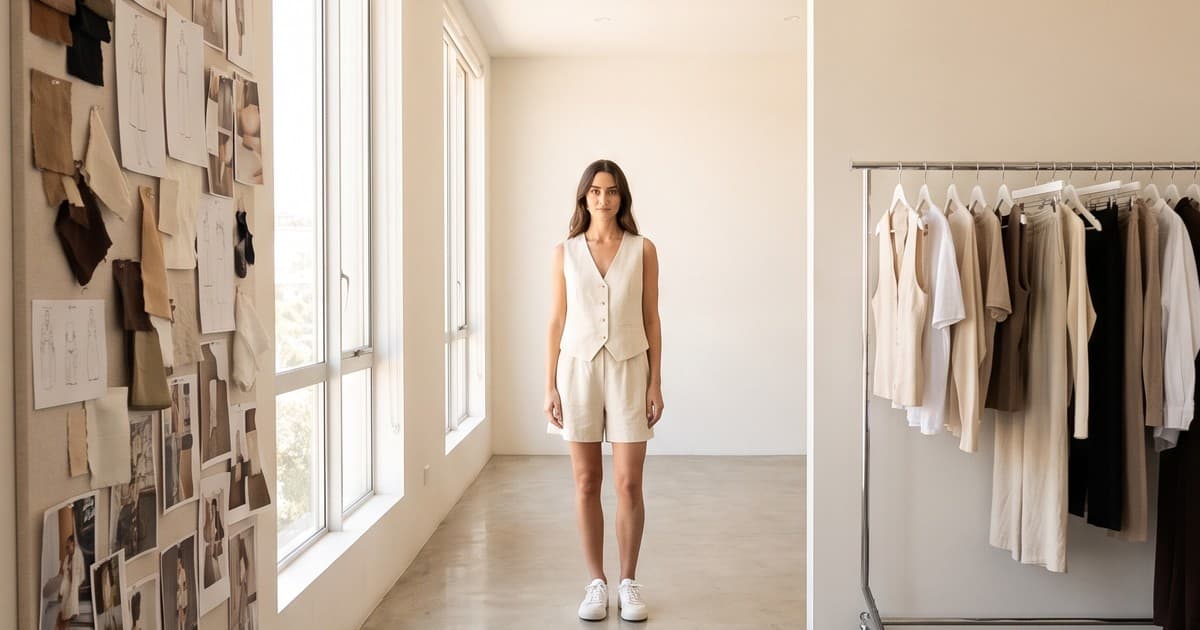
Midjourney's own documentation says image references are used "as inspiration to guide new creations, not to copy them exactly." For a concept artist, that line is a feature. For a fashion brand that has to ship 140 SKUs to a Shopify store by Friday, it is the whole story.
Midjourney is one of the best image models ever built for mood, light, and composition. V8.2 has been the default since July 2026, the Edit model now accepts up to four reference images, and the video model can animate a still into a short clip. Plenty of fashion teams already use it every week.
The question operators keep asking is not "is Midjourney good?" It clearly is. The question is "which part of my content pipeline should it own?" This post breaks that down honestly: where Midjourney earns its seat, where it creates hidden work, and where a production platform built around your actual garments takes over.
What Midjourney Actually Is (and Isn't)
Midjourney is a general-purpose generative image model with a creative interface on top. You prompt, you get four images, you vary, upscale, edit, and repeat. As of late 2026 the main pieces are:
- V8.2 image model, the default since July 24, 2026, with strong aesthetics and better prompt following than earlier versions
- Edit model, which can change an existing image with written instructions, generate from up to four reference images, and handle inpainting and outpainting
- Style references and moodboards, which keep a visual look consistent across generations
- Video model, which animates a still into a short clip (around five seconds per generation)
- Subscription plans from Basic to Mega, billed in GPU time, with commercial use allowed on paid tiers (businesses over $1M in annual revenue need Pro or Mega)
What Midjourney is not:
- It is not a catalog of your products. It does not know your SKUs, your colorways, or your size range.
- It is not a garment fidelity system. References guide the result, but nothing guarantees your exact seam placement, print scale, or logo survives.
- It is not a workflow tool. There is no concept of "this product needs front, back, side, detail, and a 6-second PDP video in 4:5 and 9:16."
None of that is a criticism. Midjourney was built to be a creative engine. Treating it like a product photography studio is where teams get into trouble.
Where Midjourney Is Genuinely Great for Fashion Brands
Let's start with the wins, because they are real.
1. Campaign concepting and moodboards
Before a seasonal shoot, a creative director used to spend days pulling references from Pinterest, magazines, and past campaigns. Now a team can generate 50 directional images in an afternoon: "desert salt flats at dusk, linen tailoring, washed-out film tones" versus "brutalist parking garage, neon rim light, technical outerwear."
That speeds up alignment between founders, designers, and marketers. Everyone reacts to images instead of adjectives.
2. Background and set exploration
Want to know whether your knitwear collection reads better against Scandinavian interiors or Mediterranean stone? Midjourney is a fast, cheap way to test environments before committing to a location, a set build, or a production direction.
3. Editorial and brand storytelling imagery
Not every image on your site has to show a purchasable product. Hero banners, lookbook interstitials, blog headers, and email backgrounds can be atmospheric rather than literal. Midjourney excels at exactly this kind of image.
4. Pitch decks and early-stage brand building
Pre-launch brands use Midjourney to visualize a brand world for investors, wholesale buyers, or manufacturers before samples exist. As long as it is clearly presented as concept work, that is a smart use.
5. Style references for the rest of your pipeline
A strong Midjourney moodboard can become the creative brief for your actual product content. Lighting, palette, and composition decisions made here can flow downstream into production.
Where Midjourney Creates Hidden Work in Ecommerce
The trouble starts when brands try to use a concepting tool as a catalog engine. Here is where the friction shows up.
Garment accuracy is not guaranteed
This is the big one. When a shopper sees a ribbed collar, a specific floral repeat, or a contrast stitch on your PDP, they expect to receive exactly that. If the image shows a slightly different product, you pay for it in returns, chargebacks, and reviews that say "not as pictured."
Midjourney's docs are candid about this. Reference images guide rather than copy, and intricate details like logos on clothing may not match perfectly. That means every image needs a manual side-by-side check against the real garment before it goes live. At 10 products, that is annoying. At 300 products per season, it is a full-time job.
We covered the stakes of this in detail in our guide to AI-generated clothing photo accuracy.
Consistency across a catalog is manual
A product page needs a set, not a single beautiful image: front, back, side, detail, on-model, and often a video. Across a collection, you want the same model, the same lighting, and the same crop rules so the grid looks like one brand.
Midjourney gives you tools to push toward consistency (style references, moodboards, character references in the Edit model), but you are assembling it by hand, prompt by prompt. Nothing stores "our Spring catalog look" as a reusable production spec tied to your SKUs.
Text, labels, and logos still need checking
Midjourney's own guidance notes that short, simple words have a better chance of rendering correctly, and suggests Raw mode, lower Stylize values, or an editing pass when text comes out wrong. For apparel with printed graphics, woven labels, or wordmarks, that is one more QA step per image.
Ecommerce formats are not built in
Your Shopify PDP might want 4:5 at 2048px. Amazon wants a pure white main image. TikTok Shop and Reels want 9:16 video. Meta ads want 1:1 and 4:5 variants for testing. Midjourney supports aspect ratios, but the mapping from "one product" to "every format each channel needs" lives in a spreadsheet and someone's head.
Cost is predictable per job, not per finished asset
Midjourney's plans are reasonably priced, and paid tiers include commercial rights. But the real cost is not the subscription. It is the iterations per usable image plus the review and retouching time. If a product image takes 12 generations and 20 minutes of checking, your cost per asset is mostly labor.
Midjourney vs an AI Production Platform: Side by Side
Here is how the two approaches compare on the jobs a fashion ecommerce team actually has to do.
| Job to be done | Midjourney | AI production platform (like Tellos) |
|---|---|---|
| Moodboards and campaign concepts | Excellent | Possible, not the main purpose |
| Atmospheric hero and editorial images | Excellent | Good |
| Exact garment fidelity on PDP images | Needs manual checking per image | Built around your real product photos |
| Consistent model across a full catalog | Manual, via references and prompts | Reusable models across every SKU |
| Front/back/side/detail sets per SKU | Prompted one by one | Generated as a set |
| Product videos for PDPs and social | Short animated clips from stills | Product-first video built for PDP, ads, and social |
| Channel-ready formats (Shopify, Amazon, TikTok) | Manual export and cropping | Output in the formats each channel needs |
| Who operates it | Prompt-fluent creative | Ecommerce or marketing ops team |
| Best measured by | Quality of the best image | Cost and speed per publishable asset |
The pattern is clear. Midjourney optimizes for the best possible image. A production platform optimizes for the most publishable assets per week. Most brands need both.
The Underlying Tech Is Not the Point
One framing we push back on: "Midjourney vs Tellos" as if they were rival models. They are not.
Image and video models like Midjourney, Sora, Kling, Runway, and Nano Banana are underlying technology. They keep getting better, and that is good for everyone. A production platform like Tellos is the workflow layer on top: it takes your flat lays, ghost mannequin shots, or sample photos, keeps the garment accurate, applies your models and brand look, and outputs complete sets of photos and videos ready to publish.
Think of it like cameras versus a photo studio. A great camera does not run your shoot schedule, cast models, manage shot lists, or deliver 300 retouched files named by SKU. The studio does. We made a similar point about video models in our posts on Runway Gen-4 for ecommerce and Kling for fashion product videos.
A Practical Workflow: Using Both Together
Here is the setup we see working best for fashion brands doing 50 to 500 new SKUs per season.
Step 1: Concept in Midjourney
- Build two or three moodboards for the season's campaign direction
- Generate environment options: studio, outdoor, interior, abstract
- Lock a palette, lighting style, and crop philosophy
- Present to the team and pick one direction
Output: a visual brief, not product images.
Step 2: Shoot or collect real product inputs
- Flat lays, ghost mannequin, or simple on-hanger photos of every SKU and colorway
- Detail shots of anything a shopper will scrutinize: prints, hardware, labels, texture
- Basic measurements and fit notes
Output: the ground truth for every product.
Step 3: Produce catalog content on a production platform
- Turn product inputs into on-model photos with consistent models across the line
- Generate front, back, side, and detail views per SKU
- Create PDP videos and social cuts from the same inputs
- Apply the look from Step 1 so catalog and campaign feel related
Output: publishable assets per SKU. If you want the detailed version of this step, see our flat lay to on-model guide.
Step 4: Use Midjourney again for the edges
- Blog headers, email backgrounds, and seasonal banners
- Editorial interstitials in your lookbook
- Social posts that sell a mood rather than a specific product
Output: brand storytelling around the catalog, not inside it.
Step 5: QA with a simple rule
Anything a shopper can buy from the image must match the real product. Anything purely atmospheric can be fully generative. Write that rule down and give it to everyone who touches content.
How to Decide What Goes Where
If you are unsure which tool should own a given asset, run it through these five questions.
- Can a shopper buy what is shown? If yes, garment accuracy is mandatory. Use a production workflow built on real product inputs.
- Does it need to match 50+ other images? If yes, you need repeatable models and settings, not one-off prompts.
- Is it going to a PDP, marketplace, or shoppable ad? If yes, format and fidelity requirements apply.
- Is it selling a feeling rather than an item? If yes, Midjourney is a great fit.
- Who will produce it every week? If the answer is "our ops coordinator," pick the tool they can run without becoming a prompt engineer.
A rough split we see at growing brands:
- 70 to 85 percent of visual volume is product content (PDP images, marketplace listings, product video, ad variants)
- 15 to 30 percent is brand and editorial content (banners, campaigns, blog, email)
Midjourney is strongest in the smaller slice. The larger slice is where production platforms pay for themselves.
Common Mistakes Fashion Brands Make with Midjourney
Publishing "close enough" product images
The image looks great, the print is slightly off, and nobody notices until returns spike. Our data on how fit visuals affect return rates shows why "close enough" gets expensive fast.
Measuring by best image instead of cost per asset
One stunning output in a Slack channel says nothing about how long it took to get 200 usable ones. Track hours per publishable asset, not likes on a test image.
Letting one prompt-savvy person become the bottleneck
If only one designer can get usable results, your content calendar depends on their availability. Production work should run on a repeatable system anyone on the team can operate.
Ignoring the commercial terms
Midjourney grants commercial use on paid plans, with a revenue condition: companies grossing more than $1M per year need Pro or Mega. Check your plan before images go into paid ads, and keep records of which account generated what.
Skipping video
Static images alone underperform on most product pages and on every short-form channel. If your workflow cannot produce product video at catalog scale, you are leaving conversions on the table. See our ecommerce video guide for the formats that matter.
What This Looks Like in Numbers
Here is an illustrative comparison for a 120-SKU seasonal drop, each SKU needing four images and one short video.
| Metric | Midjourney-only workflow | Production platform + Midjourney for concepts |
|---|---|---|
| Assets needed | 600 | 600 |
| Concept and moodboard time | 1 to 2 days | 1 to 2 days |
| Avg generations per usable product image | High (many rerolls to match garment) | Low (built from real product inputs) |
| Manual garment QA per image | Every image, side by side | Spot checks |
| Consistent model across catalog | Hard to maintain | Default |
| Product video | Short animated stills, separate step | Produced with the image set |
| Realistic timeline | Weeks of iteration | Days |
The exact numbers vary by brand and team, but the shape does not. Midjourney's cost lives in labor and QA. A production platform moves that cost into the system.
The Bottom Line
Midjourney deserves a place in a fashion brand's toolkit. It is one of the fastest ways to explore a creative direction, and its editorial imagery can make a brand feel bigger than its headcount.
But product content is a production problem, not a prompting problem. When every image has to match a real garment, look like the rest of the catalog, and ship in the right format for each channel, you need a workflow built around your products, not around the next great prompt.
Use Midjourney to dream up the season. Use a production platform to put it on the shelf.
Ready to Turn Your Product Photos into Catalog-Ready Content?
Tellos turns your flat lays and product photos into accurate on-model images and product videos, with consistent models and formats ready for Shopify, marketplaces, and social. Keep Midjourney for the mood. Let Tellos handle the catalog.
Try the Tellos AI Video Studio and see how fast your next drop can go live.