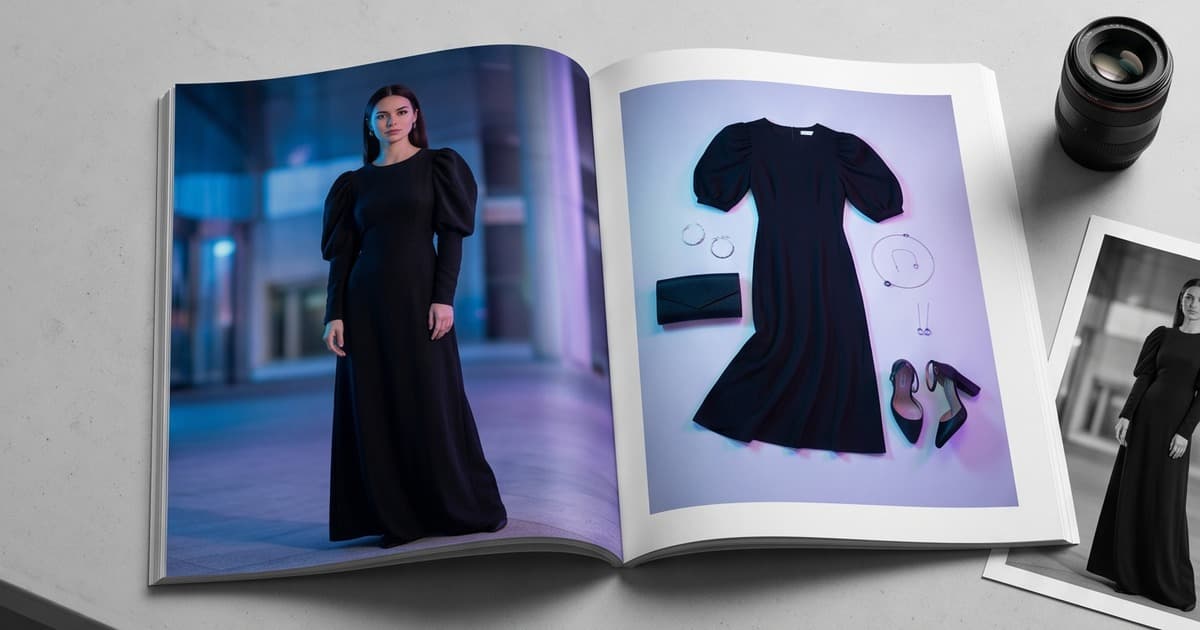
A lookbook is more than a collection of product photos. It's a visual story — one that communicates brand identity, seasonal mood, and the way your garments are meant to be worn. Getting that story right used to require weeks of production: location scouting, model casting, styling, shooting, editing, and then a second round of design work to actually lay it all out.
AI has changed the equation at every stage. But there's a gap in most conversations about AI fashion content: everyone talks about generating the photos, and almost no one talks about what happens after — how those AI images actually land on the page, how you maintain consistency across a full lookbook, and how you tell a coherent editorial story without a creative director standing over a mood board for days.
This post fills that gap.
What "Lookbook Layout Design" Actually Involves
Before we get into how AI helps, let's be clear about what lookbook design actually is — because it's more than picking a template.
A lookbook layout involves:
- Image selection and sequencing — which photos go in what order, how they flow from one spread to the next
- Composition and balance — how images are sized and positioned relative to each other on the page
- Typography — collection name, product names, descriptions, pricing, page numbers
- Color and tone consistency — ensuring the visual palette feels unified across all pages
- Editorial narrative — the story arc from opening spread to closing CTA
- Format decisions — digital PDF, interactive web lookbook, or print-ready file
In traditional production, the photographer delivers edited shots and a designer then spends days (sometimes weeks) building layouts in Adobe InDesign or a similar tool. Each decision — crop this image tighter, swap that background color, reorder these two outfits — requires going back and forth with the photographer or retoucher.
AI compresses this timeline dramatically. But it also changes what you're working with when you sit down to design.
The AI Lookbook Photo Advantage for Layout
When you generate fashion photos through an AI platform like Tellos, you don't just get images — you get images that are architecturally consistent by design.
Here's what that means for layout:
1. Consistent Lighting Across All Shots
Traditional multi-day shoots always introduce variation. Day one might be golden-hour natural light; day two is overcast studio. The retoucher can correct for some of this, but never completely.
AI-generated images use the same lighting parameters for every single shot in a collection. Whether you're photographing a linen blazer or a sequined dress, the light falls the same way. When you put those images side by side on a lookbook spread, they look like they belong together — because they were made with the same foundation.
For layout designers, this means far less time color-correcting and light-matching across pages. The images already speak the same visual language.
2. Consistent Model and Pose Language
In a traditional lookbook, maintaining continuity with real models is logistically complex. The same model might have slightly different posture, energy, or styling choices hour to hour. Across different models, you get different body language, different ways of holding arms, different natural stances.
AI model selection means you choose your model once — and that model behaves consistently across 50, 100, or 200 outfit variations. The pose vocabulary stays coherent. When you lay out a 20-page lookbook, there's a visual rhythm because the model's presence is unified.
This is also useful for sequencing. You can think about pose variation intentionally: front-facing shots for the opening spread, three-quarter turns for the middle section, detail shots for the back pages. With AI, you can request exactly this — rather than hoping the photographer captured the mix you needed.
3. Background and Environment Control
One of the most common lookbook design headaches is dealing with backgrounds that don't unify. Even on a single-day shoot, minor variations in positioning or lighting can make the background look different from shot to shot.
With AI-generated images, you define the environment once and apply it consistently. Want a clean off-white studio background for the first half of the lookbook and a coastal lifestyle setting for the second half? You specify that upfront, and every image in each section matches. The layout designer works with a clean, predictable canvas.
Structuring Your AI Lookbook Narrative
Consistency enables something more important: intentional storytelling. When you're not fighting visual inconsistency, you can focus on narrative design.
Here's a framework for structuring a compelling AI-generated lookbook:
Opening Spread (Pages 1–2): Statement Shot
Your first spread sets the tone for everything that follows. Use a high-impact, editorial image — typically a full-figure or environment-forward shot that communicates the season's mood before a single garment is sold.
With AI, you can generate this "statement shot" separately with more creative direction: dramatic lighting, an architectural background, a more aspirational setting. It doesn't need to match the consistency of your catalog pages — it needs to establish the world your catalog pages live in.
Collection Body (Pages 3–N): Product Rhythm
This is where AI consistency earns its value. The body of your lookbook moves through outfits with a visual rhythm. Alternate between:
- Full-figure shots (entire outfit, head to toe)
- Mid-shots (torso, highlighting details)
- Detail crops (fabric texture, buttons, cuffs, accessories)
AI platforms let you generate all three shot types in one session. A layout tip: intersperse detail shots between full-figure pages — it creates visual breathing room and gives the reader a moment to appreciate the craft before moving to the next outfit.
Closing Spread: CTA and Lifestyle Context
The last spread should feel slightly different from the body. Use a lifestyle or editorial image — model in environment rather than posed in studio — to bring the lookbook to a narrative close. Follow it immediately with collection information, availability, and your CTA.
Layout Templates That Work With AI Photography
Not every layout template is suited to AI-generated fashion images. Here are the formats that work best:
Full-Bleed Single Image
Let one strong AI image fill the entire page. This works especially well for statement shots and the opening spread. The AI image has enough resolution (typically 2048px+) to handle full bleed without quality loss.
Best for: Opening spreads, seasonal mood pages, editorial transitions between sections.
Two-Up Grid
Two images side by side, same size, equal weight. Works best when the images have visual symmetry — similar poses, similar environment, complementary colors. Because AI images share the same lighting and background, two-up grids feel more intentional than with traditional photos.
Best for: Outfit comparisons, color variant presentations, complementary pieces.
Hero + Detail Stack
One large hero image on the left, two or three smaller detail images stacked vertically on the right. This layout maximizes information density while keeping the hero garment prominent.
Best for: Complex or detail-rich pieces (embroidery, texture, hardware) where close-up shots add value.
Editorial Spread with Typography
A full-bleed or near-full-bleed image with bold typographic overlay — collection name, seasonal tagline, or outfit description. Because AI images tend to have clean, consistent backgrounds, there's almost always an area of the frame suitable for text overlay without legibility issues.
Best for: Collection openers, section dividers, seasonal introductions.
Digital vs. Print: What Changes With AI
AI-generated images introduce some format-specific considerations worth knowing.
Digital Lookbooks
Digital formats (interactive PDF, web-based lookbook, Issuu-style viewer) are where AI lookbooks shine. The color profile for digital is RGB, which aligns naturally with AI image output. You avoid the color-conversion steps required for print.
Digital lookbooks also benefit from AI's speed advantage most clearly. A traditional lookbook shoot might take 2–3 weeks from shoot day to final digital file. With AI, you can move from product upload to final digital lookbook in 24–48 hours.
For interactive digital lookbooks, consider hotspot links on product images — linking directly to PDPs, cart pages, or collection pages. AI images make this integration cleaner because the product is always well-framed and clear.
Print Lookbooks
Print requires CMYK conversion and attention to resolution. Most AI fashion image generators output at 300+ DPI at print sizes, which handles standard lookbook print specs fine.
The main consideration for print is color accuracy. AI-generated images can skew slightly in saturation or specific hues when converted to CMYK — particularly in deep blacks and vibrant colors. It's worth proofing a test spread before committing to a full print run.
For wholesale print catalogs sent to buyers (typically saddle-stitched or spiral-bound), AI lookbooks are increasingly indistinguishable from traditionally photographed ones. The consistency advantage of AI is especially apparent in print, where visual continuity across 40+ pages is hard to achieve with traditional multi-day shoots.
Maintaining Visual Consistency: The AI Workflow Checklist
Here's a practical checklist for ensuring your AI lookbook photos translate cleanly into cohesive layouts:
Before generating images:
- Define your background environment(s) — how many sections, what settings
- Choose 1–2 AI models for consistency throughout (matching brand identity)
- Decide your lighting style (studio white, natural light studio, golden hour, etc.)
- Plan your shot types per garment: full-figure, mid, detail, lifestyle
- Define color grade direction (warm, cool, neutral, high contrast)
During generation:
- Use the same prompt parameters for all shots in a section
- Generate a test batch of 5–10 images and confirm the style before scaling
- Capture all shot types per garment in one session (easier to maintain consistency)
During layout:
- Sort images by outfit before importing to layout software
- Do a light color grade pass (even if subtle) to unify any remaining variation
- Sequence by visual rhythm: vary shot types between pages
- Check that backgrounds align across adjacent spreads — jarring transitions break immersion
Before export:
- Proof for CMYK color shift if going to print
- Verify all product names, SKUs, and pricing are correct
- Include brand assets: logo placement, cover design, back page CTA
From AI Photos to Published Lookbook: A Realistic Timeline
One of the most common questions from fashion teams adopting AI: how long does this actually take, end to end?
Here's a realistic timeline for a 30-piece seasonal lookbook:
| Stage | Traditional | AI-Powered |
|---|---|---|
| Pre-production (casting, location, styling) | 1–2 weeks | 1 day (upload products, configure AI settings) |
| Shoot day(s) | 2–3 shoot days | 2–4 hours generation time |
| Post-production (editing, retouching) | 1–2 weeks | Minimal (images are ready to use) |
| Layout design | 3–5 days | 1–2 days |
| Review and revisions | 3–5 days | 1–2 days |
| Total | 5–7 weeks | 4–7 days |
The layout stage is where AI saves the least time relative to traditional — because design decisions are still human. But the upstream time savings mean your designer can start layout work days or weeks earlier, and they're working with cleaner, more consistent source material.
For brands running seasonal lookbook production on tight timelines — especially when new collection samples arrive late — this compression is the difference between launching on time and missing your window.
AI Tools That Complement Lookbook Design
The AI workflow for lookbook design doesn't stop at image generation. Several adjacent tools are worth knowing:
Layout automation: Some design tools (Adobe Express, Canva, Glorify) now offer AI layout suggestions — you drop in images and the tool proposes initial arrangements. These work well as a starting point, especially for brands without a dedicated designer.
Typography generation: AI copy tools can generate collection names, garment descriptions, and seasonal taglines that match your brand voice. Feed these into your layout rather than writing each caption manually.
Color palette extraction: Tools like Coolors and Adobe's palette generator can extract the dominant colors from your AI-generated images — useful for ensuring typography and graphic elements in your layout harmonize with the photos.
Video extensions: Once your lookbook photos are generated, platforms like Tellos can extend them into short video clips — ideal for lookbook teasers, Instagram Reels, and wholesale buyer presentations that want more than a static PDF.
The Complete AI Lookbook Design Stack
Bringing it all together, here's what a modern AI lookbook production stack looks like:
- Image generation — Tellos AI Photo Studio for on-model fashion photography, consistent backgrounds, multiple shot types
- Light editing — Lightroom or Capture One for any batch color grade adjustments
- Layout design — Adobe InDesign (professional), Canva or Glorify (accessible), or custom web templates for interactive digital
- Copywriting — Brand team or AI-assisted for collection names, garment descriptions, seasonal narrative
- Review and approval — Simple PDF review tools or Figma for team feedback rounds
- Distribution — Digital: Issuu, Flipsnack, or direct PDF. Print: standard print vendors or brand's preferred supplier
The AI layer removes the single most time-consuming and expensive part of the old stack — the photoshoot itself — while leaving the design decisions in human hands.
Why Lookbook Consistency Converts
It's worth stepping back to note why all of this matters beyond aesthetics. Lookbook consistency isn't just a brand quality signal — it has measurable conversion implications.
When the visual language of your lookbook is coherent:
- Buyers trust the brand more. Inconsistent visuals signal an inconsistent operation. Consistent visuals signal professionalism and attention to detail.
- Garments look better. Consistent lighting and model presentation lets the clothing speak for itself, rather than the viewer getting distracted by visual noise.
- PDPs convert higher. When lookbook images feed into product pages — which they should — visual consistency across your site creates a unified shopping experience.
- Wholesale buyers order more. For B2B catalog presentations, visual quality correlates directly with buyer confidence. A polished lookbook suggests the brand executes well across the board.
AI doesn't just make lookbooks cheaper and faster. It makes them better — because the consistency that was previously achievable only with large budgets and meticulous post-production is now the default output of a well-configured AI generation session.
Ready to Build Your Next Lookbook?
If your team is still spending weeks on traditional lookbook production — or delaying launches because the shoot wasn't ready — it's worth seeing what AI changes.
Tellos AI Photo Studio generates consistent, on-model fashion photography for every garment in your collection, with the lighting, background, and model settings you specify. The images are designed to go straight into layout — no weeks of post-production, no reshoots, no scheduling conflicts.
Try Tellos AI Video Studio and see how fast your next lookbook can move from collection to final page.