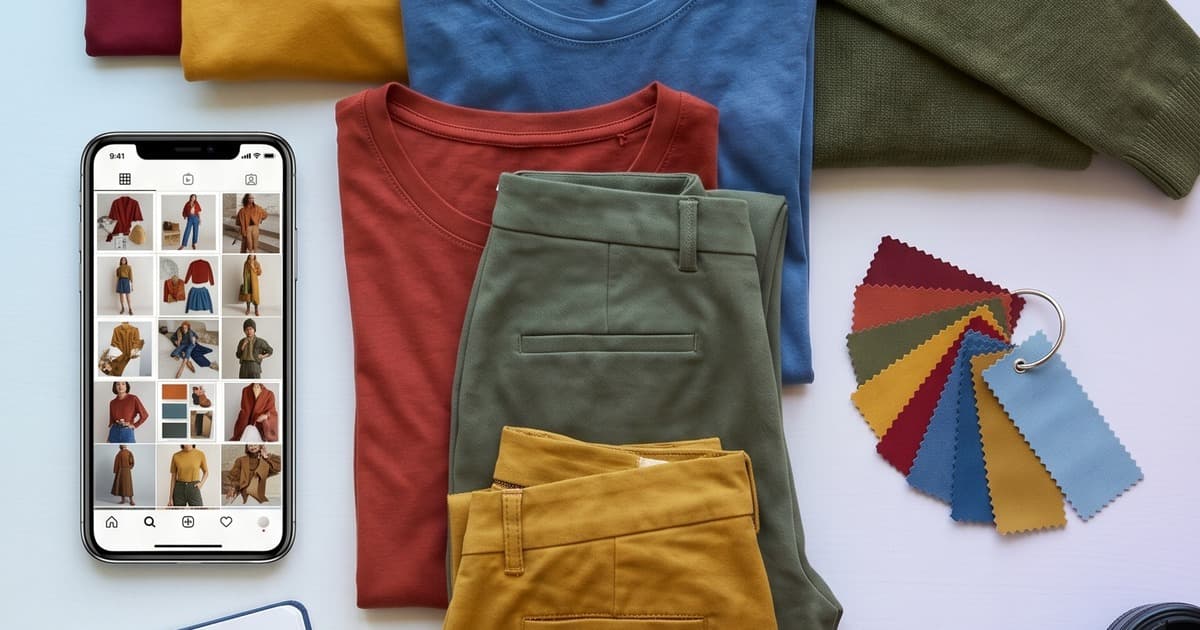
Most fashion brands treat their catalog shoot and their content calendar as two separate problems. They're not. They're the same problem — and once you solve the shoot with AI, the content calendar solves itself.
Here's the reality: a traditional catalog shoot costs thousands of dollars, takes days to execute, and produces a fixed set of images that you agonize over repurposing. The shoot ends. You get what you got.
An AI shooting day works differently. You upload your products, dial in your parameters — model, background, lighting mood, scene — and you can generate not just the catalog images you need, but every derivative piece at the same time. Product page hero. Instagram square. Story crop. Email banner. Ad variant. All from the same session, all consistent, all ready to publish.
This isn't theoretical. It's a workflow shift that changes how you plan, produce, and execute content across your entire brand.
Why Traditional Shoots Kill Your Content Calendar
Before getting into the AI approach, it's worth understanding exactly why traditional shoots create a content bottleneck.
The problem is scarcity. A traditional shooting day gives you a fixed number of images. You paid for the studio, the photographer, the models, the styling — and you walked away with 200 selects from 1,000 raw shots. That sounds like a lot until you map them to your actual needs:
- 40 SKUs × 3 angles = 120 images for PDPs alone
- 8 hero images for the website homepage and category pages
- 12 images for the season launch email campaign
- 20 assets for paid social (different crops, different formats)
- 15 for organic Instagram across 3 weeks
- 10 for wholesale buyer presentations
You're already at 185 uses, and those 200 selects need to stretch across all of it. Inevitably you end up reusing the same shot in five places, your feed looks repetitive, and your ads manager complains that creative is getting stale.
The second problem is format rigidity. A photographer on set shoots for the brief. They're not simultaneously composing for 9:16 Stories, 4:5 Instagram posts, 1:1 product thumbnails, and 16:9 web banners. Images shot in landscape don't work as Stories. Close crops lose their backgrounds when you need lifestyle context. You end up in post-production doing creative gymnastics to make assets work across formats.
The third problem is timing. Your shoot happened, the images came back edited three weeks later, and now the collection it was supposed to launch has already gone live — with whatever assets you had available. The content calendar was planned around images you didn't have yet, so everything shifted.
AI eliminates all three of these problems.
How AI Shooting Changes the Math
When you run a catalog session through an AI platform like Tellos, the output is not constrained by shoot time. You're not racing against golden hour or a model's hourly rate. You can generate as many variations as you need — different backgrounds, different crops, different model poses — for no additional production cost.
This changes the economics of your content calendar completely.
Volume is no longer the constraint. With AI catalog photography, you can produce 300 clean, consistent images in the time it used to take to produce 30. That means you can plan your content calendar around abundance rather than scarcity. Instead of figuring out how to stretch 10 images across 6 weeks of posting, you're deciding which 30 of your 200 generated assets are best for this week's mix.
Variations are built into the workflow. Want the same product on three different backgrounds? On a model in a street scene, in a studio white, and in a lifestyle cafe setting? In AI, those are just parameters. You generate all three in the same session. Now your paid social team has three distinct creative variants to test from day one, rather than getting one image and being asked to "make it look different."
Format comes last, not first. Because you're generating images digitally, you can output for every format. Generate portrait-oriented lifestyle shots for Stories, square crops for Instagram grid, landscape versions for email headers. The same content, purpose-built for each channel.
The Quarterly Content Calendar, Built Around AI Shoot Days
Here's a practical framework for how to structure your content calendar around AI production cycles.
Plan by Collection, Not by Channel
Most brands plan their content calendar channel-by-channel: "What are we posting on Instagram next week? What's going in the email newsletter?" This approach fragments your production.
Instead, plan by collection. Each new collection or drop is a content event that produces everything for every channel simultaneously. One AI session per collection generates your full content inventory. Then you distribute that inventory across channels over the following weeks.
A typical quarterly fashion brand might have:
- 1 main seasonal collection (spring/summer or fall/winter)
- 2–3 drops or capsule collections
- 1–2 evergreen product refreshes
That's 4–6 AI shooting sessions per quarter. Each one produces 50–100+ assets. You're running a content operation now, not scrambling to fill a calendar.
Map Asset Types to Your Session
Before each AI shoot, create a content brief that maps asset types to your downstream needs. Think through every destination:
Product pages (PDPs)
- Hero shot: front-facing, clean background, full garment
- Detail shot: fabric texture, key design features
- On-model alternate: different angle or pose
- Size representation: if relevant
Social — Instagram
- Grid post: editorial or lifestyle, square crop
- Story: portrait-oriented, cropped to 9:16
- Reel cover: striking frame for video thumbnail
- Header banner: landscape, clean composition
- Product highlight: individual item callout
- Campaign hero: full-width, aspirational
Paid social / Ads
- Static ad variants: minimum 3 per major SKU (different backgrounds/contexts)
- Dynamic product ad: clean white background for retargeting
Website
- Category page hero: wide landscape
- Homepage feature: editorial, mood-driven
- Newsletter signup banner: lifestyle context
When you build this map upfront, your AI session produces everything in one pass. You're not going back to generate missing assets three weeks later.
Repurposing: One Image, Multiple Lives
Even with abundance, smart repurposing multiplies your output. Here's how to get maximum mileage from every AI-generated image.
The Core-to-Derivative Method
Start with one core image per product — typically your clean, on-model PDP shot. From that single image, you derive:
- Crop variations — square for grid, portrait for Stories, landscape for banners
- Background variations — same model/garment, different environment (studio, street, interior)
- Context variations — solo product, paired with complementary items, styled in an outfit
- Color grade variations — if your brand runs different aesthetic tones (warm and airy for lifestyle, cooler and sharper for ads)
One core image becomes 6–8 usable assets across formats and contexts. For a 30-piece collection, that's 180–240 distinct assets before you even think about campaign-specific content.
Lookbook Pages as Social Content
Your AI-generated lookbook pages are ready-made social content. A lookbook spread with 2–3 items styled together is a perfect Instagram carousel or email module. The editorial narrative you built for the lookbook translates directly.
Extract individual pages from the lookbook PDF, optimize the crops for each platform, and you have weeks of polished, cohesive content that looks like it came from a high-production campaign — because it did.
From Flat-Lay to Full Campaign
If you started your AI session with flat-lay product photography (a simple, consistent way to feed AI generation), your on-model outputs automatically look more editorial and premium than the source material. This transformation — from clinical flat-lay to styled, editorial-quality content — is itself a story. Show both versions on social. "Here's the product. Here's how it looks on." That's a post series that writes itself.
A Real Content Calendar in Practice
Let me walk through what a 4-week content calendar looks like for a brand that has just completed one AI shooting session for a 20-piece summer drop.
Session output (1 AI shooting day):
- 20 hero PDP shots (clean background, on-model)
- 20 lifestyle variants (outdoor scene)
- 20 studio editorial shots (dramatic lighting)
- 3 lookbook spreads (editorial narrative, 6 images each)
- 60 crop variants across formats
- Total: ~120 assets
Week 1: Launch week
- Instagram: Collection announce (carousel of 5 hero shots) + 4 daily grid posts (individual products)
- Stories: 3 days of launch countdown (lookbook pages), launch day Story with swipe-up to shop
- Email: Launch campaign (header + 6 product highlights)
- Paid social: 3 ad variants live (hero shot, lifestyle, editorial)
- PDPs: All 20 products live with hero + detail
Week 2: Storytelling
- Instagram: Outfit-building posts (pair complementary items using lookbook spreads)
- Stories: Fabric/detail spotlights (close crops), behind-the-scenes of the AI generation process
- Email: "Top picks" editorial (lifestyle shots)
- Paid social: A/B test results in, pause underperformers, add 2 new variants
Week 3: Social proof + evergreen
- Instagram: Repost any customer UGC alongside your AI versions
- Stories: "How to style" (use the outfit context shots)
- Email: Restocking alert + "You might also like" using cross-collection editorial shots
- Paid social: Retargeting campaign with white-background product shots
Week 4: Late season
- Instagram: Last-chance editorial series (dramatic shots for FOMO)
- Stories: Size/availability callouts
- Email: Final sale or end-of-season message
- Paid social: Wind down spend, save remaining untested variants for next campaign
That's four fully populated weeks of content across every major channel — from a single AI shooting session that took hours, not days.
Batch Production: The Secret Multiplier
The real efficiency gain isn't just in the shoot itself — it's in batching your post-production and scheduling.
Batch the Scheduling
Once your assets are organized by week and channel, load them into your scheduling tools (Later, Buffer, Hootsuite, or Meta Business Suite) all at once. You're doing creative work and scheduling work in one concentrated session rather than returning to it daily. Freeing your team from daily content firefighting means they can focus on strategy, community management, and campaign optimization.
Batch the Copy
Write your caption bank alongside your content calendar. Every piece of content that leaves your session should have at least one caption already written — and ideally 2–3 variants. Block one writing session per collection to batch all copy. AI writing tools can accelerate this once you have your visual assets and brand voice defined.
Batch the Review
Approval workflows kill momentum. Instead of reviewing one post at a time, run a weekly batch review where your team looks at the coming two weeks of content all at once. Questions about visual choices, legal reviews, campaign messaging — all handled in one session. Faster decisions, fewer interruptions, more execution bandwidth.
AI Consistency: The Hidden Content Calendar Superpower
One underappreciated advantage of AI-generated content for your calendar is visual consistency at scale.
Traditional shoots produce slight variations — different lighting setups between days, model energy shifts, subtle differences in how garments are pressed and styled. When you're building a 4-week content calendar from a single shoot, these inconsistencies start to show up. The image from Tuesday morning looks slightly different from the Friday afternoon shot. Your Instagram grid develops a patchwork quality.
AI photo generation applies the same lighting, color profile, model rendering, and background style to every single image in your session. Your entire 120-asset library looks like it was shot in one continuous moment, by one photographer, under perfect conditions. When that content rolls out over four weeks across your grid, email, and ads, the brand impression is remarkably cohesive.
This matters for conversion. Customers who see your Instagram ads, click through, and land on product pages where the visual language is identical get a seamless experience. There's no jarring shift from aspirational ad aesthetic to flat product photography. Consistency builds trust, and trust converts.
For brands running seasonal lookbook production across multiple collections per year, this consistency also carries across seasons. Your brand develops a recognizable visual signature — not because you enforced complex style guides in expensive shoots, but because your AI parameters are consistent.
Planning Your Next Quarter: A Practical Template
Here's how to structure your quarterly content planning session around AI shoot days:
Step 1: Map your collections List every collection, drop, or product launch in the quarter. Assign each one an AI shooting date — ideally 3–4 weeks before the intended publish date.
Step 2: Build the asset brief for each shoot For each collection, list every asset type you need across PDP, social, email, and paid. Specify formats, quantities, background/styling requirements.
Step 3: Run the AI sessions Execute each shooting session. Generate all assets including variations. Organize into folders by collection and asset type.
Step 4: Schedule and batch Load all assets into your scheduling tools for the full quarter. Write your caption bank. Set review checkpoints.
Step 5: Measure and refine After each quarter, review which asset types performed best on each channel. Feed those learnings back into your next quarter's brief.
This cycle — plan, shoot, schedule, measure — takes what used to be a chaotic weekly scramble and turns it into a predictable, repeatable operation.
What This Means for Your Team
The shift to AI-powered content production doesn't reduce the need for creative talent — it changes what that talent focuses on.
Before AI, your creative team spent most of their time coordinating logistics, managing shoot-day firefighting, reviewing raw shots, and doing post-production. The actual creative decisions — what mood to shoot for, what story to tell, how to build a campaign narrative — were squeezed into whatever time remained.
With AI, the logistics evaporate. Your creative team's time shifts toward strategy: defining the visual language of the brand, building the campaign narrative, writing copy that resonates, optimizing based on performance data. They become the creative directors they were hired to be, rather than production coordinators stuck in the weeds.
That's not a small upgrade. It's a fundamental change in how your brand shows up — more strategically, more consistently, and more often.
Getting Started: Your First AI Content Batch
If you haven't run an AI shooting session yet, the fastest way to test this workflow is with a single collection — even a small capsule drop works perfectly. Take your product flat-lays or even samples, run them through Tellos, and build a 4-week content calendar from the output.
You'll see very quickly that the bottleneck in your content pipeline isn't your team's creativity — it's the production constraint that AI removes. Once that constraint lifts, the rest of the calendar fills itself.
Related reads:
- How AI Transforms Flat-Lay Photos into Editorial Lookbook Content
- The AI Shooting Day: Replacing Studio Production
- Seasonal Lookbook Production: Always Launch on Time
- AI Model Casting for Lookbooks and Catalogs
Ready to Build Your Content Goldmine?
One AI shooting session should produce your entire quarter's content inventory — not just your catalog. If you're still running shoot-to-post on a weekly scramble, you're leaving most of your production value on the table.
Tellos AI Photo Studio lets you generate catalog-quality, lookbook-quality, and social-ready images from a single session — with the consistency, volume, and format flexibility to fill every channel for weeks.