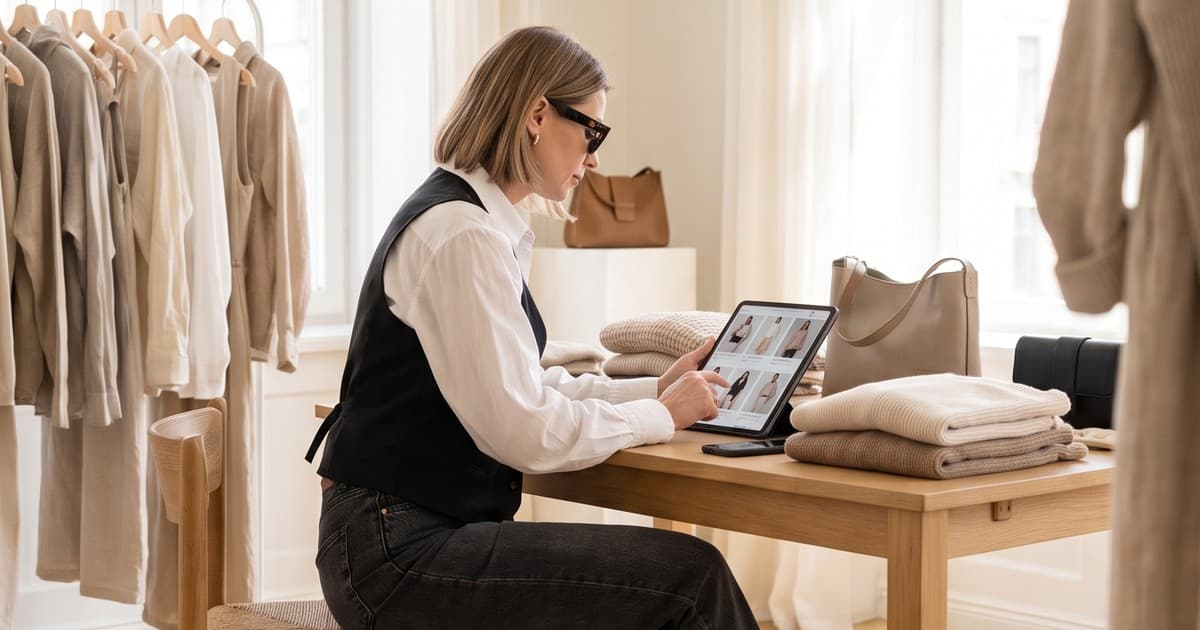
A boutique buyer scrolling Faire on a Sunday night is not shopping the way your DTC customer does. She is placing a $300 to $1,500 opening order from a brand she has probably never heard of, sight unseen, and she has dozens of similar brands open in other tabs. Your photos are the entire sales pitch. There is no sales rep in the room, no showroom rail to touch, and no trade show booth to walk past.
That's why so many apparel brands get stuck on Faire. The product is good, the wholesale margins work, but the listings show one flat-lay per SKU, half the colorways are missing, and the line sheet PDF is a grid of phone photos shot against three different walls. Buyers notice. They move on.
This guide is for the person who runs wholesale day to day at a small or mid-size fashion brand. It covers what Faire actually asks for, how wholesale buyers read images differently from consumers, which shots AI handles well, and a workflow for building a full Faire catalog and a matching line sheet without booking a shoot for every drop.
Why Wholesale Photos Are a Different Job
A consumer looks at your product page and asks: "Do I want this?"
A retail buyer looks at your Faire listing and asks a harder set of questions:
- Will this sell in my store, to my customers, at my price point?
- Does it fit my assortment, or will it look odd next to what I already carry?
- What exactly am I getting in each size run and colorway?
- Can I use these images on my own website and Instagram to sell it through?
That last question matters more than most brands realize. Independent retailers often reuse brand imagery to merchandise new arrivals on their own channels. If your photos are good, you've just made her job easier, and that alone can tip a first order.
Consumer-first vs wholesale-first imagery
| Consumer-first photos | Wholesale-first photos |
|---|---|
| Aspirational, mood-driven | Clean, catalog-consistent |
| One hero colorway | Every colorway and variant shown |
| Scale and fit implied loosely | Fit, length, and scale explicit |
| Emotion over detail | Fabric, stitching, and trims visible |
| Built for one product page | Built for grids, PDFs, and retailer reuse |
You still need lifestyle content on Faire. But the core of a wholesale catalog is consistency and completeness, which is exactly where traditional photoshoots get expensive and where AI-generated photos earn their keep.
What Faire Actually Asks For
Before you generate or shoot anything, get the specs right. Faire's image rules are looser than Amazon's, which is a trap: loose specs invite lazy uploads, and lazy uploads look bad next to brands that did it properly.
Product images
- Square (1:1) is the default, with a 600 x 600 px minimum.
- Faire recommends at least 1000 px on the longest side so buyers can zoom.
- Apparel is the exception: Faire recommends a portrait ratio, optimally around 1800 x 2400 px, because clothing reads better tall than square.
- The first image (the grid thumbnail) should sit on a white or light background, centered and clean. Save lifestyle and styled shots for the later gallery slots.
- JPEG or PNG only. Don't reuse compressed files pulled from Instagram.
- Plan for at least four images per product. Four is a floor, not a target.
Brand-level images
Faire also asks for brand assets that follow almost the opposite rules:
- Feature image: a single square lifestyle shot (no collage, no text, no logos, no watermarks). Faire wants context here, not a white cutout. New feature images are reviewed by Faire's team, so a rushed one can delay your launch.
- Cover image: a wide banner (roughly 4.4:1) across the top of your shop page. Multiple products or items in use tend to outperform a single lonely product. Keep the key subject in the middle third because the banner is responsive.
The trap: both of these get casually called "the hero." Mix them up and you either get a white-background feature image denied, or a busy lifestyle thumbnail that looks off in the product grid.
The Shot List That Fills a Faire Apparel Listing
Here's a slot-by-slot list for fashion SKUs, ordered by priority so you know what to cut for low-volume styles.
| Slot | Shot | What it does for the buyer |
|---|---|---|
| 1 | Product on white or light neutral, portrait crop | Earns the click in the grid |
| 2 | On-model front, full length | Shows fit, drape, and length |
| 3 | On-model back or three-quarter | Completes the fit picture |
| 4 | Colorway lineup | Sells the assortment, not just one SKU |
| 5 | Fabric and detail close-up | Justifies the wholesale price |
| 6 | Styled lifestyle scene | Shows how it merchandises in a store or feed |
| 7 | Short on-model video | Shows movement and fabric behavior |
For your top 10 to 20 bestsellers, fill every slot. Those listings carry most of your catalog traffic. For long-tail styles, slots 1 to 4 are the minimum.
Why the colorway lineup matters so much
The most common gap in a first Faire catalog is one photo per style when the style comes in five colors. Buyers order across colorways to build a display. If they can't see the sage and the rust on a body, they either skip those colors or skip the order. Colorway coverage is also the most expensive thing to shoot traditionally, because every color means another change, another set of frames, and another round of retouching.
Where AI Photos Fit (and Where They Don't)
AI fashion photography is not a shortcut around showing the real product. On a wholesale platform, accuracy is the whole point: if the retailer receives something that doesn't match the listing, you've lost an account, not just a sale. So be deliberate about which images AI produces.
What AI handles well
- On-model shots from flat-lays or ghost mannequin photos. Upload your real garment photo and generate it on a model, with consistent lighting and pose across the whole line.
- Colorway coverage. Once you have a strong on-model image for one colorway, you can produce matching shots for the rest so the lineup reads as one cohesive set.
- Consistent backgrounds. Faire's grid rewards visual consistency. AI keeps every SKU on the same light neutral backdrop, even if the source photos were shot months apart.
- Lifestyle and styled scenes for later gallery slots, the feature image, and the cover banner.
- Short on-model videos that show drape and movement, which a static flat-lay can't communicate.
- Model diversity. Retailers serving different customers want to see the garment on bodies like their shoppers'. If you carry extended sizes, see our guide to AI fashion photography for plus-size and extended sizing brands.
What you should still capture yourself
- A real, accurate source photo of every SKU. This is the input. Flat-lay, ghost mannequin, or a quick on-form shot, but it must be the real product in true color.
- Macro fabric close-ups. Texture, knit structure, and trims are the details buyers zoom into. Shoot these from the physical sample.
- Packaging and labels, if you ship retail-ready or include hang tags buyers care about.
The accuracy check
Before any AI image goes live, compare it side by side with the physical sample and ask:
- Is the color true? Check under daylight, not just on your monitor.
- Are the details correct? Buttons, seams, pockets, prints, logo placement.
- Is the fit honest? Length, volume, and silhouette should match the real garment on a comparable body.
If any answer is no, regenerate or fall back to a real photo for that slot. One mismatched shipment costs more than a week of content.
Building the Line Sheet From the Same Assets
Faire listings and your line sheet are not the same document, but they should be built from the same image library.
- A catalog tells the brand story. It's stylized, editorial, and marketing-led.
- A line sheet is the ordering view: style number, image, wholesale price, MSRP, sizes, colorways, availability, minimums, and contact details.
Brands that sell on Faire still need line sheets for reps, trade shows, direct boutique outreach, and Faire Direct invites to retailers they already know. When the line sheet images match the Faire listings exactly, buyers who see you in both places get a consistent, professional impression.
Line sheet image rules that actually matter
- One consistent image style per page. Same background, same model framing, same crop. Mixed sources make a line sheet look like a draft.
- Show every colorway. Use small swatches or mini on-model thumbnails next to the main image.
- Front and back where fit matters. Dresses, outerwear, and anything with back detail.
- Keep images large enough to read at print size. Buyers print line sheets and mark them up by hand.
- Mark availability clearly. "Ships now" vs "pre-order, ships March" next to each style. Don't let a ready-to-ship-looking photo imply stock you don't have.
A simple line sheet layout
| Element | Placement |
|---|---|
| Main on-model image | Left, about 40 percent of the row |
| Colorway thumbnails | Under the main image |
| Style name and number | Top right |
| Wholesale / MSRP | Right, bold |
| Size run and pack options | Right, below pricing |
| Fabric content and care | Small text, bottom right |
| Availability window | Bold tag, top corner |
A Repeatable Workflow for Each Collection
Here's how a wholesale manager can turn a new collection into a full Faire catalog and line sheet in days instead of weeks.
Step 1: Capture clean source photos
Photograph every SKU and colorway as a flat-lay or ghost mannequin under one fixed lighting setup. Tape the tripod and light positions to the floor. Include a grey card in the first frame of each session so color stays consistent across days.
Step 2: Generate on-model images
Upload the source photos to an AI production platform such as Tellos and generate on-model front, back, and three-quarter views. Lock the model, pose set, and background for the whole collection so the grid reads as one line.
Step 3: Fill colorway gaps
Generate matching on-model shots for every colorway from its own source photo. Then lay them side by side and check color accuracy against the physical samples.
Step 4: Add lifestyle, feature, and cover assets
Create a few styled scenes for later gallery slots, one strong square lifestyle image for your Faire feature image, and a wide banner for your cover image. Keep them on-brand and free of text and logos.
Step 5: Produce short videos for top styles
For your top sellers, generate short on-model clips that show movement. Video helps buyers judge drape and weight, which is one of the biggest unknowns in a sight-unseen wholesale order. Our post on AI product videos for swimwear brands goes deeper on showing fabric movement honestly.
Step 6: Export to spec
- Faire apparel: portrait, around 1800 x 2400 px, JPEG.
- Faire feature image: square, lifestyle, no text.
- Line sheet: high-resolution images placed into your template.
- Retailer asset pack: a shared folder of approved images buyers can reuse on their own channels.
Step 7: Refresh each season
Faire rewards fresh listings. When you add new colorways or restyle a carryover piece, regenerate only what changed instead of reshooting the whole line.
The Cost Math for Wholesale Brands
Here's a realistic comparison for a 40-style collection with an average of three colorways per style, aiming for four to six images per SKU.
| Approach | Typical cost | Turnaround | Colorway coverage |
|---|---|---|---|
| Full studio shoot with models | $8,000 to $25,000+ | 3 to 6 weeks | Often partial, budget-limited |
| Freelancer flat-lays only | $1,500 to $4,000 | 1 to 2 weeks | Full, but no on-model fit |
| Flat-lays plus AI on-model and video | Low four figures or less | Days | Full, on-model, consistent |
The bigger win isn't the shoot invoice. It's speed to listing. Wholesale buyers plan seasons ahead. If your new collection sits unlisted on Faire for a month while you wait for a shoot, you miss buying windows. For more on that seasonal timing problem, see our roundup of visual content platforms for fashion brands launching seasonal collections.
AI also cuts the sample problem. Traditional shoots need finished samples in every color, shipped to a studio. With AI, a single accurate photo of each colorway is enough. That's a real cost and waste reduction, which we covered in how AI content cuts sample waste.
Common Mistakes That Cost Wholesale Orders
- Lifestyle photo as the first product image. It looks busy in the grid and breaks Faire's guidance. Lead with the clean shot.
- Mixing backgrounds across the catalog. One SKU on white, the next on grey, the next on a bedroom floor. Buyers read inconsistency as an unreliable supplier.
- Missing colorways. If it's orderable, it needs an image.
- Upscaled or social-compressed files. Blurry zoom kills trust instantly.
- AI images that drift from the real product. Wrong shade, invented seams, missing trims. Always check against the sample.
- Line sheet images that don't match Faire. Buyers who see you in both places should see the same brand.
- No reusable assets for retailers. Make it easy for boutiques to sell your product through and they'll reorder.
Quick Checklist Before You Publish a Faire Collection
- Every SKU has a real, accurate source photo
- First image is clean, light background, correct apparel crop
- On-model front and back for every style
- Every colorway has an on-model image
- At least one fabric close-up for key styles
- Feature image is square lifestyle with no text or logos
- Cover banner is wide, centered, and text-free
- Top styles have a short on-model video
- Line sheet uses the same image set and shows availability clearly
- Every AI image checked against the physical sample for color and detail
Win the Buyer Before She Asks for Samples
On Faire, the brands that win first orders are not always the ones with the best product. They're the ones whose listings answer the buyer's questions before she has to ask: what it looks like on a body, what every color looks like, how the fabric moves, and whether the images will help her sell it through.
AI fashion photos and video make that level of completeness realistic for brands that can't afford a full studio shoot every season. Start from accurate source photos, keep every image consistent, check against the real samples, and build your Faire catalog and line sheet from one shared library.
Ready to turn your flat-lays into a full wholesale catalog? Try the Tellos AI Video Studio and generate on-model photos and videos for every style and colorway in your next collection.