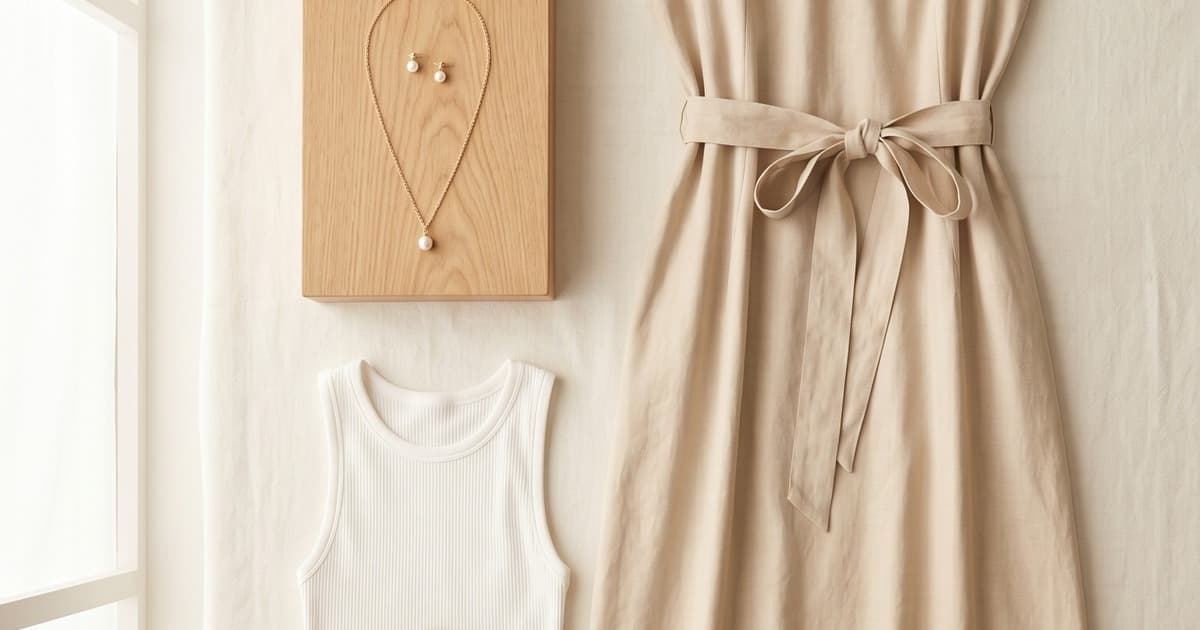
Quick answer: To create a fashion lookbook with AI, write a one-paragraph mood brief, pick 2-3 AI models that match your customer, generate 3-5 on-model shots per garment with a locked prompt structure, cull to the best images, then sequence them into a narrative and do a layout pass. An AI lookbook generator takes about 12-22 hours for a full seasonal lookbook, compared to 4-8 weeks for a traditional shoot, and brands report 70-90% lower costs.
A great lookbook doesn't just show products - it tells a story. It positions your brand in a world your customer wants to live in. Traditionally, creating that world required a photographer, a stylist, a model, a studio, a set designer, and a post-production team. You were looking at thousands of dollars and weeks of coordination before a single image was ready.
AI changes all of that. Today, fashion brands are producing full seasonal lookbooks in a matter of days - cohesive, on-model, story-driven - without ever booking a shoot. This guide walks you through exactly how to do it, step by step.
What Is an AI Lookbook Generator, and Why It Works for Fashion
An AI lookbook generator is a combination of AI image tools and workflows that let you place your clothing on photorealistic virtual models, set a visual scene, and produce a collection of consistently styled images that read as a unified editorial story.
The key word is consistent. A lookbook isn't just a product catalog with nice photos. It's a curated visual narrative where every image feels like it belongs to the same world. AI makes that consistency easier to achieve - because you control every variable: the model's appearance, the lighting, the background, the mood.
Brands using AI lookbook tools report cutting production timelines from 6–8 weeks down to 3–5 days. The cost reduction is even more dramatic - often 70–90% compared to traditional shoots. But beyond speed and cost, there's a creative benefit: you can iterate endlessly. If the mood isn't right, you adjust the prompt. If a colorway isn't working, you swap it instantly.
Step 1: Define Your Visual Theme and Mood
Before you generate a single image, you need to know what world you're building.
Ask yourself:
- What season or occasion is this lookbook for?
- What's the emotional tone - aspirational and minimal? Playful and vibrant? Moody and editorial?
- What's the setting - urban street? Sun-drenched coast? Studio white? Countryside?
- Who is your customer, and what does their dream day look like?
This isn't just creative fluff - it directly informs the prompts you'll use when generating images. A lookbook for a summer resort collection should feel warm, breezy, and relaxed. A winter outerwear lookbook should feel dramatic, structured, and aspirational. Getting this right at the start saves you from generating dozens of images that don't fit together.
Create a one-paragraph mood brief. Something like:
"Sun-bleached European summer. White-washed walls, terracotta tiles, late afternoon light. The model is effortlessly stylish, relaxed but put-together. Linen fabrics, natural shadows, Mediterranean palette."
This becomes your anchor for every prompt you write.
Step 2: Select AI Models That Match Your Brand Identity
One of the biggest advantages of AI lookbooks is model selection. You're not constrained by who's available on a specific date or what a talent agency can offer. You can choose (or train) AI models that genuinely reflect your brand's identity and your customer base.
Consider:
- Skin tone and ethnicity diversity - a brand that serves a global customer base should reflect that
- Body type - inclusive sizing is table-stakes for modern fashion brands; AI makes this trivially easy to execute
- Age range - your models should look like your actual customer, not a generic 22-year-old
- Vibe and energy - some models project editorial coolness; others project approachable warmth
For most brands, using 2–3 different AI models across the lookbook creates natural variety without sacrificing visual coherence. The consistency comes from the lighting, styling, and setting - not from using a single face.
Platforms like Tellos let you generate on-model shots directly from product photos - uploading your flat-lay or ghost mannequin shots and getting back photorealistic on-model images styled to your aesthetic. You can also train a custom AI model on your brand's specific visual identity, so every image it generates automatically looks like "your brand."
Step 3: Generate On-Model Shots With Consistent Styling
This is where the AI lookbook generator workflow really comes together. For each piece (or outfit combination), you'll generate an image with:
- The garment on the model
- The correct setting (as defined in your mood brief)
- Consistent lighting direction and quality
- The same general pose energy (editorial, candid, movement, etc.)
Prompt Structure That Works
When writing prompts for lookbook images, include:
- Subject description: the model (or reference the AI model you've selected), what they're wearing in detail
- Setting: location, time of day, lighting style
- Mood/tone: words like "relaxed," "editorial," "cinematic," "soft natural light"
- Technical style: "fashion photography," "Vogue editorial," "35mm film aesthetic"
Example prompt:
"Editorial fashion photograph of a woman in a white linen midi dress, standing on a sun-drenched terrace overlooking the sea, late afternoon golden hour light, soft warm shadows, relaxed confident pose, Vogue-style Mediterranean summer editorial, 35mm film aesthetic, photorealistic"
Maintaining Consistency Across Images
The biggest challenge in AI lookbook creation isn't generating a single great image - it's generating 20 images that all feel like they belong together. Here's how to maintain that consistency:
Lock in your core variables:
- Use the same base prompt structure for every image, only swapping the garment description
- Keep your lighting descriptor identical ("soft golden hour side-lighting" across every image)
- Keep your setting consistent - same location or same visual environment
Batch generate and cull: Generate 3–5 variations per garment. Select the best 1–2 for each. Edit your final selections together before choosing - a grouping that works individually may not flow well as a narrative sequence.
Use reference images: Most AI image tools accept a reference image for style, lighting, or model appearance. Providing your best early-generation image as a reference when generating subsequent images dramatically improves visual consistency.
From flat-lay to full lookbook, the workflow is now within reach for brands of every size - not just enterprise players with dedicated studio budgets.
Step 4: Arrange Images Into a Narrative
A lookbook is a story. It has a beginning, a middle, and an end. The arrangement of your images matters as much as the images themselves.
Classic lookbook narrative structure:
| Spread | Purpose |
|---|---|
| Opening | Establish mood - hero shot, wide environment, aspirational |
| Early spreads | Introduce key pieces individually - let each item shine |
| Mid-section | Outfit combinations, styling versatility, brand depth |
| Climax | Your strongest look, the centerpiece of the collection |
| Close | Pull back, return to mood - lifestyle close-out, brand statement |
Practical arrangement tips:
- Alternate between close-up and full-length shots - it creates visual rhythm
- Balance color across spreads - don't cluster all your neutral pieces together
- Let white space breathe - resist the urge to fill every page; restraint is editorial
- Create transitions - adjacent images should share a visual element (color, setting, mood) that makes the page turn feel intentional
For a 20-image lookbook, aim for 8–10 spreads (paired images) with 2–3 single-page moments for your hero pieces.
Step 5: Maintain Brand Consistency Across Pages
This is where many AI lookbooks fall apart. Individual images may look beautiful in isolation, but together they feel like a mood board scraped from five different aesthetic worlds.
Brand consistency checklist:
- ✅ Color temperature is uniform - warm-toned or cool-toned throughout, not mixed
- ✅ Background palette is cohesive - similar tones, textures, environments
- ✅ Pose energy matches - don't mix high-drama editorial poses with casual street snaps
- ✅ Lighting style is consistent - hard directional light or soft diffused light, pick one
- ✅ Model styling is intentional - hair and makeup feel like the same world across images
- ✅ Typography and layout are brand-appropriate - your lookbook layout should extend your visual identity
The brand brief test: If you covered up your logo on every page of the lookbook, would your regular customer still know it was your brand? If not, you need more consistency.
When you produce full catalogs without a shoot, training your AI on brand-specific visual references pays dividends in cohesion - the model "learns" your aesthetic and reproduces it reliably.
Seasonal Lookbook Production With AI: Seasonal vs. Evergreen
Not all lookbooks serve the same purpose. Understanding the distinction helps you plan your production cadence and allocate AI generation resources strategically.
Seasonal Lookbooks
What they are: Campaign-specific collections tied to SS (Spring/Summer), AW (Autumn/Winter), or retail moments like holiday or back-to-school.
Characteristics:
- Tied to a specific trend or seasonal color palette
- Usually 20–40 pages
- Higher production investment, longer shelf life (3–6 months)
- Often the anchor asset for broader campaign rollouts (ads, social, email)
AI advantage: You can iterate on the seasonal narrative quickly. If a colorway underperforms in early reaction, you can regenerate and swap before the full campaign launches.
Evergreen Lookbooks
What they are: Core collection lookbooks that showcase timeless or perennial products - basics, workwear, staples.
Characteristics:
- Not tied to a specific season or trend
- Smaller, often 8–16 pages
- Used as ongoing sales tools, wholesale assets, or website resources
- Updated periodically as the core range evolves
AI advantage: Extremely cost-effective to produce and update. When you add a new colorway to your core collection, you don't need to rebook a shoot - you regenerate the relevant images in hours.
Which should you start with? If you're new to AI lookbook production, start with an evergreen lookbook for your core collection. The workflow is simpler, the pressure is lower, and it's a great way to build the brand consistency muscle before tackling a high-stakes seasonal campaign.
Beyond Static Lookbooks: Adding Video
Static lookbooks are the foundation, but the most competitive fashion brands are now adding motion to their lookbook assets. Taking your AI-generated lookbook images and producing short video vignettes - a model walking, fabric moving, a lifestyle moment - creates a version of your lookbook content that works natively on Instagram, TikTok, and email.
AI fashion video generators can animate your lookbook images or generate entirely new motion content using the same visual direction as your stills. The result is a content library that scales across every format your marketing team needs.
For brands tracking what's coming, virtual fashion models replacing traditional shoots is already a mainstream reality at the top of the market - and AI makes it accessible at every price point.
Common Mistakes to Avoid
1. Generating without a mood brief Skipping the upfront creative direction step is the fastest way to produce a beautiful mess - images that individually look great but don't cohere as a brand story.
2. Using too many different models Variety is good; chaos is not. Three well-chosen AI models create enough diversity while preserving visual coherence. Using eight different faces across 20 images fragments your narrative.
3. Ignoring styling details The garment is only part of what makes a lookbook image work. Hair, shoes, accessories, environment - all of these signal "brand world." Specify them in your prompts.
4. Not culling aggressively It's tempting to include every image you like. Don't. A 15-image lookbook where every spread is strong beats a 30-image lookbook padded with B-tier shots. Edit ruthlessly.
5. Skipping the layout pass The best images in the world can be undermined by lazy layout. Invest time in the sequencing and spacing of your lookbook - or use a designer for the final layout pass, even if you generated all the images yourself.
The Full AI Lookbook Workflow at a Glance
Here's the complete process from brief to publish:
| Step | Action | Time |
|---|---|---|
| 1 | Write mood brief and define visual direction | 1–2 hours |
| 2 | Select AI models, build reference set | 1–2 hours |
| 3 | Generate images (3–5 per garment, cull to best) | 4–8 hours |
| 4 | Edit final selection, check consistency | 2–3 hours |
| 5 | Arrange into narrative sequence | 1–2 hours |
| 6 | Layout and typography pass | 2–4 hours |
| 7 | Export and distribute | 1 hour |
Total: 12–22 hours for a full seasonal lookbook - compared to 4–8 weeks for a traditional shoot.
Seasonal Planning: When to Produce Each Lookbook
If you're running a seasonal lookbook calendar, here's a rough planning framework:
Spring/Summer: Produce January–February, launch February–March Autumn/Winter: Produce June–July, launch July–August Holiday/Festive: Produce September–October, launch October–November Pre-season drops: Produce 4–6 weeks before drop date
With AI, you can compress these timelines significantly - some brands are running from brief to publish in under a week for smaller seasonal drops. The key is having your brand style guide and AI model references ready before you start, so generation can move fast.
Why AI Lookbooks Are Now a Competitive Requirement
In 2026, customers are comparing your brand to every other brand they follow on Instagram and TikTok. The visual quality bar is high - and it's being set by brands who've adopted AI production. Brands still using outdated product-on-white imagery or infrequent shoot-based campaigns are visually falling behind.
The good news: the production gap has never been easier to close. An AI lookbook creator built for fashion brands puts enterprise-quality visual production within reach regardless of your team size or budget. Whether you're a 10-person DTC brand or an established label looking to scale content output, the workflow is the same - and the results are indistinguishable from traditionally produced lookbooks to the end customer.
Fashion photography cost comparisons show traditional shoots in 2026 running $5,000–$25,000+ for a full collection. AI lookbook production typically runs a fraction of that - enabling brands to produce more campaigns, more frequently, with more creative flexibility.
Frequently Asked Questions
What is an AI lookbook?
An AI lookbook is a fashion lookbook whose images are generated with AI instead of a photoshoot. You place your garments on photorealistic virtual models, set the scene, lighting and mood, and produce a collection of consistently styled images that read as one editorial story. Because you control every variable, an AI lookbook is faster to produce and easier to keep visually consistent than a traditional shoot.
How do you create a fashion lookbook step by step?
Start with a mood brief that defines season, tone, setting and customer. Select 2-3 AI models that reflect your brand, then generate on-model shots using the same base prompt, lighting descriptor and setting for every garment. Generate 3-5 variations per piece, keep the best 1-2, arrange them into an opening, early spreads, mid-section, climax and close, and finish with a layout and typography pass.
What should I consider before using AI to create seasonal lookbooks?
Have your brand style guide, mood brief and AI model references ready before you generate anything, so production can move fast. Plan the seasonal calendar: produce Spring/Summer in January-February and Autumn/Winter in June-July. Decide your consistency rules for color temperature, lighting and pose energy, and if you are new to AI production, practice on an evergreen lookbook before a high-stakes seasonal campaign.
How do AI imagery tools handle brand tone and styling for lookbooks?
Brand tone comes from what you lock in: the same lighting description, setting, color temperature, pose energy, and hair and makeup direction across every image. Reference images help most, because feeding your best early image back into later generations improves consistency. Some platforms, including Tellos, also let you train a custom AI model on your brand's visual identity so outputs match your aesthetic by default.
How long does it take to make a lookbook with AI?
A full seasonal AI lookbook takes about 12-22 hours of work: 1-2 hours for the mood brief, 1-2 hours to select models and build references, 4-8 hours to generate and cull images, 2-3 hours to edit, 1-2 hours to sequence, 2-4 hours for layout and about 1 hour to export. A traditional shoot typically takes 4-8 weeks from concept to finished images.
How many AI models should a fashion lookbook use?
For most brands, 2-3 AI models across a lookbook give natural variety without breaking visual coherence. Consistency comes from lighting, styling and setting rather than a single face. Using too many models, such as eight different faces across 20 images, fragments the narrative. Choose models whose skin tone, body type, age range and energy reflect your real customer base.
Start Creating Your AI Lookbook Today
The best time to start building your AI lookbook workflow was last season. The second best time is today.
Tellos AI Photo Studio gives you everything you need to go from product images to full lookbook in days:
- Upload your flat-lays or ghost mannequin shots
- Generate photorealistic on-model images with your choice of AI models
- Apply consistent styling, lighting, and environment across your full collection
- Export ready-to-use lookbook assets for web, print, and social
No studio. No models to book. No post-production backlog. Just your brand story, told beautifully.
Start your free plan on Tellos AI Photo Studio →
Whether you're building your first seasonal lookbook or scaling to quarterly drops, Tellos gives you the creative tools and production speed to compete at the highest visual level - on any budget.