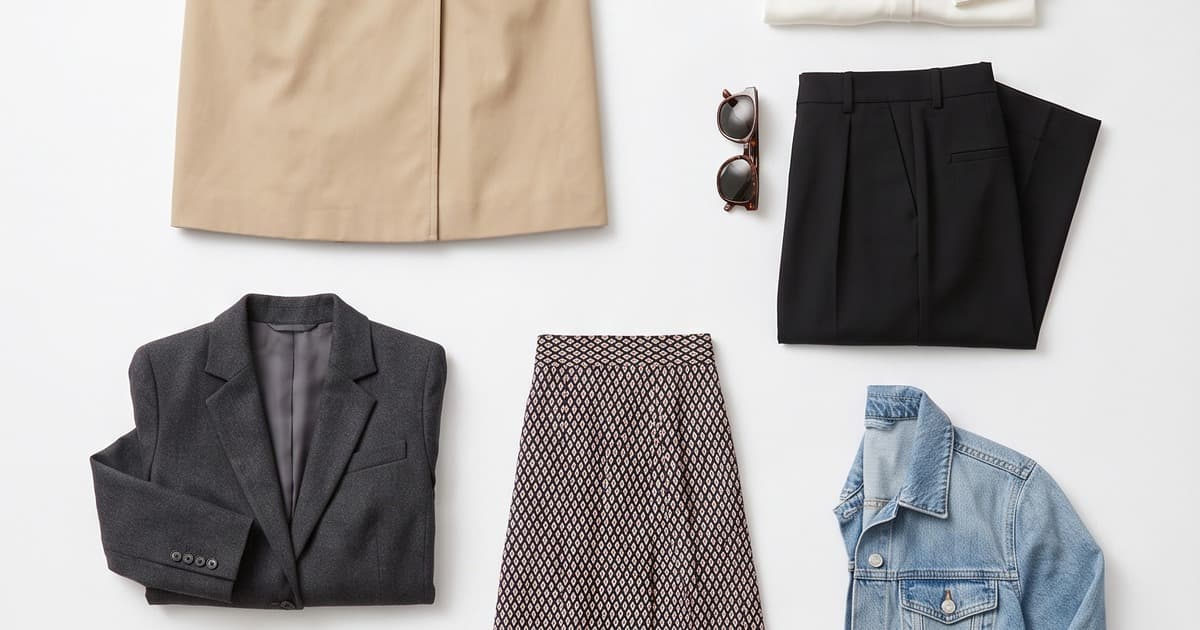
You've designed a tight, intentional capsule collection — maybe 12 pieces, maybe 25. It's cohesive by design. The problem? Getting professional photos for it.
A traditional studio shoot for even a small collection eats a day, a crew, and a budget that rarely makes sense for 10-30 items. So most brands do one of two things: they either over-invest (hiring a photographer, models, and a studio for what amounts to a half-day shoot) or they under-invest (flat lays on a table, or phone photos that don't match the quality of the product).
Neither outcome serves the brand.
This is exactly where AI photography earns its keep. For capsule-sized collections, AI isn't just a cost play — it's actually the ideal tool. Here's why, and how to use it.
Why Capsule Collections Are the Perfect AI Use Case
Large catalogs (200+ SKUs) are a natural fit for AI — the economics are obvious. But the value proposition for capsule collections is actually just as strong, just different.
The core tension for capsule shoots:
- The collection is intentionally small — 10 to 30 pieces
- Each piece still needs multiple angles: front, back, detail, on-model, lifestyle
- That's potentially 100+ individual images for 20 pieces
- A full traditional production for 100 images costs the same as for 300
- The per-image cost is brutal at capsule scale
AI flips this. The cost is flat (or per-image at a fraction of traditional rates), so a 20-piece capsule shoot is genuinely affordable — not just relatively affordable.
Beyond cost, there's another reason AI fits capsules particularly well: cohesion. A capsule collection is defined by its visual unity. Same color palette, same aesthetic, same story. With traditional photography, maintaining that consistency across a multi-day shoot with changing light, multiple photographers, and model availability issues is genuinely hard. With AI, you specify the look once — and every image adheres to it.
What a Traditional Small-Collection Shoot Actually Costs
Let's run the numbers. Say you have 20 pieces and want solid professional content: on-model front and back, plus a lifestyle shot per piece.
That's roughly 60 photos. Here's what a traditional shoot looks like:
| Cost Item | Typical Range |
|---|---|
| Photographer (day rate) | €800–€1,500 |
| Model (half/full day) | €400–€800 |
| Studio rental (4–8 hrs) | €300–€700 |
| Hair & makeup | €200–€400 |
| Stylist | €250–€500 |
| Post-production editing | €300–€600 |
| Total | €2,250–€4,500 |
For 60 photos, you're looking at €37–€75 per image — before any delays, reshoots, or last-minute cancellations.
And that math doesn't account for your time. Someone needs to book everything, coordinate logistics, transport samples, and manage the day. For a small brand or a lean team, that's significant overhead.
An AI shoot for the same 20 pieces? A few hours of work, a fraction of the cost, and no logistics to manage.
How to Run an AI Capsule Shoot
The process is simpler than most people expect. Here's how it works end to end.
Step 1: Prepare Your Products
The AI needs something to work with. Your input options:
- Flat-lay photos: The most common starting point. Lay each piece on a clean white or neutral surface, photograph it cleanly. Phone cameras work fine here — the AI will do the heavy lifting.
- Ghost mannequin shots: Products shot on an invisible mannequin. These are excellent inputs because the garment's structure is already clear.
- Product images you already have: If you have existing product photos from your supplier or previous shoots, many AI platforms can work from those directly.
For a capsule collection, the prep phase is fast. 20 pieces, even photographed one at a time, takes a couple of hours. That's your total "on-set" time.
Step 2: Define Your Look
This is where you set the creative direction that will run consistently across the entire collection. Decisions include:
- AI model: Who is wearing the clothes? You select from a library of AI models — diverse, customizable, available instantly. No agency, no casting calls, no fitting day. For a capsule, you'll typically use one or two models to maintain visual consistency.
- Background and setting: Studio white, neutral gradient, editorial environment, lifestyle context — you choose. For a capsule, consistency here is critical. Decide once, apply everywhere.
- Lighting style: Soft studio, natural window light, dramatic editorial — set your preference and it applies to every image.
- Pose direction: Many platforms let you specify pose style (relaxed, editorial, commercial) or select from reference poses.
For a capsule collection specifically, define these parameters tightly. The cohesion of your output depends on the cohesion of your inputs.
Step 3: Generate
Upload your product images with the defined parameters and let the AI generate. For a 20-piece collection with three outputs per piece (front, back, lifestyle), you're looking at 60 images. Generation time varies by platform, but you're typically looking at minutes per image — meaning a full 60-image capsule run is done in under two hours without any manual work on your end.
While it's running, you can be doing other things. That's a meaningful shift from a traditional shoot, where your whole day is committed.
Step 4: Review and Refine
Review the generated outputs. In most cases, the majority will be production-ready. For any that need adjusting — a pose that doesn't show the garment well, a background that doesn't quite fit — you can regenerate specific images with adjusted parameters.
This iteration loop is fast. Regenerating five images takes minutes, not another half-day of studio time.
Step 5: Export and Deploy
Output images are ready for:
- Product detail pages (PDPs)
- Lookbook compilation — arrange into a PDF or digital lookbook
- Social media — crop and resize as needed
- Email campaigns
- Wholesale presentations
The same image set feeds your entire distribution. No separate "social shoot" or "email shoot" needed.
Styling Coordination Across a Capsule
One of the underrated benefits of AI for capsule collections is how it handles styling coordination — something that's genuinely difficult in traditional photography.
In a traditional shoot, you're physically moving between pieces. Each outfit change takes time. The stylist is on set managing looks, but inconsistencies creep in — a collar sits differently, the model's posture shifts, the light changes slightly as the day progresses.
With AI, you're working digitally. You can:
- Test multiple model selections before committing — see how different AI models wear your pieces and select the best fit for your brand aesthetic
- Preview the full set before generating — many platforms show you a composition mockup before burning credits
- Ensure styling consistency: every piece gets the same treatment — same tuck, same collar, same visible layering — because the AI renders consistently to your specification
For a capsule collection, where the entire point is that the pieces work together, this matters a lot. Your photos should communicate that story visually, and AI makes that easier than traditional methods.
Content Volume from a Capsule AI Shoot
Here's something worth mapping out explicitly: how much content you actually get from an AI capsule shoot.
Take a 20-piece collection:
| Output Type | Images per Piece | Total Images |
|---|---|---|
| Front on-model | 1 | 20 |
| Back on-model | 1 | 20 |
| Detail/close-up | 1 | 20 |
| Lifestyle/editorial | 1–2 | 20–40 |
| Flat-lay (for laydown aesthetic) | 1 | 20 |
| Total | 5–6 | 100–120 |
100+ images from one AI session, for a 20-piece capsule.
Now map that to your content calendar:
- PDPs: 3–5 images per product page ✓
- Lookbook: 20–30 editorial selects ✓
- Instagram feed: 60+ posts, scheduled across 8–12 weeks ✓
- Email campaigns: 10–15 hero images, rotated across monthly sends ✓
- Wholesale deck: 20 clean on-model images ✓
One AI shoot afternoon supplies the entire content needs for a capsule collection launch. This is explored more in our post on building a fashion content calendar from AI shooting days.
Cohesion: The Capsule Collection's Core Requirement
A capsule collection lives or dies by visual coherence. The pieces are meant to work together — and your photos need to communicate that.
This is harder than it sounds with traditional photography. Even with a skilled team, shooting 20 pieces across a day means:
- The light shifts (even in a studio, bulbs warm up)
- The model moves differently after 6 hours than after 1
- Hair and makeup evolves through the day
- Post-production tries to correct for inconsistency but never fully succeeds
With AI, the consistency problem disappears. Every image is generated from the same parameters. The model looks identical in image 1 and image 100. The lighting doesn't drift. The background doesn't shift.
For capsule collections specifically — where the brand message is this is a curated set of pieces that belong together — that visual consistency is part of the story you're telling.
We've written more about how AI maintains visual consistency at catalog scale, but the same principles apply even more acutely when your collection is intentionally small.
When to Shoot: Timeline and Launch Planning
One of the most useful aspects of AI for capsule collections is timeline flexibility.
Traditional timeline for a capsule shoot:
- Book photographer, model, studio: 2–3 weeks lead time
- Samples need to be on hand (or shipped from manufacturer)
- Shoot day: full day blocked
- Post-production: 1–2 weeks
- Total to usable images: 3–5 weeks
AI timeline:
- Products in hand (or flat-lay photos taken): same day
- Upload and generate: 1–2 hours
- Review and select: 1–2 hours
- Total to usable images: same day or next morning
This matters for capsule launches in particular. Capsule collections are often trend-reactive or season-specific. Speed to market is a competitive advantage — if you can launch a capsule collection with professional imagery in 48 hours instead of 5 weeks, you can react to trends while they're still moving.
It also unlocks pre-order strategies. If you're doing a pre-order launch for your capsule, you typically don't have physical samples yet — or you have just one or two. AI lets you generate professional on-model imagery from those samples (or even from flat supplier images) before the full production run arrives. See our post on pre-order fashion content with AI for more on this approach.
Real Use Cases: Who Benefits Most
Not every brand type benefits equally from AI capsule photography. Here's a breakdown of who gets the most value:
Direct-to-consumer brands running seasonal drops DTC brands that release quarterly or monthly capsule drops can't afford a full production every cycle. AI makes frequent small drops economically viable with professional imagery every time.
Emerging designers launching debut collections A debut capsule of 15–20 pieces is exactly where AI shines. Professional imagery on a startup budget — without compromising on quality that matters for first impressions.
Wholesale brands building buyer decks Buyers need to see the collection clearly and professionally. AI-generated lookbooks for a capsule can be ready before the samples even ship to the showroom. More on this in our guide to wholesale fashion catalogs with AI.
Brands testing new categories If you're an accessories brand launching a 12-piece apparel test, a full traditional shoot investment is hard to justify. AI lets you test the category with professional imagery before you know if it'll perform.
E-commerce brands with product-heavy SKU rotations If your shop rotates new products frequently — restocks, limited editions, collabs — AI is how you keep up with the content demand without a shoot every few weeks.
What to Expect: Honest Assessment
AI capsule photography is genuinely excellent for most use cases. But it's worth being clear-eyed about where the technology stands.
What AI does well:
- Consistent, professional on-model imagery across all pieces
- Multiple backgrounds and styling contexts from a single shoot
- Fast turnaround — same day or overnight
- Cost-effective at any scale, including small capsules
- Infinite iterations without additional cost
Where it requires attention:
- Very complex garment structures (heavy tailoring, structured outerwear) may need extra iteration to render correctly
- Extremely fine fabric details (intricate embroidery, delicate lace) may require prompt refinement
- If garment fit needs to look very precise (workwear, suiting), review outputs carefully
The gap between AI and traditional photography has narrowed dramatically in 2025–2026. For the vast majority of capsule collections — knitwear, casual wear, basics, seasonal pieces — AI output is production-ready without significant manual correction.
Setting Up for Success: Quick Pre-Shoot Checklist
Before you start your AI capsule shoot, run through this:
- Clean, well-lit flat-lay or ghost mannequin photos of every piece
- Defined brand color palette and aesthetic direction
- AI model(s) selected (diversity, body type, brand fit)
- Background/setting decided (keep it consistent across the collection)
- Lighting style specified
- List of required shots per piece (front, back, detail, lifestyle)
- Output formats needed (PDP, social, lookbook, wholesale)
With these decisions made before you start, the actual generation is fast and the outputs are coherent.
From Capsule to Lookbook
The last step — and often the most satisfying — is turning your AI-generated capsule images into a lookbook.
Because every image was generated with the same parameters, you're starting from a consistent visual foundation. There's no need to color-grade across inconsistent originals. The work is in curation and layout.
A capsule lookbook doesn't need to be elaborate. 8–12 pages covering the collection narrative, the key pieces, and the lifestyle context can be put together in an afternoon in Canva, Adobe Express, or InDesign. The images are already there — it's just arrangement and copy.
For more on this process, see our guide on fashion lookbook layout and design with AI.
Ready to Shoot Your Capsule?
A tight capsule collection deserves photography that matches its intentionality — cohesive, professional, and done without the logistics overhead of a traditional shoot.
Tellos AI Photo Studio is built exactly for this. Upload your pieces, choose your look, and get production-ready images in hours — not weeks.