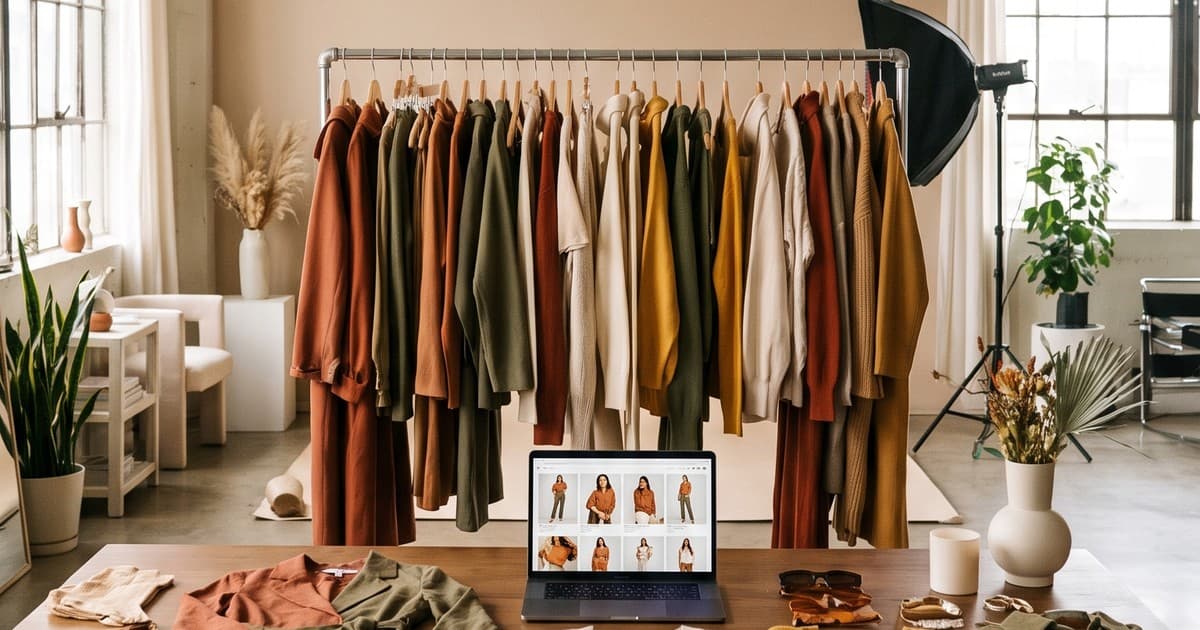
A mid-size fashion brand launching a fall drop usually has 40 to 120 new SKUs, a launch date that marketing announced three months ago, and samples that arrive from the factory two to four weeks late. The product pages, the email campaign, the paid social creative, and the wholesale line sheet all need visuals on the same day. That gap between "samples in hand" and "launch day" is where most seasonal collections lose money.
The question we hear most from operators is not "should we use AI?" It's more practical: which platform actually gets 80 SKUs photographed, on-model, in video, and consistent, in under two weeks?
This guide compares the four main ways fashion brands produce visuals for seasonal launches in 2026, what each one is good at, where each one breaks, and how to pick based on your SKU count and timeline.
What a Seasonal Launch Actually Needs
Before comparing platforms, get specific about the deliverables. A "product photo" is not one asset anymore. For a typical seasonal collection, each SKU needs:
- PDP images: 4 to 8 per SKU. Front, back, side, detail, and at least one on-model shot.
- Colorway coverage: every color variant shown, not just the hero color.
- Product video: a 5 to 15 second on-model clip for the product page and marketplaces.
- Social creative: vertical 9:16 video and 4:5 stills for Reels, TikTok, and Meta ads.
- Campaign and lookbook imagery: a cohesive editorial set that tells the season's story.
- Wholesale assets: clean line sheet images for buyers.
Multiply that out. A 60-SKU collection with an average of 3 colorways easily means 1,000+ stills and 180+ video clips. That's the real job, and it's why platform choice matters more than it used to.
The three constraints that decide everything
Every seasonal launch is a tradeoff between three things:
- Turnaround. How many days from samples (or even tech packs) to publish-ready assets.
- Volume. How many SKUs, colorways, and formats you can cover without cutting corners.
- Consistency. Whether the whole collection looks like one brand, one season, one art direction.
Traditional options usually give you two of the three. The platforms below are ranked on how well they hit all three.
Option 1: Traditional Photo Studio
The classic setup: book a studio, hire a photographer, cast models, bring a stylist, shoot for 2 to 5 days, then wait for retouching.
Where studios win
- Hero campaign imagery. A great photographer and art director still produce memorable campaign work.
- Tactile, complex products. Sheer fabrics, heavy embellishment, and very technical garments can benefit from real-world lighting control.
- Brand moments. If the launch is built around a celebrity, a location, or an event, you need a real shoot.
Where studios break for seasonal launches
- Sample dependency. You can't shoot what hasn't arrived. Late samples push the shoot, which pushes retouching, which pushes the launch.
- Throughput ceiling. A productive studio day covers maybe 30 to 60 looks on-model. Colorways and video multiply the days needed.
- Cost per asset. Once you add model fees, crew, studio rental, styling, and retouching, per-image costs add up fast. We broke down the numbers in our fashion catalog shoot cost comparison.
- Reshoots are expensive. Missed a colorway or a detail shot? That's another half-day booking.
Best for: a small set of hero campaign images per season, not full-catalog coverage.
Option 2: Content Agency or Production House
Agencies take the studio model and wrap project management, creative direction, and sometimes video editing around it.
Where agencies win
- Creative direction. A good agency brings a point of view and helps define the look of the season.
- One point of contact. You hand over the brief and they coordinate crew, casting, and post-production.
- Integrated campaigns. Useful when the launch includes OOH, influencer, and paid media all at once.
Where agencies break
- Longer timelines. Briefing, pre-production, shoot, and edit cycles often stretch to 4 to 8 weeks.
- Higher retainers. You pay for coordination and creative on top of production.
- Volume isn't the model. Agencies are built for campaigns, not for shooting every colorway of 80 SKUs for the PDP.
- Revision friction. Each round of changes goes through account management.
Best for: brands with a big campaign budget and a flagship launch where storytelling matters more than SKU coverage.
Option 3: Self-Serve AI Photo Apps
This category has grown fast. Tools like Photoroom, Botika, and Claid (plus many Shopify apps) let you upload a flat lay or mannequin shot and get an on-model image, a new background, or an edited product photo back in seconds.
Where AI photo apps win
- Speed on single images. Upload, pick a model and background, get a result.
- Low entry cost. Monthly subscriptions or credit packs make testing easy.
- Background and cleanup work. Removing backgrounds, fixing lighting, and resizing for marketplaces are well handled.
- Shopify integration. Several of these tools publish directly into your store.
Where AI photo apps break for seasonal collections
- Consistency across a full collection. Getting the same model, the same lighting, and the same art direction across 80 SKUs and 240 colorways takes a lot of manual prompting and rerolling.
- Garment accuracy at scale. Prints, hardware, seams, and drape can drift. At 10 images you catch it. At 1,000 images, some slip through. Our AI clothing photo accuracy guide covers what to check.
- Video is often an add-on. Many photo-first tools treat video as secondary, so you end up stitching together a second workflow.
- Your team is the production team. Self-serve means someone on your team spends days generating, reviewing, and fixing.
Best for: small catalogs, quick marketplace listings, and brands with an in-house person who has time to run the tool daily.
Option 4: AI Production Platforms
An AI production platform sits between a self-serve app and a traditional studio. Instead of generating one image at a time, it runs a full production workflow: brand-specific models, consistent art direction, stills and video, and a review layer, built for collections rather than single SKUs.
This is the category Tellos is in. Under the hood, platforms like ours use leading image and video models (the kind of generation technology behind tools like Kling, Sora, and Runway). The value isn't the model itself. It's the workflow on top: garment fidelity, brand consistency, and output volume that fits a launch calendar.
Where AI production platforms win
- Collection-level consistency. One set of brand models, one lighting style, one look across every SKU and colorway. See our deeper look at consistent fashion photography at catalog scale.
- Stills and video together. The same garment becomes PDP stills, on-model video, and vertical social clips in one pass.
- Colorway coverage without reshoots. Generate every variant from one reference. We covered the process in photographing 8 colorways with AI.
- Sample-independent timelines. Production can start from flat lays, ghost mannequin images, early samples, or even pre-production references, so content is ready before stock lands.
- Volume that matches reality. Handling 50+ new products a month is a normal workload, not a special project.
Where they have limits
- Hero campaign storytelling. For a location-based flagship campaign with a named talent, you still want a real shoot.
- Input quality matters. A clean, well-lit flat lay or mannequin image gives the best garment fidelity. Blurry phone photos give weaker results on any platform.
- You still need approval rounds. A good platform includes review, but someone on your side should sign off on color and fit accuracy.
Best for: brands launching multiple collections per year, brands with 50+ new SKUs per month, and teams with tight turnaround between samples and launch.
Side-by-Side Comparison
| Factor | Traditional Studio | Agency | Self-Serve AI Photo App | AI Production Platform |
|---|---|---|---|---|
| Typical turnaround for 60 SKUs | 3 to 6 weeks | 4 to 8 weeks | Days, but depends on your team's time | Days to 2 weeks |
| Needs physical samples | Yes | Yes | Needs product photos | Flat lay, mannequin, or early sample |
| Colorway coverage | Extra shoot time per color | Extra shoot time per color | Manual per image | Built into the workflow |
| On-model video | Separate crew or day | Usually extra budget | Often limited or add-on | Included with stills |
| Consistency across collection | High within one shoot | High | Varies, needs manual effort | High, brand models and fixed art direction |
| Scales to 50+ SKUs per month | Expensive | Not the model | Possible with heavy in-house effort | Yes |
| Best use | Hero campaign | Flagship storytelling | Small catalogs, quick fixes | Full collection launch coverage |
How to Choose Based on Your Launch
There's no single best platform for every brand. Here's a practical way to decide.
If you launch fewer than 20 SKUs per season
- A self-serve AI photo app or a single studio day can cover you.
- Put your budget into a few strong hero images and use AI apps to fill in detail and marketplace shots.
If you launch 20 to 100 SKUs per season
- This is where the math shifts. Studio days multiply, and self-serve tools eat your team's time.
- Use an AI production platform for full PDP, colorway, and video coverage.
- Keep a small studio or agency budget for 5 to 10 hero campaign images if the season needs a story.
If you launch 50+ new products every month
- You're running a continuous content operation, not a seasonal event.
- A studio-first model won't keep up. An AI production platform should be your default production line, with occasional real shoots for flagship moments.
- Our guide on full catalog production without a shoot walks through how brands at this volume structure it.
If your samples always arrive late
- Pick the option that can start before samples arrive. That rules out traditional studios and agencies for the bulk of the work.
- AI production from early references or tech-pack-based samples lets you build PDPs, pre-order pages, and teaser content while stock is still in transit.
A Two-Week Seasonal Launch Workflow
Here's a practical schedule for a 60-SKU collection using an AI production platform, with a small hero shoot on the side.
Days 1 to 2: Brief and references
- Lock the art direction for the season: backgrounds, lighting mood, model casting, pose style.
- Collect flat lays or mannequin images for every SKU and colorway. Consistent lighting here pays off later.
- Flag any garments with tricky details, such as sheer layers, metallic trims, or complex prints.
Days 3 to 6: First production pass
- Generate PDP stills for every SKU: front, back, side, detail, on-model.
- Generate colorway variants from the reference garment.
- Review in batches of 10 to 20. Check color accuracy against the physical sample, print placement, and fit.
Days 7 to 9: Video and social
- Produce on-model product video for each hero SKU and a short clip for every PDP.
- Cut vertical 9:16 versions for Reels and TikTok, and 4:5 stills for Meta ads.
- Build 3 to 5 creative variants per hero product for paid testing.
Days 10 to 12: Campaign and lookbook
- Assemble the season lookbook using the same brand models and art direction, so it matches the PDPs.
- Drop in the hero campaign shots from your real shoot, if you did one.
- Export line sheet images for wholesale buyers.
Days 13 to 14: QA and publish
- Final accuracy pass on color, fit, and details.
- Upload to Shopify, marketplaces, and your email and ad platforms.
- Schedule launch-day social posts.
For a deeper version of this schedule, see seasonal lookbook production with AI.
Questions to Ask Any Platform Before You Commit
Whatever platform you evaluate, ask these before signing up for a season:
- Can it keep the same model and look across my whole collection? Ask for a sample set of 10 different SKUs, not one hero image.
- How accurate is the garment? Send your hardest piece, the one with a print or hardware, and check the output against the sample.
- Does it produce video from the same inputs? Or will you need a second vendor?
- What inputs does it need? Flat lays, mannequin, on-model, or early samples? The earlier it can start, the more launch time you gain.
- Who does the work? Self-serve means your team generates and reviews. A managed or semi-managed platform takes that load off.
- What are the usage rights? Confirm you can use outputs commercially across ads, PDPs, marketplaces, and wholesale.
- How does it handle volume? Ask what a 100-SKU month looks like in practice, including review time.
Common Mistakes in Seasonal Launch Content
- Shooting the hero color only. Shoppers who want the olive version bounce when they only see black. Cover every colorway.
- Mixing styles across channels. PDP images from one vendor, social from another, and a lookbook from a third makes the season look fragmented.
- Treating video as optional. On-model video helps shoppers understand fit and movement. It's now a baseline asset, not a bonus.
- Waiting for all samples. Start with what you have. Staggered production beats a single late shoot.
- Skipping QA at volume. Speed is only useful if the images are accurate. Build a review step into every batch.
The Bottom Line
For most fashion brands in 2026, the best setup for a seasonal launch is a hybrid:
- An AI production platform handles the bulk of the work: every SKU, every colorway, stills and video, consistent across the collection.
- A small real shoot covers a handful of hero campaign images when the season needs a flagship story.
- Self-serve AI apps fill gaps for quick marketplace edits and background cleanup.
That mix gets you all three constraints at once: fast turnaround, full volume, and a collection that looks like one brand.
Launch Your Next Collection with Tellos
Tellos turns your flat lays, mannequin shots, and samples into on-model photos and product videos for your whole collection, with brand-consistent models and art direction across every SKU and colorway. No studio booking, no waiting on late samples, and content ready before launch day.
See how the Tellos AI Video Studio works and plan your next seasonal launch around content that's ready on time.