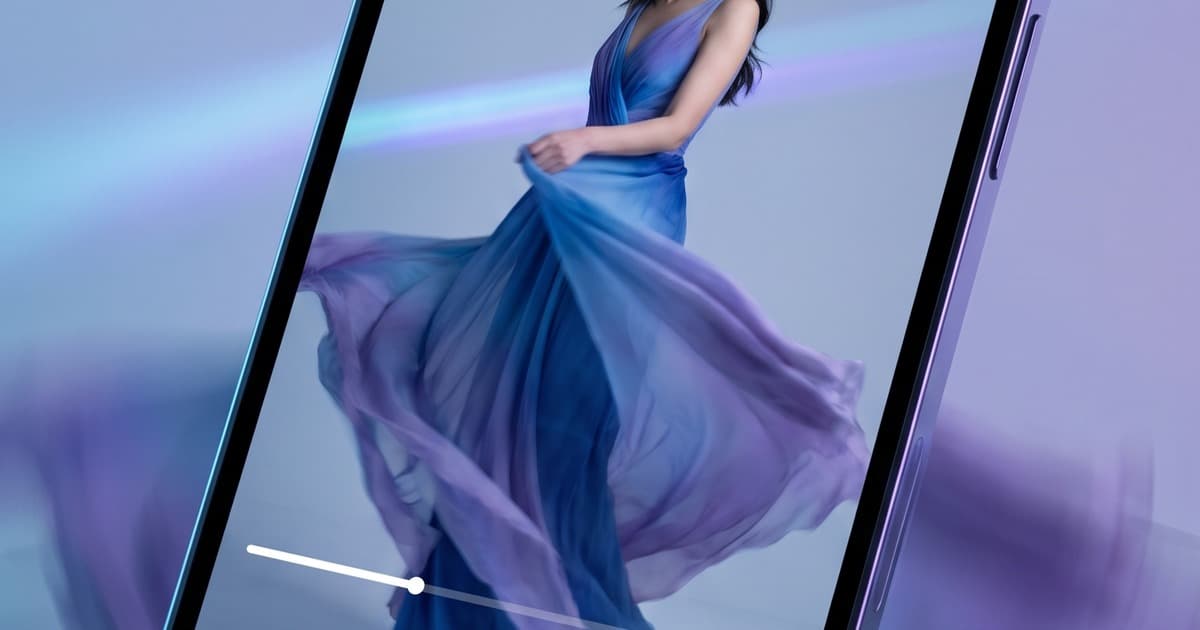
The average fashion shopper opens a product page, flicks through four or five static images, and bounces—not because the photos are bad, but because photos can't answer the questions they actually have.
Does this fabric drape? How does it move when I walk? Does the fit look stiff or relaxed?
Video answers all of that in three seconds. Which is exactly why on-model video on PDPs has become one of the highest-ROI plays in fashion ecommerce right now.
The problem has always been scale. You can afford to produce a video for your hero product. Maybe your top ten. But for every SKU in a catalog of 200? A thousand? Traditional production math doesn't come close.
That's the gap AI fills. One photo in. A realistic on-model video clip out. For every product, at a cost that doesn't require a spreadsheet justification.
Here's what's driving the shift, how the technology works, and how to implement it on your Shopify store today.
Why Static Product Images Are Losing the Conversion Battle
Fashion is tactile. Shoppers know this. They go to stores to touch, try on, and move in clothing before they buy. Online, you can't replicate touch—but you can replicate motion.
The numbers have been telling this story for a few years now:
- Product pages with video see 80–120% higher add-to-cart rates across multiple independent studies in apparel ecommerce
- Return rates drop by 25–40% when shoppers have seen the garment in motion before purchasing — they know what they're buying
- Time-on-page increases by 2x–3x with video, which signals quality to search algorithms and improves organic rankings
- On mobile (now the majority of fashion browsing), video autoplay in galleries converts at higher rates than static scroll
The conversion delta isn't marginal. It's the kind of gap that, once you see it in your own analytics, makes everything else a secondary priority.
But even with that data, most fashion brands still don't have video on most of their PDPs. Why? Because they couldn't afford to produce it at scale.
That excuse is gone now.
What "On-Model Video" Actually Means for Conversion
Before getting into AI, it's worth being precise about what kind of video we're talking about. Not every video format drives the same result.
Flat-lay or ghost mannequin video — product rotates or pans on a flat surface. Better than nothing, but doesn't show fit or movement. Conversion lift is modest.
Studio B-roll — generic fashion footage, maybe a model walking in something vaguely similar. Shoppers see through this immediately. It builds zero product-specific confidence.
On-model video — your actual product, on a model body, showing real movement. Drape when walking, fabric stretch when the model reaches up, how the hemline sits at different poses. This is the format that drives the conversion numbers above.
On-model video is what shoppers actually want. It's also the format that was historically impossible to produce per-SKU. A single day of on-model video production — crew, model, styling, editing — runs €2,000–€8,000 depending on market. Spread across 500 SKUs, that math doesn't work.
AI changes the unit economics entirely.
How AI Generates On-Model Video from a Single Photo
The workflow is straightforward, and it starts with something every fashion brand already has: product photos.
1. Upload your product image A clean on-model photo or even a flat-lay. The AI engine understands garment geometry, fabric type, and drape characteristics from a single still frame.
2. Select a virtual model and context Choose from a library of diverse AI models that match your brand's visual identity. Specify the shot type: walking, turning, subtle sway, hands-in-pockets casual, or editorial movement.
3. The AI generates motion The underlying video model (technologies like Kling, Runway, and similar engines power this) synthesizes realistic cloth physics and natural body movement. Fabric behaves according to its visual properties — a flowing maxi dress moves differently from a structured blazer, automatically.
4. Export and publish A 5–15 second clip, formatted for web playback and mobile autoplay. Ready to drop directly into your Shopify product gallery.
The whole process runs in minutes per SKU. Not days. Not thousands of euros.
Related: if you're already using AI for your lookbook photography, the same product images feed directly into video generation — one AI shoot session produces both.
The Traditional On-Model Video Production Problem at Scale
To appreciate why this matters, it helps to look at what traditional on-model video production actually involves.
Pre-production (1–2 weeks):
- Book model through agency (3–7 day lead time minimum)
- Schedule studio or location
- Coordinate stylist, hair/makeup
- Ship samples to studio (risk of damage in transit)
- Prep shot list for every SKU
Shoot day:
- 4–8 minutes per outfit change including styling
- 2–3 takes per product for video
- Maximum 15–25 SKUs in a full shooting day with a focused crew
- Any issues (samples don't fit the model, lighting issues, model cancellation) cascade into delays and extra costs
Post-production:
- Video editing: colour grading, format exports, compression
- File delivery and QA
- Upload to Shopify and embed in product galleries
Total time from briefing to published: 3–6 weeks. Total cost for 20 SKUs: €4,000–€15,000 depending on market.
That's the math for a small capsule drop. Scale it to a 300-SKU seasonal catalog and you're looking at months of production and six-figure budgets — before any reshoots.
Most brands don't even try. They publish static images, accept the lower conversion rate as the cost of doing business, and move on.
Conversion Lift: What Brands Are Actually Seeing
Specific results vary by category, price point, and traffic source, but the patterns are consistent across the brands adopting on-model AI video at scale.
Add-to-cart rate improvements of 15–40% are common when replacing static-only PDPs with static + video galleries. Higher-ticket items tend to see larger lifts, because shoppers need more confidence before committing.
Return rate reduction is perhaps the more underappreciated benefit. When shoppers can see fabric movement and fit, they have accurate expectations. Returns driven by "it didn't look like the photo" — a significant driver in fashion returns — drop sharply.
Mobile performance is where the gap is widest. Mobile shoppers engage with video at much higher rates than desktop, and with mobile now accounting for 60–70% of fashion ecommerce traffic, the PDP video advantage compounds fast.
SEO and dwell time: Google has consistently used time-on-page as a quality signal. Product pages with autoplay video hold visitors for longer, which improves organic ranking for competitive product and category terms.
The ROI calculation is simple: if your current PDP converts at 3% and video moves it to 4%, that's a 33% revenue increase from existing traffic with no additional ad spend.
Implementation on Shopify: The Practical Guide
Shopify supports native video in product media galleries — no apps required for basic implementation. Here's how to roll it out:
Option 1: Native Shopify product media Go to Products → select product → Add Media → Upload video. Shopify automatically encodes for web delivery. Works on all themes that support media galleries (most modern themes do). The video appears inline in the product image carousel, autoplays on hover or tap.
Option 2: Shopify sections with video embeds For more control over placement and autoplay behavior, embed video via a custom HTML section or a theme code edit. Place above the fold, before the image gallery, for maximum impact on the hero product view.
Option 3: Third-party apps for enriched experience Apps like Tolstoy, Vidjet, or similar allow more sophisticated video experiences — shoppable video, video carousels, swipe-through video galleries. These add friction to the setup but enable more editorial presentation styles.
Recommended workflow for catalog-wide rollout:
- Generate AI videos for your entire active catalog using Tellos in a single batch session
- Export as MP4 (H.264, compressed for web — aim for under 5MB per clip)
- Use Shopify's bulk edit or a Matrixify/Excelify import to attach videos to products at scale
- Audit the top 20% of SKUs by traffic manually, then batch-apply to the remaining catalog
The key is treating this as a catalog infrastructure project, not a one-off creative task. AI makes bulk generation feasible; the operational lift is in the systematic deployment.
For brands using headless commerce or custom storefronts, the same principles apply — the video files are standard MP4 assets that drop into any media pipeline.
Fabric Physics and Visual Quality: What to Expect
A reasonable question: how good does the AI-generated motion actually look?
The honest answer: it depends on fabric type and complexity of movement.
Where AI video performs best:
- Flowing fabrics — maxi dresses, chiffon blouses, linen trousers. Fabric physics simulation is convincing.
- Casual movement — walking, gentle turns, subtle sway. Natural and realistic.
- Simple garments — t-shirts, basic knitwear, structured blazers. Clean results.
Where it requires more attention:
- Complex pleating or heavy structure — tailored suiting with sharp construction can look slightly synthetic in motion
- Very close-up shots showing texture — macro detail doesn't read as well as mid-body framing
- Fast, dynamic movement — the "runway sprint" aesthetic is harder than a natural walk
For the vast majority of fashion PDPs, a 5–10 second walking or gentle-turn clip at mid-body framing is all you need. That's squarely in AI video's strong zone.
Quality is improving rapidly — what required human judgment to clean up six months ago now exports clean automatically. By the time you're reading this, the gap with traditionally-shot video has narrowed further still.
AI Video and Your Broader Content Strategy
On-model PDP video doesn't exist in isolation. The same AI-generated clips power multiple channels when you plan it correctly.
Product page → primary conversion asset. 5–15 seconds, clean background or subtle lifestyle setting.
Instagram Reels and Stories → crop to 9:16, add music, post as product feature content. Organic reach and paid ad creative in one asset.
Email campaigns → use a still frame as the email thumbnail with a play button overlay. Link to the PDP. Click-through rates on "video thumbnail" emails consistently outperform static product emails.
Meta and TikTok ads → the same AI model video that lives on your PDP can run as a paid creative with minimal adaptation. Video ad CTR on fashion typically runs 2–3x higher than static image ads.
Wholesale and B2B presentations → video lookbooks for buyers, embedding product motion clips alongside editorial photos. Buyers make faster decisions when they can see the product move.
This is the compounding return on a single AI video generation session: one input (product photo), one generation job, assets that work across five channels. For more on how to build this kind of multi-channel asset engine, see our guide on building a fashion content calendar with AI.
The Scale Argument: Why Every SKU Matters
There's a temptation to start with your hero products and see how video performs before rolling out across the catalog. That's a reasonable test — but it undersells the real opportunity.
The conversion lift from PDP video is relatively consistent across the catalog. Your high-volume hero products will show it most clearly in absolute revenue terms, but your long-tail SKUs benefit proportionally too. A 30% conversion improvement on a product that drives €500/month in revenue is still €150/month per SKU — multiplied across 200 tail SKUs, that's €30,000/month in incremental revenue from content that costs a fraction of traditional production.
With traditional video production, the economics only worked for the top of the catalog. AI changes this entirely: the marginal cost of generating video for SKU #200 is the same as SKU #1.
The strategic play is full-catalog coverage. Generate AI video for everything. Deploy systematically. Capture the conversion lift across the entire inventory, not just the featured items.
For context on what full-catalog AI generation looks like in practice, see our breakdown of fashion catalog automation and consistent fashion photography at scale.
Getting Started: Your First 50 PDPs
If you're starting from zero on PDP video, here's a practical sequence:
Week 1: Generate and test Pick your top 50 SKUs by traffic. Run them through Tellos AI Video Studio. Deploy to Shopify. Give it 2–3 weeks of traffic to measure baseline vs. video conversion rates.
Week 2–3: Measure and validate Compare add-to-cart rates on video vs. non-video PDPs. Check average session duration on video pages. Look at return rates on video-enabled products once they've had time to generate returns data.
Week 4+: Roll out to full catalog With validated conversion data, run the full catalog batch. Treat it like infrastructure — not a campaign. Every new product that drops gets AI video as part of its launch checklist, not as an afterthought.
This is exactly the kind of systematic content operation that separates brands doing €1M/year from brands doing €10M/year. The latter have solved their visual content pipeline. The former are still treating every shoot as a bespoke event.
Ready to Add Motion to Your Product Pages?
The technology works. The conversion data is real. The production model — one photo in, realistic on-model video out — is available to every fashion brand right now, regardless of catalog size or production budget.
Tellos AI Video Studio handles the entire workflow: upload your product photos, select models and movement styles, generate a batch of on-model video clips, and export ready-to-publish assets for your Shopify PDPs.
Fashion brands running on traditional static PDPs are leaving a measurable conversion gap on the table. The ones closing that gap are doing it with AI — and they're not waiting for a studio booking to do it.