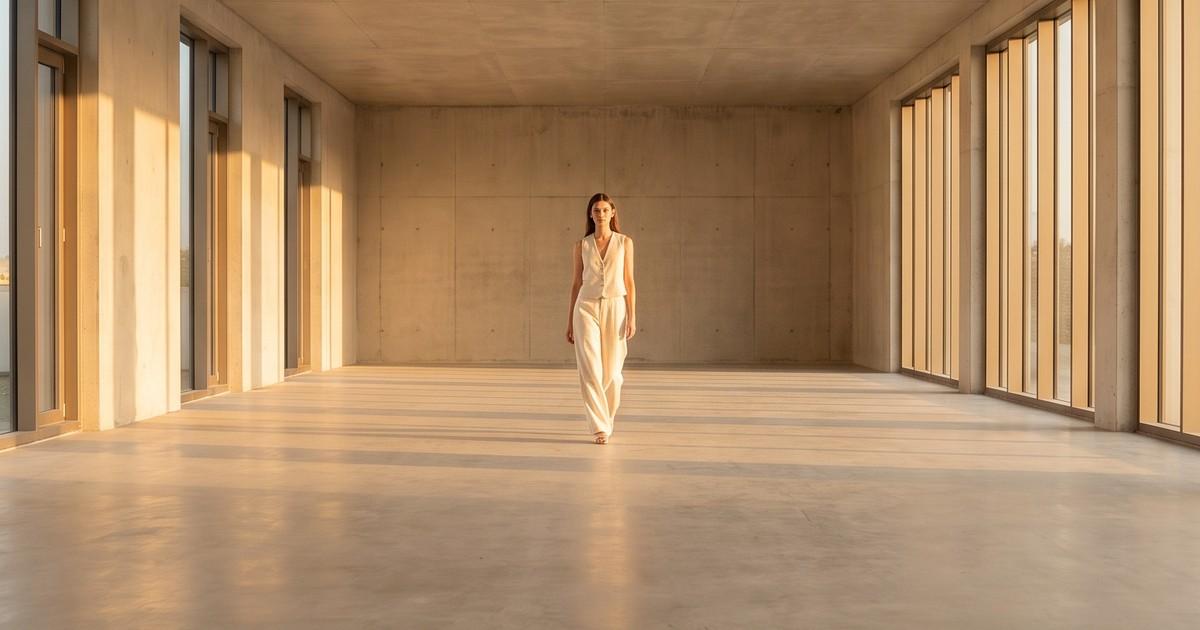
A lookbook prompt that says "model wearing our new jacket in a nice location" will give you a nice picture. It will not give you a lookbook. A lookbook is 12 to 40 images that look like they came from the same day, the same photographer and the same creative brief, and most AI prompts fall apart by image four.
The fix is not a magic phrase. It is structure. When you split a prompt into fixed blocks (model, garment, scene, light, pose, camera) and only change one block at a time, your output stops drifting and starts looking like a planned shoot.
This guide gives you the templates. Copy them, swap in your details, and keep the parts that are supposed to stay locked actually locked.
If you want the full end-to-end process (planning the collection, sequencing, export), start with our step-by-step guide to creating a fashion lookbook with AI. This post zooms in on the prompt layer.
Why Most AI Lookbook Prompts Fail
Before the templates, it helps to know what usually breaks. Nearly every bad AI lookbook comes down to one of these:
- The model changes face between shots. Prompt 1 says "brunette model," prompt 2 says "woman with dark hair," and the model generates two different people.
- The light changes. One image is golden hour, the next is overcast, the third looks like a ring light. Readers feel this even when they can't name it.
- The garment gets "improved." The AI adds a belt, changes the collar, moves a pocket, or swaps the print. This is the most expensive failure, because it creates returns and complaints.
- The scene is too busy. Detailed backgrounds compete with the clothes and get rendered differently every time.
- Every image is the same pose. Front-facing, hands at sides, 12 times in a row.
Notice that only one of these is about creativity. The rest are about consistency, and consistency is a prompt-writing discipline.
The 6-Block Lookbook Prompt Structure
Think of every lookbook prompt as six blocks in a fixed order. For a single lookbook, blocks 1, 3, 4 and 6 stay nearly identical across every image. Blocks 2 and 5 do most of the changing.
| Block | What it controls | Changes per image? |
|---|---|---|
| 1. Model | Face, body, hair, age range, expression | No (lock it) |
| 2. Garment | The exact product and styling | Yes |
| 3. Scene | Location, background, props | Rarely (per chapter) |
| 4. Light | Time of day, direction, quality | No (lock it) |
| 5. Pose and action | Body position, movement, framing | Yes |
| 6. Camera and style | Lens feel, film look, color grade | No (lock it) |
Write each block once in a shared doc, then assemble prompts by pasting. That alone removes most of the drift, because you stop rewriting the same idea in different words.
Block 1: The Model Prompt
Be specific and boring. You are writing a casting note, not a poem.
Template
Model: [gender presentation], [age range], [body type and approximate size], [skin tone], [hair color, length, texture, styling], [one distinguishing detail], [expression]
Example
Model: woman, late 20s, athletic build, size US 6, warm medium skin tone, dark brown shoulder-length wavy hair worn loose, small gold hoop earrings, calm confident expression, soft smile
Tips
- Reuse the exact same sentence in every prompt. Do not paraphrase.
- Include one small detail (earrings, a freckle pattern, a hair part) that helps you spot drift quickly when reviewing.
- If your platform supports a saved or reference model, use it. A fixed model reference beats any amount of text. This is how AI model casting for lookbooks and catalogs works in practice.
- For size-inclusive lookbooks, write a separate locked model block for each body type rather than one vague "diverse models" line. See our guide on size-inclusive fashion photography with AI.
Block 2: The Garment Prompt
This is where accuracy lives. The goal is to describe the product precisely enough that the AI has nothing to invent.
Template
Wearing: [product name], [color with a real name], [fabric and finish], [fit and silhouette], [key construction details: collar, closures, pockets, hem], [print or pattern if any], styled with [supporting pieces], garment shown exactly as in the reference image, no added details
Example
Wearing: the Mara oversized blazer in oat beige, mid-weight wool blend with a matte finish, relaxed boxy fit, notched lapels, single button closure, two flap pockets, hip-length hem, styled with a white ribbed tank and straight-leg ecru trousers, garment shown exactly as in the reference image, no added details
Tips
- Always pair the text with a garment reference image when the tool allows it. Text alone cannot reliably reproduce a specific print, logo, or hardware.
- Use real color names ("oat beige," "forest green") instead of "light" or "dark."
- Spell out details the AI tends to change: button count, pocket type, strap width, neckline.
- End with a "no added details" style constraint. It helps.
- Keep supporting pieces neutral and repeat them across looks, so the hero product stands out.
For a deeper look at where general image tools struggle with prints, logos and fit, read how accurate AI-generated clothing photos really are and whether ChatGPT image generation is good enough for apparel product photos.
Block 3: The Scene Prompt
Lookbooks usually have one to three "chapters" (for example: studio, street, interior). Write one locked scene block per chapter and keep it simple.
Template
Setting: [location type], [2 to 3 specific visual elements], [color palette of the environment], [how busy: minimal / moderate], background softly out of focus
Scene blocks you can copy
Minimal studio
Setting: seamless paper backdrop studio, warm off-white sweep, clean floor, no props, minimal and uncluttered, background softly out of focus
Concrete loft
Setting: sunlit industrial loft, raw concrete walls, tall steel-framed windows, one wooden stool, muted gray and warm neutral palette, minimal, background softly out of focus
City street
Setting: quiet European side street, limestone building facades, a dark green door, cobblestone pavement, neutral stone and green palette, no crowds, background softly out of focus
Resort interior
Setting: Mediterranean villa interior, whitewashed walls, arched doorway, terracotta floor tiles, one linen-covered chair, warm white and terracotta palette, minimal, background softly out of focus
Tips
- Fewer elements means more consistency. Each extra prop is another thing that renders differently between shots.
- "Background softly out of focus" keeps attention on the clothes and hides minor scene variation.
- Match the scene palette to the collection. A rust and olive fall collection reads better against concrete and amber than against bright white.
Block 4: The Light Prompt
Light is the single biggest signal that images belong together. Lock it for the whole lookbook, or at least per chapter.
Light blocks you can copy
| Look | Prompt block |
|---|---|
| Soft studio | Lighting: large soft key light from front left, gentle fill, soft shadows, even exposure |
| Golden hour | Lighting: low warm golden hour sunlight from the side, long soft shadows, warm glow on skin |
| Overcast natural | Lighting: soft overcast daylight, diffused, no hard shadows, true-to-life colors |
| Window light | Lighting: natural window light from the right, soft falloff, gentle shadow on the far side |
| High-key commercial | Lighting: bright high-key lighting, clean white tones, minimal shadows |
| Moody editorial | Lighting: single directional light, deep soft shadows, controlled contrast |
Tips
- For product accuracy, prefer soft and even light. Hard light and heavy shadow hide texture and can shift perceived color.
- Golden hour looks great but warms the garment color. If color accuracy matters (it usually does), check the result against your product photo.
- Never mix two light blocks in one lookbook chapter.
Block 5: Pose and Action Prompts
This block creates variety. Plan your poses as a shot list before you write anything, so you get a balanced mix of full-length, three-quarter and detail shots.
A 12-shot lookbook pose list
Full length, standing straight, facing camera, weight on one leg, hands relaxed at sidesFull length, walking toward camera mid-stride, natural arm swingFull length, three-quarter turn to the left, looking over shoulder at cameraFull length, back view, head turned slightly to the sideThree-quarter length, one hand in trouser pocket, looking off cameraThree-quarter length, adjusting jacket lapel with one handThree-quarter length, leaning against wall, arms loosely crossedSeated on stool, legs crossed, relaxed posture, looking at cameraWaist-up, slight head tilt, soft smile, hands touching collarClose-up detail of the garment fabric and buttons, model's hand in frameClose-up detail of the sleeve cuff and hemFull length, mid-turn, fabric in motion
Tips
- Write one pose per prompt. Combining "walking and turning and looking back" gives you a confused body.
- Include at least two detail shots. Wholesale buyers and shoppers both use them to judge quality.
- Motion poses (walking, turning) show drape and fit better than static ones. They also translate well if you later turn the lookbook into video. More on that in our guide to fashion lookbook video.
- Order matters for the final layout too. Our lookbook layout design guide covers how to sequence spreads.
Block 6: Camera and Style Prompt
The final block sets the "photographer." Lock it once.
Template
Camera: [shot type default], [lens feel], [depth of field], [color grade], [aspect ratio], photorealistic fashion editorial, no text, no logos, no watermark
Style blocks you can copy
Clean ecommerce editorial
Camera: shot on 50mm lens feel, moderate depth of field, natural true-to-life color grade, 4:5 portrait aspect ratio, photorealistic fashion editorial, no text, no logos, no watermark
Film-inspired lookbook
Camera: shot on 35mm film look, subtle grain, soft contrast, slightly warm color grade, 4:5 portrait aspect ratio, photorealistic fashion editorial, no text, no logos, no watermark
Premium campaign
Camera: 85mm portrait lens feel, shallow depth of field, rich but accurate colors, refined contrast, 2:3 portrait aspect ratio, photorealistic luxury fashion campaign, no text, no logos, no watermark
Tips
- Always add "no text, no logos, no watermark." Generators love adding fake brand marks.
- Pick one aspect ratio for the whole lookbook. 4:5 works for both PDF lookbooks and Instagram.
- Lens and film terms are hints for mood, not technical guarantees. Treat them as style shortcuts.
Putting It Together: Full Lookbook Prompt Examples
Here is what an assembled prompt looks like. Blocks 1, 3, 4 and 6 are pasted unchanged.
Example 1: Fall workwear lookbook, shot 2
Model: woman, late 20s, athletic build, size US 6, warm medium skin tone, dark brown shoulder-length wavy hair worn loose, small gold hoop earrings, calm confident expression, soft smile.
Wearing: the Mara oversized blazer in oat beige, mid-weight wool blend with a matte finish, relaxed boxy fit, notched lapels, single button closure, two flap pockets, hip-length hem, styled with a white ribbed tank and straight-leg ecru trousers, garment shown exactly as in the reference image, no added details.
Setting: sunlit industrial loft, raw concrete walls, tall steel-framed windows, one wooden stool, muted gray and warm neutral palette, minimal, background softly out of focus.
Lighting: natural window light from the right, soft falloff, gentle shadow on the far side.
Pose: full length, walking toward camera mid-stride, natural arm swing.
Camera: shot on 50mm lens feel, moderate depth of field, natural true-to-life color grade, 4:5 portrait aspect ratio, photorealistic fashion editorial, no text, no logos, no watermark.
Example 2: Resort swim and cover-up lookbook
Model: woman, early 30s, curvy build, size US 14, deep brown skin tone, short natural coily hair, gold cuff bracelet, relaxed joyful expression.
Wearing: the Sol one-piece swimsuit in terracotta, matte recycled nylon, scoop neck, medium-width straps, moderate leg cut, worn with an open sheer white linen shirt, garment shown exactly as in the reference image, no added details.
Setting: Mediterranean villa interior, whitewashed walls, arched doorway, terracotta floor tiles, one linen-covered chair, warm white and terracotta palette, minimal, background softly out of focus.
Lighting: low warm golden hour sunlight from the side, long soft shadows, warm glow on skin.
Pose: three-quarter length, standing in arched doorway, one hand resting on the frame, looking off camera.
Camera: shot on 35mm film look, subtle grain, soft contrast, slightly warm color grade, 4:5 portrait aspect ratio, photorealistic fashion editorial, no text, no logos, no watermark.
Negative Prompts and Constraints Worth Adding
Not every tool supports separate negative prompts, but most respond to constraint phrases inside the main prompt. These are the ones that earn their place in a lookbook:
- "garment shown exactly as in the reference image, no added details" (stops invented pockets, belts and trims)
- "no text, no logos, no watermark" (stops fake branding)
- "natural hands, five fingers" (useful when hands are in frame)
- "no other people" (stops random background figures)
- "true-to-life colors" (reduces color drift from heavy grading)
- "no props" in studio chapters (stops random chairs and plants from appearing)
Keep the list short. Ten negative phrases often perform worse than three good ones, because they crowd out the actual instructions.
A Quick Review Checklist Before Anything Goes Into the Lookbook
Generating is the fast part. Reviewing is where the quality comes from. Run every image through this list:
- Garment accuracy: Does it match the sample on color, print, closures, pocket count, length and fit?
- Model consistency: Is it clearly the same person as the other shots?
- Light consistency: Does the light direction and warmth match the chapter?
- Hands and anatomy: Any extra fingers, odd joints, or merged fabric?
- Background clutter: Anything new that wasn't in the scene block?
- Brand fit: Would your creative director approve this next to last season's lookbook?
Reject anything that fails the first check, even if it looks beautiful. A gorgeous image of the wrong product is a returns problem, not a marketing win. If you want to tie the finished lookbook to outcomes, see our guide on lookbook performance metrics and ROI.
Prompts Get You 80 Percent. Workflow Gets You the Rest.
Prompt templates make general-purpose image tools much more usable for lookbooks. But you will still hit limits that no prompt fully solves:
- Exact garment reproduction across 20+ images, especially prints, logos and hardware
- Locking the same model across an entire season, not just one session
- Volume: writing, generating and reviewing hundreds of prompts when a collection has 40 SKUs
- Turning stills into motion for PDPs, Reels and TikTok without re-briefing everything
This is the gap a production platform is built to fill. Underlying image and video models (from general image generators to video models like Sora, Kling and Runway) keep getting better, and they are the engine. What fashion teams need on top is the workflow: garment-faithful generation from your product photos, saved models, consistent scenes, and batch output.
That is what Tellos does. You upload your product images, choose a model and a look, and generate on-model lookbook images and videos that keep your garment intact, without writing a 200-word prompt for every shot. For seasonal drops on tight timelines, our guide to seasonal lookbook production with AI walks through the full calendar.
Quick Reference: The Copy-Paste Lookbook Prompt Skeleton
Save this in your team doc and fill it in per shot:
Model: [LOCKED model block].
Wearing: [product name], [color], [fabric], [fit], [construction details], [print], styled with [supporting pieces], garment shown exactly as in the reference image, no added details.
Setting: [LOCKED chapter scene block].
Lighting: [LOCKED light block].
Pose: [one pose from the shot list].
Camera: [LOCKED camera and style block], no text, no logos, no watermark.
Lock four blocks. Change two. Review every image against the sample. That is the whole method.
FAQ
What is a good AI lookbook prompt?
A good AI lookbook prompt is structured into fixed blocks: model, garment, scene, lighting, pose, and camera style. The model, scene, lighting and camera blocks stay identical across the lookbook, while the garment and pose change for each image. This keeps the set consistent.
How do I keep the same model across every lookbook image?
Reuse the exact same model description word for word in every prompt, and use a saved model or reference image if your tool supports it. Paraphrasing the model description is the most common cause of a model changing face between shots.
Can AI keep my garment accurate in a lookbook?
Text prompts alone often change details like pockets, buttons and prints. Pairing the prompt with a garment reference image and adding "garment shown exactly as in the reference image, no added details" helps a lot. Production platforms built for fashion generate directly from your product photos, which is more reliable for catalog work.
How many images should an AI lookbook have?
Most fashion lookbooks run between 12 and 40 images. Plan a shot list with a mix of full-length, three-quarter, seated, motion and detail shots so the set feels like a real shoot instead of the same pose repeated.
Skip the Prompt Engineering
Templates help, but your team shouldn't spend launch week tuning prompts. With Tellos, you upload your products and get on-model lookbook photos and videos that keep your garments accurate, ready for your site, wholesale decks and social.
Try the Tellos AI Video Studio and turn this season's collection into a full lookbook in days, not weeks.