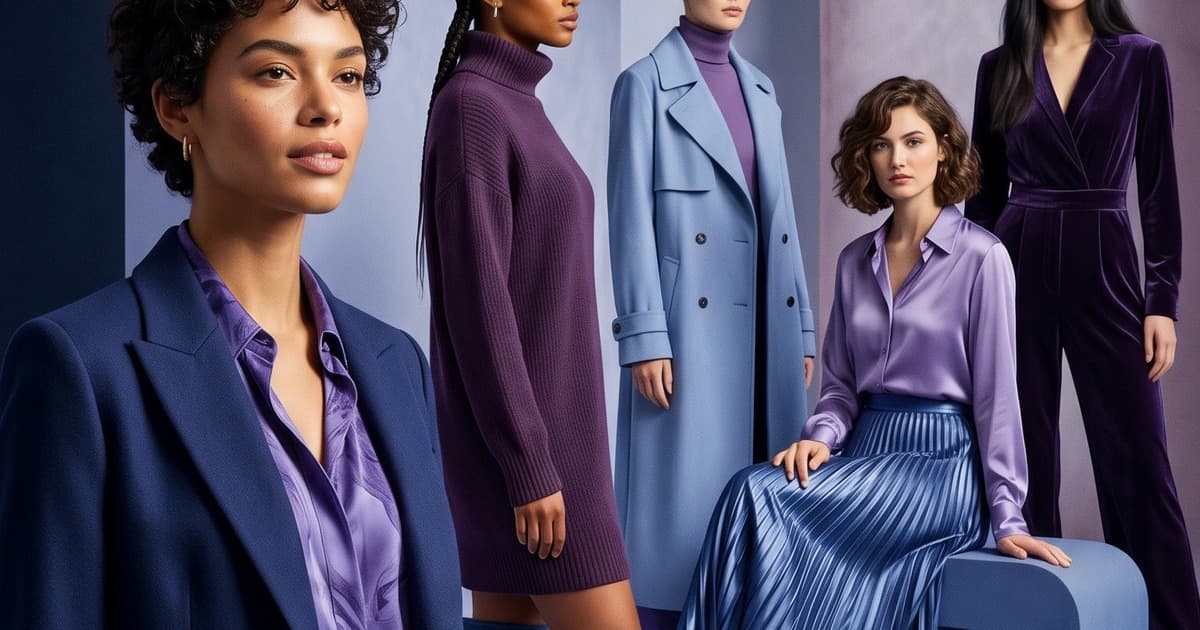
Quick answer: To make an outfit lookbook from your own photos with AI, upload flat-lay, mannequin or outfit photos of each piece, pick AI models and a setting, generate 3-5 on-model images per look, then keep the best one and sequence them into a lookbook. A 30-piece collection takes about three days of work instead of an 8-12 week shoot cycle, and you can generate a summer setting in winter.
Fashion lookbook photography has always been one of the most logistically intense things a brand does. Two full shoot days. A crew of eight. A location you scouted three weeks ago. Models you booked a month out. And then three more weeks of post-production before you have anything usable.
For decades, there was no alternative. If you wanted your seasonal collection to look like a real brand - styled, shot in context, with the narrative coherence buyers and customers expect - you had to run the whole production. Small brands either spent money they didn't have or shipped lookbooks that looked undercooked.
That calculus is now completely different.
AI lookbook photography lets brands upload their garments, select AI-generated models and backgrounds, and produce editorial-quality seasonal collections in hours. The output looks like a real shoot. The cost is a fraction of one. And the timeline compresses from months to days.
Here's how it works - and why forward-thinking brands are making the switch.
What a Traditional Lookbook Shoot Actually Involves
Before you can appreciate the leap AI represents, it's worth being specific about what traditional lookbook photography requires. The complexity is easy to underestimate if you haven't run one.
Pre-Production (3–6 weeks out)
The shoot itself is the shortest part. Everything before it takes longer:
- Creative direction: Defining the seasonal concept, mood board, color story, and editorial angle. This is usually a multi-meeting process involving the creative director, brand lead, and sometimes an external agency.
- Location scouting: Depending on your concept, this means either booking a studio (typically $1,500–$5,000/day) or scouting outdoor and architectural locations - which requires permits, travel, and often a scout fee.
- Model casting: For a two-day shoot covering 20–30 looks, you typically need 2–4 models. Casting calls, agency negotiations, and go-sees can take two to three weeks. Day rates run $500–$3,000+ per model depending on market and experience.
- Photographer booking: A fashion photographer with lookbook experience typically charges $1,500–$5,000/day plus licensing fees. They're often booked six to eight weeks out.
- Styling: The stylist pulls, preps, and organizes every piece for the shoot. They handle steaming, pinning, and fit adjustments - often with an assistant. Rates: $500–$1,500/day.
- Hair and makeup: Two artists at minimum for a multi-model shoot, each running $400–$1,200/day.
- Wardrobe logistics: Pieces need to be tracked, organized by look, and sometimes altered. If the collection is large, this alone is a day of work.
Production (Shoot Days)
A typical seasonal lookbook requires two full shoot days to cover 20–40 outfits across multiple set-ups and locations. On set, you're coordinating:
- Photographer and assistant
- Wardrobe stylist (plus assistant)
- Hair and makeup artists
- Models (on clock from call time)
- Location/studio logistics
- Creative director or brand lead
The window to actually shoot is compressed. Models need to be styled. Lighting needs to be set. If you're on location, you're chasing natural light. Every hour of the day has a cost attached to it.
Post-Production (3–6 weeks out)
After wrap, the work continues:
- Culling: Reviewing thousands of frames to select the 100–150 hero images.
- Retouching: Per-image retouching for skin, fabric wrinkles, background cleanup. At $15–$50 per image, a 120-image lookbook costs $1,800–$6,000 in retouching alone.
- Color grading: Ensuring visual consistency across the entire lookbook - different days, different lighting conditions, different models.
- Sequencing and layout: The creative team assembles the lookbook document, which may then go back to photography for reshoots if something doesn't land.
All-in, a mid-tier fashion lookbook shoot costs between $20,000 and $80,000 and takes eight to twelve weeks from concept to final file. For larger labels or international shoots, those numbers go higher.
The AI Alternative: What's Actually Possible Now
AI lookbook photography doesn't just reduce this process - it restructures it entirely.
The core workflow:
- Upload garment images - flat-lays, mannequin shots, or existing product photography
- Select AI models - choose from diverse virtual models, body types, and skin tones, or train a custom AI model on your brand's look
- Choose or build backgrounds - studio neutral, lifestyle context, seasonal setting, or architectural
- Generate on-model images - AI places your garment on the selected model in the chosen environment, producing editorial-quality photography
- Curate and sequence - select the best outputs, sequence them for narrative flow, export as PDF or digital lookbook
What took eight weeks and a $40,000 budget now takes two to four hours and a monthly subscription.
The results aren't rough drafts. Modern AI fashion photography generates images that hold up on product pages, in email campaigns, in wholesale sell-in decks, and in paid ads. The detail on fabric texture, the fit on the model, the lighting coherence - all of it is production-quality.
The Technical Reality: How AI Photography Actually Works
Understanding the mechanics helps brands use it more effectively.
Garment Fidelity
The quality of your input directly determines the quality of your output. A sharp, well-lit flat-lay or mannequin shot - even shot on a smartphone - gives the AI enough texture and detail information to reconstruct the garment accurately on a model. Wrinkles, fabric weight, drape, pattern registration - the AI preserves all of it.
What to give AI systems:
- Clean product shots with no heavy shadows
- Multiple angles if available (front + back at minimum)
- High-resolution images (at least 1000px on the long edge)
- Consistent white or neutral backgrounds
Model Diversity and Control
This is one of the areas where AI lookbook photography outperforms traditional shoots. Building a diverse cast for a traditional shoot is logistically and financially demanding. For AI:
- You select from a library of virtual models spanning age, body type, skin tone, and gender
- You can run the same collection across five different models in the time it takes to change a dress on set
- If your brand has trained a custom AI model, every image features a consistent face and body that represents your brand identity
This unlocks inclusive representation that was previously a significant budget line item.
Background and Setting Control
AI generation gives you photographic environments that would require expensive location shoots:
- Studio neutrals: Clean gradients, white cycloramas, soft grey
- Lifestyle environments: Urban streets, coastal settings, garden terraces, industrial interiors
- Seasonal contexts: Sun-drenched summer settings in January. Autumn foliage in March. You're no longer constrained by what season it actually is when you're shooting.
For brands that launch seasonal collections six months before the season arrives, this is enormous. Your summer lookbook can be shot - or rather generated - in winter, with accurate seasonal imagery, without booking a flight to somewhere warm.
Maintaining Visual Narrative Across Your Lookbook
This is the subtler challenge - and the one brands should think hardest about before switching to AI photography.
A lookbook isn't a series of individual product shots. It's a curated narrative. Each page should feel like it belongs to the same story. The lighting should feel consistent. The models should feel like they exist in the same world. The color palette across environments should be coherent.
In traditional photography, this is handled by the photographer's eye, the lighting setup they repeat across set-ups, and the color grade in post. With AI, you need to be intentional about it upfront.
Brand Story Consistency: How to Get It Right
1. Define your visual parameters before generating
Before you start, write down:
- Lighting direction (hard and directional? soft and diffuse?)
- Color temperature (warm and golden? cool and editorial?)
- Background palette (do your backgrounds stay consistent across the lookbook, or do they vary by collection segment?)
- Model expressions (engaged and direct? relaxed and candid?)
- Shot types (full-body only? mixed with three-quarter and close detail shots?)
Treat this like a brief you'd give a photographer.
2. Use consistent AI model selection
The fastest way to break narrative coherence is to switch models mid-lookbook. If your summer lookbook opens with a tall brunette in front of a white studio wall, keep the same model for the next twenty looks. Reserve model switches for deliberate section breaks - the way editorial fashion shoots use different models to delineate chapters.
3. Use the same background category per collection segment
If you're shooting a Riviera-inspired summer collection, every image in that segment should feel geographically consistent. Don't mix coastal cliffs with urban streets unless you're intentionally creating contrast. The background is part of the story.
4. Apply consistent post-processing
Even with AI generation, a light pass through a preset in Lightroom or a consistent filter in your design tool ensures tonal consistency. This is the AI equivalent of a color grade - and it takes ten minutes, not three days.
5. Sequence for pacing, not just coverage
Lookbook photography that works tells a story through sequence. Opening spreads should establish the world. Middle sections should go deeper into specific pieces. Closing images should feel like a resolution. This logic applies whether you shot on film or generated with AI.
How to Create an Outfit Lookbook from Your Photos with AI
You do not need a studio shoot to start. The input can be the photos you already have:
- Flat lays of each garment on a clean surface
- Mannequin or hanger shots from your product pages
- Outfit photos of a full look you styled yourself
Upload them to an AI lookbook generator, choose the model and setting for the season, and generate on-model versions of every outfit. Keep the model, lighting and background category the same across a section so the lookbook reads as one story. If you are building the whole collection from scratch, our step-by-step guide to creating a fashion lookbook with AI walks through the mood brief, casting and layout pass. For launch timing, see seasonal lookbook production with AI.
The Seasonal Collection Workflow: A Practical Example
Here's what an AI lookbook photography workflow looks like in practice for a brand launching a 30-piece summer collection:
Day 1: Asset preparation and brief
- Photograph or gather existing flat-lays for all 30 pieces (2–3 hours)
- Write your visual brief: setting, model type, lighting direction, background category
- Upload to the AI photo platform
Day 2: Generation and selection
- Generate 3–5 AI images per piece (1–2 hours for a 30-piece collection)
- Select the best image per piece (1 hour)
- Flag pieces that need regeneration due to garment fidelity issues
Day 3: Lookbook assembly
- Sequence images for narrative flow
- Add campaign copy, styling notes, and product details
- Export as PDF and web formats
Total time: ~3 days, minimal specialist crew, fraction of the cost. Compare this to the 8–12 week traditional timeline.
For brands that launch four seasonal collections per year, this isn't a marginal improvement. It's a fundamental change to how your creative team operates.
AI Lookbook Photography vs. Traditional: The Honest Comparison
| Factor | Traditional Shoot | AI Lookbook Photography |
|---|---|---|
| Timeline | 8–12 weeks | 2–5 days |
| Cost | $20,000–$80,000+ | Low monthly subscription |
| Models | Book 4–6 weeks out | Select from library or train custom |
| Location | Scout, permit, travel | Generate any setting |
| Season constraint | Must shoot in season (or travel) | Generate any season, any time |
| Reshoots | 2–4 week turnaround | Hours |
| Diversity | Budget-limited | Full control |
| Brand consistency | Relies on post-production | Controlled via generation parameters |
| Iteration speed | One pass per season | Multiple rounds without added cost |
The honest caveat: AI fashion photography is at its best for editorial-style lookbook imagery - full-body and three-quarter shots where model and garment interact in context. For extreme close-up detail shots (intricate embroidery, fine fabric texture) or specific action/movement sequences, traditional photography still has an edge. For everything else, AI has caught up - and in many respects pulled ahead.
What This Means for Brands at Different Scales
DTC startups and independent labels gain the most from AI lookbook photography. For the first time, a brand doing $500K/year in revenue can have a lookbook that looks like it cost $60,000. The visual credibility gap between small brands and established labels is closing fast.
Mid-market brands (doing $5M–$50M) find the biggest workflow benefit. For these teams, the limiting factor isn't budget - it's speed. With AI photography, creative teams can react to trend windows, test seasonal concepts before committing to production, and produce multiple lookbook versions for different markets without multiplying shoot costs.
Established labels and wholesale-focused brands get the data advantage. AI platforms track what imagery performs - which models, which backgrounds, which framing. Over time, your lookbook photography gets better because you're learning what actually drives buyer engagement, not just what your creative director prefers.
The Brands Already Doing This
Across the industry, brands are quietly replacing traditional lookbook shoots with AI-generated photography. Some are using AI for entire seasonal collections. Others are using it for test ranges, secondary markets, or early-stage sell-in decks before committing to a full production.
The common thread: once a team runs their first AI lookbook, they don't go back. The speed and cost advantage is too significant. And the quality - especially for catalog and marketing use cases - is indistinguishable to most audiences.
For brands that publish seasonal lookbooks as wholesale sell-in tools, the AI catalog production workflow is becoming standard practice. Buyers see the collection. The imagery is professional. The brand story reads clearly. That's what matters.
For DTC operators, AI lookbook images feed directly into the product page, email, and paid social workflow - the same assets you generate for the lookbook become the content that drives conversions. You can read more about that in our breakdown of fashion product page optimization with AI photos.
Getting Started With AI Lookbook Photography
If you're considering making the switch for your next seasonal collection, here's the practical starting point:
-
Audit your existing garment photography. Do you have clean flat-lays or mannequin shots? If not, that's your first step - and it's a one-day job with a smartphone and a white wall.
-
Define your visual brief. Before generating a single image, write down your lighting direction, background category, model type, and color temperature. The brief is what turns a set of generated images into a cohesive lookbook.
-
Start with one collection segment. Don't try to replace your entire lookbook workflow in week one. Pick one capsule - 8–10 pieces - and run the full AI process. Compare the output against your traditional lookbook. See how your team responds.
-
Build your feedback loop. Track which AI-generated lookbook images perform best across email open rates, click-throughs, and wholesale buyer feedback. Let performance data inform your generation parameters for the next round.
-
Consider a custom AI model. If brand consistency is critical - and for most labels it is - training a custom AI model on your brand's specific face and body type is one of the highest-leverage investments you can make.
The Future of Fashion Lookbook Photography
The fashion lookbook is not going away. If anything, AI is making it more important - because production is no longer the limiting factor. Brands that used to produce one lookbook per season are now producing three or four, targeting different customer segments with different visual stories.
The question isn't whether AI lookbook photography is viable. It clearly is. The question is how quickly your brand integrates it into your seasonal content workflow - and whether you do it before or after your competitors.
Frequently Asked Questions
What is AI lookbook photography?
It is the process of creating a lookbook from your product or outfit photos instead of a photoshoot. AI places each garment on a virtual model in a chosen setting, so a brand can produce an editorial, on-model lookbook for a new season in days rather than booking models, a photographer and a location.
Can AI create an outfit lookbook from my own photos?
Yes. Upload flat-lay, mannequin, hanger or outfit photos of each piece, pick an AI model and a setting, and the AI generates on-model images of every look. Clean, well-lit inputs with front and back views give the most accurate garment detail.
How long does AI lookbook production take for a full collection?
For a 30-piece collection, a typical workflow is about three days: one day to gather photos and write the visual brief, one day to generate and select images, and one day to sequence and export the lookbook. A traditional seasonal shoot usually takes 8-12 weeks from concept to final files.
How do I keep an AI lookbook visually consistent?
Write the visual brief first: lighting direction, color temperature, background category, model type and shot types. Keep the same AI model and background category within each section, and apply one consistent color preset at the end.
When should a brand still use a traditional lookbook shoot?
Traditional photography still has an edge for extreme close-up detail such as intricate embroidery, and for specific action or movement sequences. For full-body and three-quarter editorial lookbook images, AI is a practical replacement.
Create Your Next Seasonal Lookbook With Tellos AI Photo Studio
Tellos AI Photo Studio is built specifically for fashion brands that want production-quality lookbook imagery without the studio production.
Upload your garments. Select your models and backgrounds. Generate a cohesive, editorial-quality seasonal lookbook in hours - not weeks.
Whether you're a DTC startup building your first proper lookbook or a mid-market label looking to cut your seasonal production costs, Tellos gives you the tools to make it happen.
Want the lookbook in motion too? Turn the same images into video with Tellos AI Video Studio.