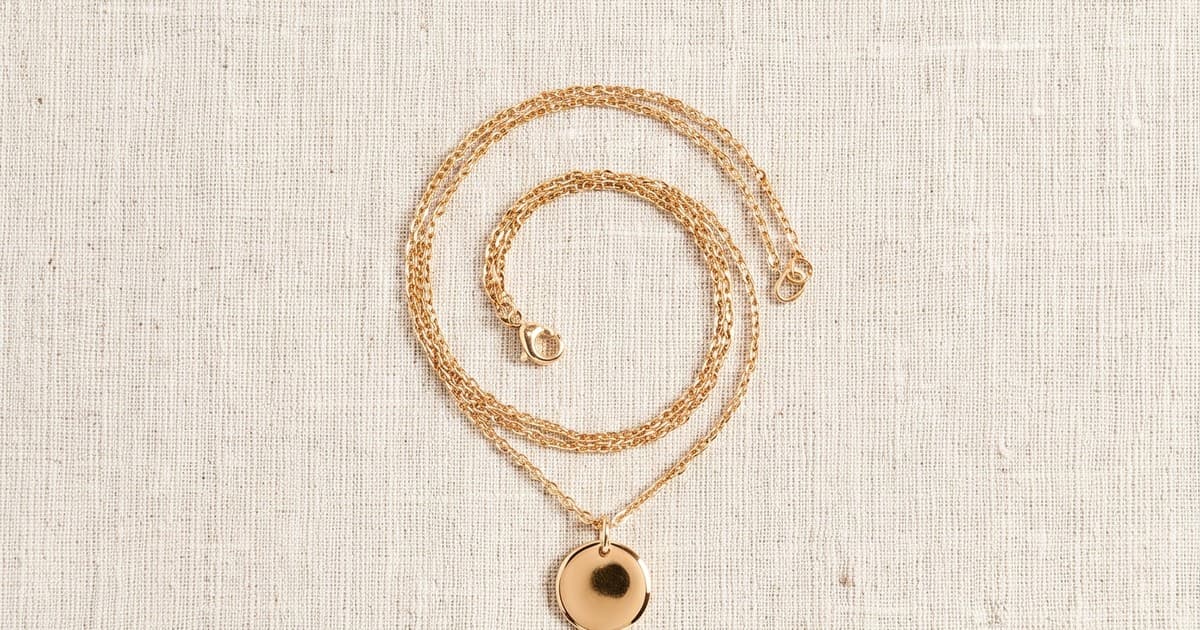
A ring is not a t-shirt. Neither is a pendant, a pair of hoops, or a leather belt with a metal buckle. If you sell jewelry or accessories and you've tried running your catalog through a general-purpose AI image tool, you've probably already hit the wall: hallucinated prongs, a fourth chain link that was never there, a gemstone that shifted from emerald to teal, or a clasp that quietly disappeared. Jewelry is one of the hardest categories in ecommerce to photograph accurately, and it's an even harder category for AI to get right without careful control.
That doesn't mean AI doesn't work for jewelry and accessories. It means the bar for "good enough to publish" is higher, and the tooling matters more than the category. This post covers where AI content genuinely helps jewelry and accessories brands, where it still needs a human check, and how to build a workflow that doesn't put you one wrong image away from a marketplace suspension or a return spike.
Why Jewelry Is a Different Problem Than Apparel
Most AI fashion content workflows (Tellos included) got good at a specific problem first: putting real garments on realistic AI models, keeping the fabric, color, and drape faithful to the source photo. Jewelry inherits some of that same tech but adds constraints apparel doesn't have:
- Reflective surfaces. Polished metal (gold, silver, chrome-plated brass) bounces light unpredictably. AI models trained mostly on diffuse surfaces (cotton, denim, skin) often smooth or invent reflections that don't match the real piece.
- Small, exact geometry. A ring has a stone shape, prong count, band width, and setting style. An earring has a stud position, drop length, and clasp type. A necklace has a specific chain pattern and length. Change any of these even slightly and the image no longer represents the product.
- Color-critical materials. Gemstone color and metal tone (yellow gold vs rose gold vs white gold) are purchase-decision factors. A model that "smooths" or "warms" colors for aesthetic reasons is actively misrepresenting the product.
- Scale ambiguity. A pendant that looks huge on a flat lay might be delicate in real life. On-model or on-hand shots need accurate scale, not just a good composition.
None of this means AI is off the table. It means the workflow needs guardrails that most general product-photo tools don't ship with by default.
General-Purpose Tools vs Jewelry-Aware Workflows
A lot of the frustration brands run into with AI jewelry photography traces back to using a general ecommerce product-photo tool that wasn't built with jewelry constraints in mind. A tool trained broadly on "products on backgrounds" treats a ring the same way it treats a candle or a water bottle: as a shape to place, not as an object with an exact prong count and a specific stone that has to stay that exact stone. The output can look polished and still be wrong in ways a shopper (or a marketplace reviewer) will catch immediately.
The practical difference shows up in a few concrete failure modes:
- Prong and setting drift. A four-prong setting becomes six prongs, or the setting style subtly changes shape.
- Chain link substitution. A cable chain becomes a rope chain, or link spacing tightens or loosens across the image.
- Gemstone hallucination. An extra accent stone appears, or a solitaire becomes a halo setting.
- Hair and hand occlusion errors. On-model shots of earrings or necklaces are especially prone to the AI losing track of where the jewelry actually sits once hair, clothing, or fingers overlap it.
None of these are hypothetical. They're the most commonly reported issues from brands that tried general-purpose AI tools on jewelry catalogs before building in a review step. The fix isn't to avoid AI, it's to route jewelry and accessories work through tools and workflows that treat geometric and color fidelity as a hard constraint, not a nice-to-have.
Where AI Content Genuinely Helps Jewelry and Accessories Brands
1. Volume for Routine Catalog and Marketplace Listings
Traditional jewelry photography is expensive per SKU because of the setup time: macro lenses, controlled lighting rigs, and careful retouching to fix dust, fingerprints, and stray reflections. A single hero shot can take 20-40 minutes of a photographer's time before retouching even starts. Multiply that across a 200-300 SKU catalog plus seasonal drops and marketplace-specific variants, and photography becomes one of the largest line items in your content budget.
For routine catalog shots (the ones customers see on a marketplace grid or a collection page, not the hero campaign image), AI-generated content can produce consistent, on-brand backgrounds and staging at a fraction of the per-image cost, without a shoot day and without a studio.
2. On-Model and On-Body Context
Flat lays tell a shopper what a piece looks like on a table. They don't tell the shopper what it looks like on skin, on a neck, on a wrist, or on an ear, which is the actual purchase question for most jewelry buyers. On-model imagery consistently outperforms flat-lay-only listings:
| Signal | Flat Lay Only | + On-Model / On-Body Imagery |
|---|---|---|
| Add-to-cart rate | Baseline | Up to 3x higher in category benchmarks |
| Purchase confidence (scale, fit, drape) | Low - shopper must guess | High - direct visual reference |
| Return rate driven by "looked different than expected" | Higher | Lower |
For accessories in particular (belts, bags, sunglasses, scarves), showing the item worn or carried does more for conversion than another isolated product shot ever will. This is the same principle behind AI Fashion Content for Activewear and Athleisure Brands (https://jointellos.com/blog/ai-fashion-content-activewear-athleisure-brands): buyers convert better when they can see fit and context, not just the flat item.
3. Video for Detail That Photos Can't Convey
A short video showing a necklace catching light as it moves, or earrings swaying, communicates weight, motion, and reflectivity in a way a static photo cannot. This matters more for jewelry than almost any other category, because "how it moves and catches light" is a real purchase consideration that's nearly impossible to fully capture in a single still frame. Short looped product videos (5-10 seconds, the piece rotating or moving slightly) are increasingly standard on PDPs for exactly this reason.
4. Rapid Seasonal and Campaign Variants
Jewelry and accessories brands run tight seasonal cycles (Valentine's Day, Mother's Day, holiday gifting) where the same core SKUs need new lifestyle staging fast. AI content lets a brand generate a fresh set of on-theme backgrounds and contexts for an existing catalog without rebooking a shoot every time the calendar turns over.
Where You Still Need a Human in the Loop
Never publish an AI image that changes what the product actually is. This isn't a style preference, it's a returns and trust problem, and on some marketplaces it's a policy violation that can get a listing suspended. Before any AI-generated jewelry or accessories image goes live, check it against the source photo for:
- Metal tone accuracy - does the AI output match the real piece under neutral light, not a warmed or cooled version of it?
- Stone count and placement - no added, missing, or shifted gemstones
- Clasp, prong, and chain integrity - no hallucinated hardware or altered link patterns
- Scale and proportion - especially in on-model or on-hand shots, where AI models can misjudge relative size
- Color fidelity on gemstones - saturation shifts are one of the most common and most damaging AI errors in this category
A useful rule of thumb from teams running high SKU volumes: AI handles 80-90% of routine catalog and marketplace imagery well. The remaining 10-20% (hero campaign shots, optically complex pieces like layered necklaces or stacked rings, one-of-a-kind or vintage items) still benefits from a traditional shoot or at minimum a tightly reviewed hybrid process. That's not a failure of AI, it's just where the risk-to-reward ratio flips.
Building a Jewelry and Accessories AI Content Workflow
- Start from real product photography, not text prompts. The more faithfully your source image captures the actual piece (metal tone, stone color, exact geometry), the less room the AI has to drift. Text-to-image generation without a real reference photo is the highest-risk path for this category.
- Batch by risk tier. Route routine catalog and marketplace shots through AI-first production. Route hero campaign images and complex, high-value pieces through a review-heavy or traditional path.
- Build a pre-publish checklist and actually use it. Metal tone, stone count, clasp integrity, scale, color fidelity - check every image against the checklist before it goes live, not just the first batch.
- Use on-model and on-body content deliberately. Don't just generate more flat lays faster. The conversion lift comes from context (worn, scaled, in motion), not from volume alone.
- Add short video for signature pieces. Reserve motion content for pieces where light, movement, or drape is part of the sell (chains, dangle earrings, layered pieces, scarves).
- Keep a fast seasonal variant pipeline. Don't rebuild your content process every campaign. Build once, restage for Valentine's Day, Mother's Day, and holiday gifting from the same source assets.
- Track returns tagged "different than expected." This return reason code is your earliest warning signal that an AI image drifted from the real product. If it climbs after you introduce AI content, that's a signal to tighten your review step, not to abandon the workflow.
What This Looks Like for Different Accessories Categories
Jewelry gets most of the attention in this conversation, but the same principles extend across the broader accessories category, each with its own wrinkle:
- Bags and small leather goods. Hardware (zippers, buckles, clasps) and stitching detail need the same fidelity checks as jewelry hardware. Texture (grain, suede, quilting) is also easy for AI to smooth over in ways that misrepresent the material.
- Sunglasses and eyewear. Lens tint and frame color accuracy matter as much as gemstone color does for jewelry, and reflections on lenses are a similar rendering challenge to polished metal.
- Belts. Buckle hardware and leather texture need the same scrutiny as jewelry clasps; scale on-body (where the belt sits, how it's worn) is a real conversion driver, the same way on-model jewelry outperforms flat lays.
- Scarves and wraps. Motion and drape are the sell, which is exactly where short video content earns its place over a static flat lay.
The common thread: any accessory with fine hardware, exact color requirements, or a "how it looks worn" question benefits from the same AI-plus-review approach that works for jewelry. The category name changes, the workflow discipline doesn't.
AI Models Are the Engine, Not the Workflow
It's worth being clear about what "AI content" means here. Underlying generative models (the Soras, Klings, and Runways of the world) are the raw engine that makes any of this possible, in the same way a camera sensor is the engine behind traditional photography. They're not what a jewelry brand actually needs to manage day to day. What a brand needs is a production workflow: consistent staging, accuracy guardrails, batch generation across a catalog, and a way to get from "flat photo of a ring" to "published, on-brand, checkout-ready image" without a photographer, a studio, or a week of back-and-forth with an agency.
That's the layer Tellos operates at. Not a competitor to the models underneath, a production system built on top of them.
The Bottom Line
Jewelry and accessories are among the least forgiving categories for AI content, and that's exactly why a careless approach shows up fast, in returns, in marketplace flags, and in customers who feel misled. But the brands getting real value out of AI here aren't the ones skipping quality control. They're the ones treating AI as a volume and speed tool for the 80-90% of routine content, keeping tight guardrails on accuracy, and reserving human judgment for the pieces and shots where the risk is highest.
Done right, that combination gets a jewelry or accessories brand a full, on-brand, on-model catalog in days instead of months, without gambling on whether the fourth prong in the photo actually exists on the real ring.
Ready to see what an accurate, on-brand AI content workflow looks like for your jewelry or accessories catalog? Explore the Tellos AI Video Studio.