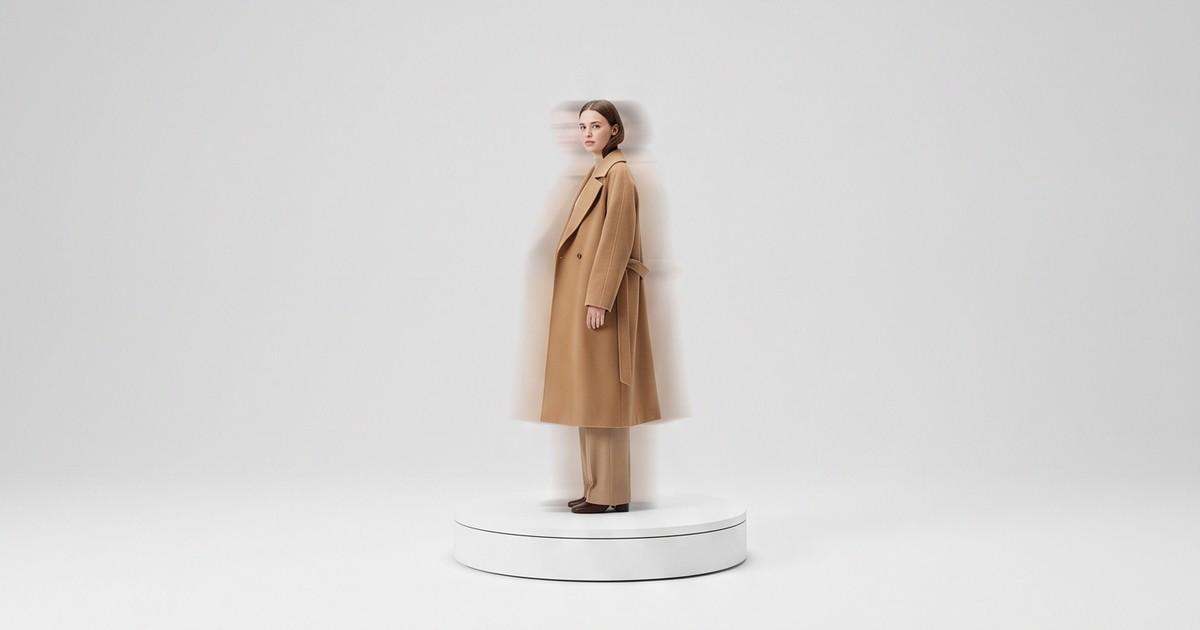
A 360 spin for one jacket is easy. A 360 spin for every SKU in a 600-piece seasonal drop, in every colorway, delivered before the launch email goes out, is where most fashion teams give up and ship static images instead.
That gap is the real question behind "how do fashion brands create 360 product videos at catalog scale?" The format is not new. The hard part is the throughput: getting consistent rotation, lighting, framing and fit across hundreds of products without booking weeks of studio time.
This guide is for the person who owns that problem. We'll cover what "360 product video" actually means in fashion (it's two different things), what each approach costs per SKU, where the bottlenecks are, and how an AI production workflow changes the math.
Quick Answer
Fashion brands create 360 product videos at catalog scale in one of three ways:
- Turntable spins - the garment on a mannequin or ghost form rotates on a motorized turntable while a fixed camera captures 24-72 frames, which get stitched into a drag-to-rotate viewer or an MP4 loop.
- On-model turnaround videos - a live model turns slowly in place on set, filmed as a short 5-10 second clip per look.
- AI-generated turnaround videos - existing product photos (flat lays, packshots, or on-model stills) are turned into on-model rotation clips by an AI production platform, without a shoot.
At catalog scale, the winning setup is usually a mix: AI turnarounds for the long tail of SKUs, and physical spins only where a frame-exact interactive viewer is required (for example, a marketplace 360 spec).
Two Very Different Things Called "360 Video"
Before you budget anything, get your team aligned on which format you mean. The words get used interchangeably, and they lead to completely different production plans.
1. The interactive spin (frame sequence)
This is the classic 360 product photography format. A product sits on a turntable, rotates in fixed increments, and a camera fires at each stop. Common frame counts:
- 24 frames (every 15 degrees) - acceptable, slightly choppy
- 36 frames (every 10 degrees) - the common default
- 72 frames (every 5 degrees) - smooth, used for detail-heavy products
The output is either an HTML5 viewer the shopper can drag, or the same frames exported as a looping MP4.
Best for: footwear, bags, hardware-heavy accessories, anything where the shopper wants to inspect a specific angle.
Weak spot for apparel: a garment on a mannequin or ghost form shows construction, but not how it hangs on a body. A dress spinning on a dress form tells you very little about drape or fit.
2. The on-model turnaround (video)
A model stands on a mark and turns slowly through front, three-quarter, side and back, usually in 5-10 seconds. Sometimes the model also walks a few steps or shifts weight to show movement.
Best for: dresses, outerwear, knitwear, swimwear, activewear, tailoring. Basically any garment where fit, drape and fabric movement are the purchase questions.
Weak spot: it's not interactive. The shopper watches the rotation instead of controlling it. In practice, most apparel shoppers don't miss the drag control. They want to see the back of the garment and how it moves.
Which one do you actually need?
| Question | Turntable spin | On-model turnaround |
|---|---|---|
| Shows fit on a body | No | Yes |
| Shows drape and movement | Limited | Yes |
| Shopper controls the angle | Yes | No |
| Works on mannequin-only budgets | Yes | No |
| Plays in ads, Reels, TikTok | Only as MP4 loop | Yes, natively |
| Fits marketplace 360 specs | Yes | Usually no |
For most fashion catalogs, the on-model turnaround does more selling work per dollar. The interactive spin earns its place in accessories, footwear and marketplaces that require it.
What 360 Product Video Costs per SKU
Here is what the market charges for physical 360 production. These figures come from published 2025-2026 studio price lists, so treat them as directional, not quotes.
| Source (published pricing) | 360 format | Listed range |
|---|---|---|
| US product studio price list (Lars Miller Media) | 24-72 frame spin | $100-$500 per product |
| US ecommerce studio (PVS Studios) | 24-frame spin | From $80 per spin |
| UK production studio (MKTRL) | 36-72 frame spin | £150-£400 per SKU |
| High-volume spin studios (per Jose Soriano's 2026 guide) | Standard spin, high volume | $35-$65 per product |
A few things these numbers don't include:
- Shipping samples to and from the studio
- Steaming and styling each garment so it looks right from every angle
- A model - most per-SKU spin pricing assumes a mannequin or ghost form
- Every colorway - each color is usually a separate spin
- Reshoots when a sample arrives late or the fit is off
Throughput is the other cost. The UK studio above notes that adding 360 spin to a studio day cuts throughput to roughly 4-6 SKUs per day depending on complexity. At that rate, a 300-SKU drop is 50-75 studio days of 360 work alone.
That's the real reason fashion brands don't have 360 video on most PDPs. It's not that they don't believe in it. It's that the math breaks somewhere around SKU 40.
Where Physical 360 Production Breaks at Scale
If you've tried to roll out 360 across a full catalog, you've probably hit at least three of these.
Sample logistics
Every SKU needs a physical sample at the studio, in good condition, at the right time. Late samples push spins past launch. Damaged samples mean reshoots. For brands working with overseas manufacturers, samples can arrive weeks after product data and flat lays are ready.
Colorway multiplication
A hoodie in 8 colors is 8 spins. A capsule of 20 styles in 6 colors each is 120 spins, even though only 20 shapes exist. Physical production charges you for every one.
Consistency drift
Shoot 400 SKUs over six weeks, and lighting, framing, rotation speed and backdrop tone start to drift. On a collection page, that drift is obvious. Shoppers scrolling a grid see one product spinning on warm grey and the next on cool white.
Model availability
On-model turnarounds need a model (or several, for size range) on set for every SKU. If you want to show the same dress on a size 6 and a size 16, that's two models, two bookings, two turnarounds.
Format sprawl
Your PDP wants a 4:5 or 1:1 loop. Your Meta ads want 9:16. Your marketplace wants a frame sequence. Your email wants a lightweight GIF or short MP4. Each format is another export, crop, or reshoot.
The AI Workflow for 360 Turnarounds at Catalog Scale
AI production changes which part of the process is expensive. Instead of paying per SKU for studio time, you pay for input preparation and review. Here's what the workflow looks like with a platform like Tellos.
Step 1: Start from the images you already have
Most brands already have, for every SKU:
- A flat lay or ghost mannequin shot
- Sometimes a packshot or on-model still
That's enough source material. If you're shooting fresh source images, the most useful inputs are a clean front view and a clean back view of the garment, evenly lit, with prints and trims clearly visible. Our guide to AI clothing photo accuracy covers what makes a good input.
Step 2: Generate the on-model base
The garment is placed on an AI model that matches your brand casting: body type, skin tone, age range, pose style. If you sell extended sizes, you can generate the same garment on multiple bodies instead of booking multiple models. See our post on AI model casting for lookbooks and catalogs for how to set a casting brief once and reuse it.
Step 3: Create the turnaround video
The on-model image becomes a short video: the model rotates through front, three-quarter, side and back, with natural weight shifts and fabric movement. This is where modern video generation models do the heavy lifting under the hood. Tellos is the production layer that keeps the garment consistent, applies your brand settings, and runs it across the whole catalog. You don't prompt a model SKU by SKU.
Step 4: Batch across colorways
Once the turnaround works for one colorway, the same pose, model, framing and rotation can be applied to the other seven. This is where the colorway multiplication problem disappears. Our color variants guide goes deeper on keeping color accurate across variants.
Step 5: Review for garment accuracy
This is the step you can't skip. For each clip, check:
- Back of the garment - is it consistent with the real product? Back details (zips, yokes, prints, labels) are the most common place for errors in any rotation.
- Prints and logos - do they stay stable as the model turns?
- Length and fit - does the hem land where it does on the real sample?
- Color - does it match the approved swatch under neutral lighting?
Reject and regenerate anything that misrepresents the product. A turnaround that shows a back detail the garment doesn't have will drive returns, not sales. Our return rate data post explains why accuracy matters more than polish.
Step 6: Export every format at once
From one approved turnaround, export:
- 4:5 or 1:1 loop for the PDP gallery
- 9:16 for Reels, TikTok and Stories ads
- Short, compressed MP4 for collection page hover states and email
What this changes, in operator terms
| Factor | Physical 360 | AI turnaround |
|---|---|---|
| Needs physical sample at studio | Yes | No (needs source images) |
| Cost driver | Per SKU, per colorway | Review time and plan |
| Throughput limit | Studio days | Review capacity |
| Model on body | Extra booking | Included |
| Size range on multiple bodies | Multiple models | Same workflow |
| Consistency across 500 SKUs | Drifts over weeks | Locked settings |
| Interactive drag-to-rotate | Yes | No (video) |
The honest trade-off: AI turnarounds are video, not a frame-exact interactive spin. If a marketplace requires a 72-frame sequence, or your accessories need the shopper to stop at an exact angle, keep a physical turntable for those SKUs.
Hybrid Setup: What We Recommend for Most Fashion Catalogs
You don't have to pick one approach for the whole catalog. Split it by where 360 actually moves the purchase decision.
Tier 1: Hero and high-AOV SKUs
- On-model turnaround video plus detail close-ups
- Physical spin only if the product is hardware-heavy (bags, shoes, watches)
- These get the most review time
Tier 2: Core catalog
- AI on-model turnaround for every SKU
- One approved colorway reviewed closely, other colorways spot-checked
- Published to PDP gallery and collection page hover
Tier 3: Long tail and marketplace
- AI turnarounds for the brand site
- Physical frame-sequence spins only where a marketplace spec demands it
- Prioritize by traffic, not by catalog order
This lets you get motion onto every PDP instead of the 10% you could afford to shoot.
Where to Put 360 Videos So They Actually Get Seen
A turnaround buried as the 9th thumbnail in a gallery does very little. Placement matters as much as production.
On the product page
- Put the turnaround in position 2 of the gallery, right after the hero still. Shoppers who swipe once see it immediately.
- Autoplay muted, loop, and keep it short (5-10 seconds).
- Keep the still hero first so the page still loads fast and looks right in search previews.
Our AI model videos for product pages guide covers PDP video layout in detail.
On collection pages
A subtle turnaround on hover (desktop) or as a short inline loop (mobile) lets shoppers compare fit across products without clicking in. If you're on Shopify, see our shoppable video galleries for collection pages setup guide.
In paid social
The 9:16 turnaround is a natural ad format: it answers "what does the back look like?" and "how does it fit?" in the first few seconds. Pair it with a hook frame from our first 3 seconds guide.
In search
Product video can show up in Google video results and product rich results if it's marked up properly. Add VideoObject schema to each PDP video. Our product video schema guide has the exact fields.
Don't Let 360 Video Slow Down Your Product Pages
Adding a video to 500 PDPs can quietly hurt page speed if it's done carelessly. Keep these rules:
- Never autoplay the video as the LCP element. Keep a still image as the hero.
- Lazy-load the turnaround until the gallery is in view or swiped.
- Compress hard. A 6-second loop doesn't need a 20 MB file. Aim for a few MB at most for PDP loops.
- Serve from a CDN with a poster image so there's no blank frame.
- Use
preload="none"orpreload="metadata"on gallery video.
Our Core Web Vitals and product video post goes through each metric.
A 30-Day Rollout Plan for 360 Video Across Your Catalog
If you're starting from zero, here's a practical sequence.
Week 1: Pick and prep
- Pull your top 50 SKUs by traffic
- Confirm each has a clean front image (and back image, if you have it)
- Set your model casting brief and backdrop once
Week 2: Pilot
- Generate turnarounds for the 50 SKUs
- Review every clip for garment accuracy
- Publish to PDP gallery position 2
Week 3: Measure
- Compare PDP engagement, add-to-cart rate and returns for pilot SKUs vs a matched control group
- Check page speed on pilot PDPs
- Collect notes on which garment types needed regeneration
Week 4: Scale
- Roll out to the next 200-500 SKUs, starting with highest traffic
- Batch colorways from approved base turnarounds
- Export 9:16 versions for paid social testing
For measuring the results properly, use the framework in our ROI on AI-generated content post. Measure your own lift instead of relying on industry averages. Published "360 increases conversion by X%" claims vary widely and rarely match apparel specifically.
Common Mistakes With 360 Product Video
- Spinning garments on a dress form and calling it done. For apparel, a body matters more than a rotation.
- Only doing 360 for hero products. The long tail is where shoppers have the least information and the most hesitation.
- Skipping the back-view check. The back is where errors and returns hide.
- Inconsistent framing across the catalog. On a collection grid, mismatched crops look cheap.
- Shipping one format. A PDP loop with no 9:16 version leaves the best ad creative on the table.
- Treating the video model as the product. Underlying video models generate motion. What keeps 500 SKUs accurate, consistent and on-brand is the production workflow around them.
FAQ
How do fashion brands create 360 product videos at catalog scale?
Most combine methods. They use AI production platforms to generate on-model turnaround videos from existing product photos for the bulk of the catalog, and keep physical turntable spins for accessories, footwear and marketplace listings that need an interactive frame sequence.
Is a 360 spin or an on-model turnaround better for clothing?
For most apparel, an on-model turnaround is more useful because it shows fit, drape and movement on a body. Interactive turntable spins are better for structured products like shoes and bags, where shoppers want to inspect a specific angle.
How much does 360 product photography cost per SKU?
Published 2025-2026 studio price lists range from roughly $35-$65 per product at high-volume spin studios to $100-$500 per product at full-service studios, before samples, styling, models and colorways.
Can AI create a 360 product video from a flat lay?
Yes. An AI production platform can place a flat lay or ghost mannequin garment on a model and generate a turnaround video. Review every clip for back details, prints and length, since those are the most common places for errors.
How many frames does a 360 spin need?
24 frames is the minimum for a usable spin, 36 is the common default, and 72 gives a smooth rotation for detail-heavy products. Check marketplace specs before shooting, since some require a specific frame count.
Put Motion on Every PDP, Not Just the Heroes
360 video was never a creative problem for fashion brands. It was a throughput problem. When every spin needs a sample, a studio slot and a model, only a handful of SKUs get one.
With Tellos, you can turn the product photos you already have into on-model turnaround videos for your whole catalog, in every colorway and every format, and spend your team's time on review instead of logistics.
Create 360 turnaround videos with the Tellos AI Video Studio