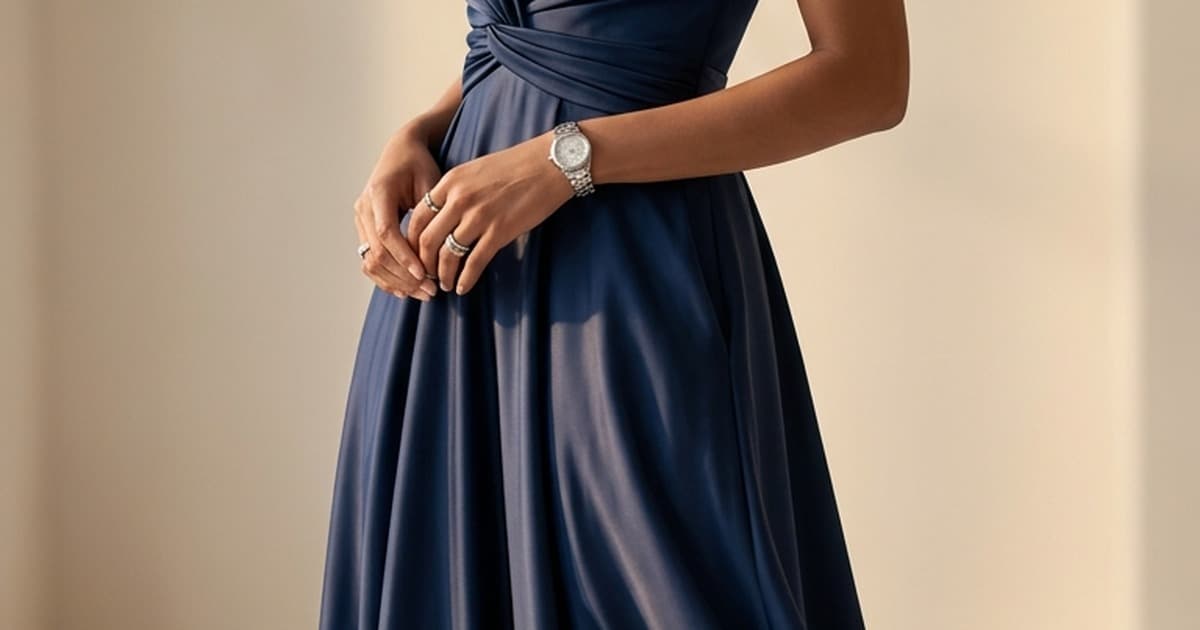
Kling AI has become one of the most talked-about video generation models among fashion ecommerce teams, and for good reason. Where most AI video tools produce generic, jittery output, Kling does something different: it renders fabric.
A draped silk blouse that ripples in motion. A linen trouser that breaks at the knee as a model walks. A leather jacket that catches light as the camera orbits. These are the outputs fashion brands need, and for most of the AI video landscape, they have historically been the hardest to achieve.
This post breaks down what Kling AI is, why it performs so well on fashion content specifically, how platforms like Tellos build ecommerce workflows on top of it, and what your brand can realistically produce with it today.
What Kling AI Actually Does
Kling is a video generation model developed by Kuaishou, one of China's largest short-video platforms. It launched publicly in 2024, rapidly expanded its capabilities through 2025, and now operates as one of the most capable image-to-video and text-to-video models available.
At the model level, Kling is built on a diffusion transformer architecture that handles video as a temporal sequence, meaning it learns to predict how each frame should transition from the previous one while maintaining spatial coherence. That is what gives it an edge over older generation architectures that process each frame more independently and often produce that tell-tale flickering.
Key capabilities
Image-to-video generation is Kling's strongest use case for ecommerce. You provide a single product image - a product shot, a flat lay, a model photo from a previous shoot - and Kling animates it into a 3 to 15-second video. The motion is inferred from the image contents: a model pose becomes a walk, a fabric fold becomes a flutter, a product display becomes a cinematic pan.
Text-to-video generation lets you describe a scene entirely in words. "A model in a floral sundress walks through a sunlit Mediterranean courtyard, fabric flowing in a light breeze." Kling renders it from scratch, no source image needed.
Motion synthesis and control is where Kling has pulled ahead of many competitors. You can specify camera movement (pan, zoom, orbit, push-in), character movement type, and even constrain start and end frames - so your video clip begins and ends exactly where you need it for a seamless loop or a product page embed.
Multi-resolution output supports aspect ratios from 16:9 widescreen to 9:16 vertical, making Kling clips immediately usable across PDPs, Instagram Reels, TikTok, and Meta ads without reformatting.
The current generation, Kling 3.0, added storyboard-level scene control, character consistency across multiple shots, synchronized audio, and start/end frame locking. If you want to go deeper on the technical specs, our Kling 3.0 breakdown covers the full feature set.
Why Kling Excels at Fashion
Fashion video has specific requirements that make it one of the hardest content categories for AI video tools to handle well. Here is where Kling consistently outperforms.
Fabric physics simulation
Fabric is governed by complex physical rules: drape, stretch, fold, ripple, translucency. Stiff models that treat fabric as a rigid surface produce output that looks immediately artificial - fabric that doesn't move, or moves in a blocky, unnatural way.
Kling's training data includes a large proportion of fashion and lifestyle video from Kuaishou's platform, which has extensive fashion and beauty content. The result is that the model has developed a strong internal representation of how different fabric types should behave.
- Woven fabrics (denim, cotton, linen) get natural crease and fold behavior
- Drape fabrics (silk, chiffon, satin) ripple and catch light correctly
- Knits (sweaters, jersey) stretch with body movement without becoming plastic-looking
- Structured garments (blazers, outerwear) hold their shape while still reading as having physical weight
This isn't perfect at all resolutions and in all scenarios, but it is significantly better than what most comparable models produce on fashion inputs.
Model motion that reads naturally
When a model's movement looks robotic, the viewer immediately loses confidence in the product. Kling generates fluid, naturalistic human movement - walks, turns, poses, and gestures - that maintains the proportions and identity of the person in the source image.
Character consistency controls, introduced in Kling 3.0, mean you can use the same model identity across multiple shots. That's critical for brands that want to build coherent PDPs, lookbooks, or ad campaigns from a single AI generation session.
Garment-to-body interaction
One of the subtler challenges in fashion AI video is getting the garment to interact correctly with the body underneath it. Shirts should tuck, trousers should break, dresses should follow body curves. Earlier AI video tools often generated garments that appeared to float slightly, disconnected from the wearer's actual form.
Kling handles this interaction substantially better, particularly for fitted and semi-fitted garments. The result is video that reads as high-quality fashion content rather than an AI artifact.
Background and lighting consistency
Fashion video doesn't exist in isolation - it needs to sit in a context. A studio sweep, a lifestyle setting, a minimalist brand background. Kling maintains lighting consistency across frames, which means the illumination that hits a garment in the first frame continues to track through the entire clip. That consistency is what makes the difference between video that looks produced and video that looks generated.
Kling in the Broader AI Video Landscape
Kling doesn't operate in a vacuum. Several other world-class AI video models have become standard tools in the ecommerce content stack.
Sora (OpenAI) excels at cinematic quality and complex scene generation. Its output tends to read as more filmic, with longer generation windows and strong environmental rendering. For hero campaign content, wide shots, and lifestyle storytelling, Sora often produces the most visually impressive results.
Runway has built a strong reputation for creative control and consistency. Its motion brush feature and fine-grained editing tools appeal to brands that need precise control over what moves and what stays still - useful for product isolation shots where the background should remain static while only the product animates.
Pika is fast and lightweight, well-suited for rapid iteration and social-first content where output speed matters more than maximum quality.
None of these are competitors to each other in the way the tech press sometimes frames them. They are different tools with different strengths. And none of them are competitors to platforms like Tellos - they are the underlying engines that platforms run on top of.
Choosing which model to use for a specific asset type is a workflow decision, not a brand decision. Which is exactly why intelligent routing matters.
How Tellos Uses Kling Alongside Other AI Video Models
Tellos AI Video Studio doesn't lock you into a single AI video model. Instead, it routes each generation job to the model best suited to the task.
For fashion brands, that routing works roughly like this:
| Content type | Typical model | Why |
|---|---|---|
| On-model garment animation | Kling | Fabric physics, character consistency |
| Hero campaign video | Sora | Cinematic quality, scene depth |
| Product isolation / ghost mannequin animation | Runway | Motion control, static background options |
| High-volume social variants | Kling / Pika | Speed, aspect ratio flexibility |
| Lifestyle scene generation | Sora / Kling | Environmental rendering, model motion |
This matters for fashion brands because your content needs vary across the funnel. A PDP needs tight garment motion and clear product detail. A TikTok ad needs motion-first storytelling and vertical format. A campaign video needs cinematic quality and emotional resonance. Trying to produce all of that through a single AI model and a direct API means managing three or four different tools, each with different prompting conventions, output formats, and quality considerations.
Tellos handles that complexity behind the scenes, so your team works from a single interface while the platform selects and runs the right model for each job.
To understand how this fits into a broader ecommerce video strategy, the AI Fashion Video Generator guide covers the full model landscape in more detail.
Real Use Cases: What Fashion Brands Are Producing with Kling
Product detail pages
The PDP is where purchase decisions happen, and video on the PDP is one of the highest-ROI content investments a fashion brand can make. The challenge has always been production cost and catalog coverage - you can't film every SKU.
With Kling-powered generation, brands are:
- Animating flat lay product photos into slow-motion fabric reveals, showing texture and drape without needing a model or a studio
- Converting existing model shots from previous photo shoots into 5–10 second motion clips that loop cleanly on the PDP
- Generating ghost mannequin animations that show how a garment fits and moves without requiring a live model
- Producing 360-style orbital videos from a single front-facing product image, giving the impression of a multi-angle view
The result is PDPs that show products in motion, at scale, without a proportional increase in production budget. Our AI Video Studio for Ecommerce post breaks down the PDP case in more depth.
Social ads - TikTok and Meta
Paid social for fashion runs on creative volume. The brands winning on TikTok and Meta Reels are testing more variations, refreshing creatives more frequently, and targeting multiple micro-audiences with tailored messaging.
Kling enables that volume. Starting from a single product photo, a fashion brand can generate:
- Multiple motion styles (walking model, floating product, lifestyle scene)
- Multiple aspect ratios (9:16 for TikTok, 4:5 for Meta feed, 1:1 for stories)
- Multiple background contexts (studio, outdoor, seasonal setting)
All from the same source asset, in a fraction of the time and cost of reshooting.
For paid social, the workflow on Tellos typically looks like this:
- Upload product image or existing model photo
- Select output channels (TikTok, Meta Reels, Instagram Stories)
- Generate motion variants - Kling handles fabric animation and model motion
- Download channel-ready clips with correct aspect ratios and durations
- Push directly to your ad manager
What used to take a two-day shoot and two days of editing now takes a morning.
Seasonal campaigns
Seasonal campaign content, hero images for a new collection, campaign videos for a sale event - these traditionally required full production shoots. Budget, lead time, and creative direction all needed to align. Brands without the budget for a proper campaign often skipped video entirely.
Kling changes the cost curve here significantly. A small fashion brand can now produce campaign-quality video content by:
- Generating a lifestyle scene from a text description and a product reference image
- Creating a series of character-consistent shots that read as a coherent campaign
- Building a short-form video narrative from a sequence of AI-generated clips
The output quality isn't indistinguishable from a professional shoot with top-tier lighting and camera work. But for most campaign use cases - social ads, email headers, website homepage content - it is more than good enough. And it is available in days rather than weeks.
Lookbooks and editorial content
Lookbook content has historically been one of the most resource-intensive outputs in fashion marketing. Multiple garments, multiple model looks, multiple settings, photographed and styled together. AI video generation doesn't replace the editorial vision, but it dramatically reduces the production cost of executing it.
Brands using Kling for lookbook generation are building seasonal collections using a consistent AI-generated model identity, placing garments in AI-generated settings, and producing short video lookbooks that work across the website and email marketing. For a more detailed look at this workflow, our AI Lookbook Creator guide covers the process end to end.
DIY Kling vs. the Tellos Platform Approach
If Kling's capabilities are this strong, why not just use the Kling API directly? It's a fair question. Here is an honest comparison.
Direct Kling API
What it gives you:
- Full access to all generation parameters
- No platform markup on generation costs
- Maximum flexibility for custom workflows
What it requires:
- API integration and maintenance
- Prompt engineering expertise - Kling requires careful prompting to get consistent fashion output
- Manual post-processing: cropping, resizing, format conversion for different channels
- Building your own job queue if you need to generate at volume
- Managing API rate limits and error handling
- No built-in brand consistency controls - your team manages that manually
Who it works for: Brands with a technical team that can build and maintain the integration, and a content volume that justifies the build cost.
Tellos AI Video Studio
What it gives you:
- Access to Kling, Sora, Runway, and other models through a single interface
- Ecommerce-specific workflows: PDP output formats, social ad sizing, channel-ready delivery
- Brand consistency controls built into the platform
- Automatic model routing based on content type
- No API maintenance overhead
What it requires:
- A monthly platform cost
- Working within the Tellos interface rather than a fully custom workflow
Who it works for: Fashion ecommerce teams that want the output of AI video without building and maintaining the technical infrastructure themselves. Brands generating content across multiple SKUs, multiple channels, and multiple formats consistently.
The honest framing is this: Kling is the engine. Tellos is the vehicle. If you want to drive the engine yourself, you can. If you want a vehicle that is already built, maintained, and optimized for your use case, that is what the platform does.
| Factor | DIY Kling API | Tellos AI Video Studio |
|---|---|---|
| Setup time | Days to weeks | Hours |
| Prompt expertise required | High | Low |
| Multi-model access | Manual | Built-in |
| Channel-ready formatting | Manual | Automatic |
| Brand consistency | Manual | Built-in |
| Ongoing maintenance | Your team | Platform |
| Best for | Technical teams, custom workflows | Ecommerce teams, scale |
What to Expect in Terms of Output Quality
Setting realistic expectations matters. Here is an honest view of what Kling produces well and where it still has limitations.
Kling performs strongly on:
- Solo model animations from clean product shots
- Fabric motion on woven and drape fabrics
- Camera movement and cinematic framing
- Standard aspect ratios and durations up to 15 seconds
- Character consistency with reference image inputs
Kling still struggles with:
- Complex multi-person scenes with precise interaction
- Very fine fabric detail at high motion speeds
- Very long-duration clips (beyond 15 seconds, quality can degrade)
- Highly patterned fabrics (busy prints can warp in motion)
For most PDP, social ad, and campaign use cases, these limitations don't matter. The content that falls outside them tends to be niche or high-end production work where AI video generation is a supplement to, not a replacement for, professional filming.
Starting Points for Fashion Brands
If you want to test Kling-powered video generation for your catalog, here is a practical starting point.
Start with your best-performing static images. The images that already convert well as statics are good candidates for video - they have strong composition, good lighting, and clear product presentation. Kling will have more to work with.
Start with categories where fabric motion matters most. Dresses, blouses, trousers, and knitwear all benefit more from motion than, say, structured bags or footwear. Your highest-motion-benefit SKUs are the right place to begin.
Test output formats before scaling. Generate a small batch across three or four SKUs in multiple formats and put them live. See what the data tells you before committing to full catalog coverage.
Build a prompt library. Whether you use Kling directly or through a platform, consistent prompting produces more consistent output. Document what works for your brand style: preferred motion types, background contexts, lighting descriptions.
For a complete guide to the broader content strategy around AI video for fashion, see our Fashion Video Marketing Strategy post.
The Bottom Line
Kling AI has made fabric-accurate, motion-rich fashion video accessible without a production budget. It is not a magic button - it requires good source images, thoughtful prompting, and quality review before publish. But for fashion brands that have been sitting on static images while their competitors run video, it removes the cost and time barriers that previously made video at scale impossible.
The question for most fashion ecommerce teams is not whether to use AI video generation - it's whether to build the infrastructure yourself or to work with a platform that has already done it.
Ready to Create Product Videos with AI?
Tellos AI Video Studio gives fashion brands direct access to Kling, Sora, Runway, and other leading AI video models through a single ecommerce-optimized workflow. Upload your product photos, select your output channels, and get channel-ready video in minutes - no API keys, no prompt engineering, no post-processing.
Start creating product videos at jointellos.com.