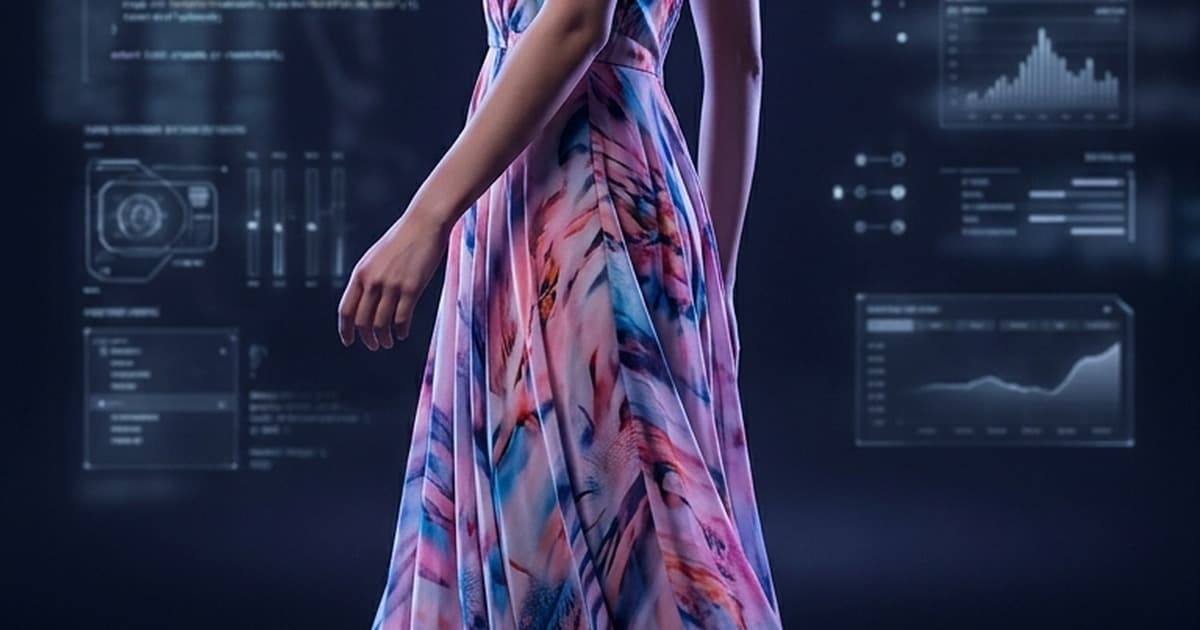
Static product photos still have their place — but video is where conversions happen.
Shoppers who watch a product video are up to 144% more likely to add it to cart than those who don't. Yet most fashion brands are still stuck uploading flat images to their PDPs, TikTok, and Meta ads because traditional video production is expensive, slow, and logistically brutal.
That's exactly what AI fashion video generators were built to solve. You upload a product photo — a dress, a jacket, a pair of sneakers — and in minutes you have a polished, motion-driven video ready to publish across every channel.
This post covers what these tools actually do, which AI models power them, what makes fashion-specific video generation different from generic AI video, and how to use it across TikTok, Reels, PDPs, and paid ads.
What Does an AI Fashion Video Generator Actually Do?
At its core, an AI fashion video generator takes a still image as input and outputs a short video clip — anywhere from 3 to 15 seconds — in which the product (or the model wearing it) appears to move.
Depending on the tool and settings, that motion can look like:
- A model walking or posing — the garment flows naturally with the movement
- Camera movement — a cinematic pan, zoom, or orbital shot around the product
- Fabric animation — cloth ripples, folds, and catches light as if in a real shoot
- Scene transitions — the product appears in context (a lifestyle background, a runway setting)
The underlying mechanism varies by model, but typically involves video diffusion models that have been trained on millions of video clips and can predict how pixels should move through time. When you give it a fashion image, it infers the likely motion and renders new frames in between.
The result: a video that looks like it was filmed — even when it wasn't.
The AI Models Powering Fashion Video Generation
Several world-class AI video models underpin this technology. These aren't competitors — they're the engines. Platforms like Tellos sit on top of them to provide ecommerce-specific workflows, brand consistency, and channel-ready output.
Here's a quick breakdown of the key models:
| Model | Strengths | Best For |
|---|---|---|
| Sora (OpenAI) | Cinematic quality, long duration | High-production brand content |
| Kling (Kuaishou) | Lifelike human motion, fabric physics | Model movement, garment showcase |
| Runway Gen-3 | Creative control, fast iteration | Ad variations, quick content |
| Pika | Stylized motion, ease of use | Social content, lifestyle clips |
| Wan | Realistic physics, detail retention | Product close-ups, texture showcase |
Each model has its own sweet spot. Kling, for example, is particularly good at understanding how fabric moves — the way a silk dress drapes during a turn, or how denim holds its structure. Sora excels at cinematic quality and longer-form sequences. Runway is fast and great for generating multiple ad variations quickly.
The magic isn't in picking one — it's in having access to the right model for the right use case, without having to manage API keys, prompts, and cropping workflows for each one separately.
What Makes Fashion Video Generation Different from Generic AI Video
Most AI video tools are built for general use. Fashion and ecommerce have specific requirements that generic tools simply weren't designed for:
1. Garment Fidelity
The number one concern in fashion video is color and detail accuracy. A generic video model might animate a product beautifully — but subtly shift the color, blur a logo, or warp a print. For fashion brands, that's a dealbreaker. AI models fine-tuned or prompted specifically for fashion maintain better fidelity to the original garment.
2. Model Consistency
If you're using a custom AI model for your fashion brand, consistency across videos is critical. You don't want your AI model to look slightly different in every clip. Fashion-specific platforms maintain identity consistency — same face, same proportions, same posture — across all generated videos.
3. Background and Lifestyle Context
Fashion video isn't just about showing a product — it's about placing it in the right world. A luxury bag needs a different backdrop than a streetwear hoodie. Generic AI video tools don't understand brand context. Fashion-specific workflows let you set consistent scenes, lighting, and environments that match your brand identity.
4. Aspect Ratio and Channel Formatting
A TikTok video needs 9:16. A PDP video is often 1:1 or 16:9. Meta ads have their own specs. Fashion video generators built for ecommerce handle these automatically — you don't have to re-generate content for every channel.
5. Batch Processing at Scale
A fashion brand might have hundreds of SKUs. You can't manually prompt-engineer a video for each one. Purpose-built tools handle batch workflows where you can feed in a product catalog and get video output at scale.
From Mannequin Photo to Moving Video: The Workflow
If your catalog photos are on a mannequin, ghost mannequin, or flat lay — no problem. Modern AI workflows can handle the swap before video generation even begins.
The process looks like this:
- Start with your product photo — could be a flat lay, ghost mannequin, on-model shot, or even just the garment on a hanger
- AI places it on a virtual model — using technology like mannequin to model AI, the product is fitted onto a realistic human figure
- The video generator animates the scene — the model walks, turns, or the camera moves around the product
- Output is formatted for your channels — vertical for TikTok/Reels, landscape for ads, square for PDPs
The entire pipeline, from a simple product photo to a publish-ready video, can run in minutes — not days.
How to Use AI Fashion Video Across Every Channel
The same product can — and should — be repurposed across every channel. Here's how to think about it:
TikTok and Instagram Reels
Short-form video is where fashion discovery happens. 62% of Gen Z shoppers say TikTok influences their fashion purchases. The format is 9:16, 7–15 seconds, and the hook needs to land in the first 2 seconds.
AI fashion video shines here because:
- You can generate dozens of variations from one photo
- You can A/B test different motion styles (runway walk vs. lifestyle scene vs. product zoom)
- You can publish at the volume TikTok's algorithm rewards without running daily shoots
Best practices for TikTok/Reels:
- Start with movement — no static frames in the first second
- Keep it under 12 seconds for best completion rates
- Add text overlays for price, offer, or product name (do this in post, not in the AI generation)
- One product per video — keep focus tight
Product Detail Pages (PDPs)
Video on PDPs directly increases conversion. Shoppers want to see how a garment moves, how fabric catches light, how a silhouette looks from different angles.
For PDP video:
- Loop-friendly — 5–8 second loops work well on PDPs
- Silent-first — most PDP videos autoplay without sound
- Multi-angle — use different video clips for the same product to show front, side, and back
The AI video studio for ecommerce workflow is specifically designed to output PDP-ready video from catalog photos — including auto-cropping to square and landscape variants for different layout types.
Paid Ads (Meta, TikTok Ads, Google)
Paid social has become pay-to-play. The brands winning on Meta and TikTok Ads are iterating faster — testing more creative, more often, against more audience segments.
AI fashion video enables creative velocity:
- One product → 10 video variants in an afternoon
- Different scenes (urban, studio, outdoor) from the same photo
- Different motion styles (calm lifestyle, high-energy runway, slow-motion fabric)
- Different aspect ratios from a single generation run
For ads, the goal isn't perfection — it's volume with quality. AI lets you generate enough variations to find what resonates, then double down on what works.
Email and SMS
Motion in email is underused in fashion. Animated GIFs from your AI-generated videos outperform static images in click-through rates — and they're trivially easy to create once you have the video asset.
What to Look for in an AI Fashion Video Generator
Not all tools are created equal. Here's what separates a real ecommerce-grade solution from a generic AI toy:
Garment accuracy — Does the tool preserve color, print, and texture faithfully? Run a test with your most complex pattern.
Model quality — Does the human figure look natural and proportional, or slightly uncanny? Test with different body types.
Brand customization — Can you train the tool on your specific aesthetic, models, and scenes? Off-the-shelf prompts won't give you brand consistency.
Batch capability — Can you process your full catalog, or are you limited to one video at a time?
Channel output — Does it natively export 9:16, 16:9, and 1:1? Or do you have to re-crop manually?
Speed — How long does generation take? For high-volume catalog work, minutes-per-video matters.
The Economics: AI Video vs. Traditional Production
Let's be honest about the numbers:
| Traditional Shoot | AI Fashion Video | |
|---|---|---|
| Cost per look | $300–$1,200+ | <$5 |
| Turnaround | 1–3 weeks | Minutes |
| Revisions | Expensive re-shoots | Instant regeneration |
| Scale | Limited by budget | Entire catalog |
| Consistency | Varies by shoot | Controlled |
For a brand with 200 SKUs launching a seasonal campaign, traditional production might cost $60,000–$240,000 in video alone. AI video brings that to under $1,000 — with faster turnaround and the ability to iterate.
That's not a marginal improvement. It's a structural change in how fashion brands can operate.
Common Mistakes to Avoid
Treating AI video as a replacement for all photography — AI video is a force multiplier for your existing photos, not a reason to stop investing in hero creative. Use AI to scale and diversify; use professional shoots for flagship moments.
Ignoring garment accuracy — Always QA your generated videos before publishing. Even great AI models occasionally distort prints or shift colors. Have a reviewer spot-check before going live.
Using generic prompts — "Show a woman wearing a dress" will give you generic results. The more specific your prompt — fabric type, lighting style, setting, movement — the better the output.
Generating in one format only — Always generate for multiple channels from the same source. If you're already running the workflow, it costs almost nothing to output 9:16, 1:1, and 16:9 in the same session.
Skipping brand training — The biggest unlock in AI fashion video isn't the generation itself — it's training the system on your brand's specific models, scenes, and aesthetic. Untrained systems give you generic content; trained systems give you brand content.
Getting Started with Tellos
Tellos is built specifically for ecommerce teams that need to turn product photos into publish-ready video — at catalog scale, with brand consistency, across every channel.
It runs on the best AI video models available — Sora, Kling, Runway, Pika, and others — routing each job to the model best suited for the specific content type. You don't manage the models. You manage your brand.
The AI Video Studio includes:
- Photo-to-video generation from any product photo — flat lay, on-model, mannequin
- Model swap — place your products on AI models that match your brand's aesthetic
- Brand training — train custom AI models on your specific look and feel
- Batch processing — run your full catalog through the workflow
- Channel-ready export — 9:16, 16:9, and 1:1 output in one run
- PDP, social, and ad formats — all from the same source image
Try it free — no shoot required, no production team needed.
👉 Start generating fashion videos for free at jointellos.com
The Bottom Line
AI fashion video generators aren't a gimmick — they're becoming table stakes for ecommerce brands that want to compete on TikTok, Instagram, and Meta without spending a fortune on production.
The technology has matured fast. Models like Sora, Kling, and Runway can now handle fabric physics, human motion, and garment fidelity at a level that was impossible 18 months ago. And platforms built on top of these models — designed specifically for ecommerce workflows — make them accessible without requiring an AI engineer on your team.
The question isn't whether AI fashion video is worth exploring. It's whether you can afford to wait while your competitors are already publishing 50 videos a week from the same catalog photos you have sitting in your Dropbox.
Start with one product. See what a 10-second AI video does for your PDP conversion rate. Then scale from there.